Sound designers and producers who spend more time tweaking than tracking.
Plug-in Variety
- VST, AU, AAX — native on Apple Silicon and Intel.
- macOS 11 or later.
- One plugin in any compatible host.
Sound
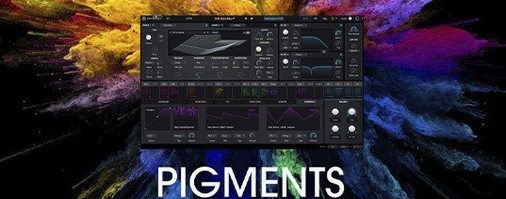
Modulation starts with a drag. Routing gets visual. The sequencer generates patterns you wouldn't write by hand. Then the effects section — new filters, a Corroder — roughs it up or smooths it over. 150 fresh presets, extra wavetables, samples and noises fill out version 7. A quick Play Page sits up front when you need results, not details.
Speed is not a performance metric you watch. It is something you notice only when it is absent — and with Pigments 7, that absence is rare. Patches load immediately. The interface redraws without stutter, even when modulation cables snake across the screen. On an M-series Mac, CPU hit stays modest. Complex polyphonic patches with heavy effects might nudge the meter, but freeze or dropout is uncommon. Intel machines handle it fine too, though older dual-core models will feel the weight of dense unison and stacked effects sooner.
Stability holds. No crashes during a week of daily sessions. No plugin scan failures in Live or Logic. The AU version behaves. The VST3 stays silent when it should. This is version 7.0.1 — the kind of point release where the bugs have been chased out and the additions feel deliberate, not desperate.
People often ask whether Pigments replaces their other synths. It depends on what you reach for. If you own four specialized instruments for wavetable, virtual analog, granular, additive, sampling and FM, Pigments covers those ground types inside one window. The engines are not the deepest in each category — a dedicated FM synth goes further — but the integration is what changes your workflow. A wavetable oscillator can frequency-modulate a sample. A granular cloud can feed the additive engine. No routing matrix to decode. You just drag.
Another question: does it work offline after activation? Yes. The plugin does not phone home during a session. You activate once and it stays quiet.
Beginners often ignore the Play Page. They dive straight into the full engine view, overwhelmed by tabs and knobs, and miss that the Play Page is the smartest entry point. It surfaces macro controls, key parameters and a curated set of presets tuned for performance. Start there. Twist the six macro knobs. Listen. Then switch to the full view when you need the routing.
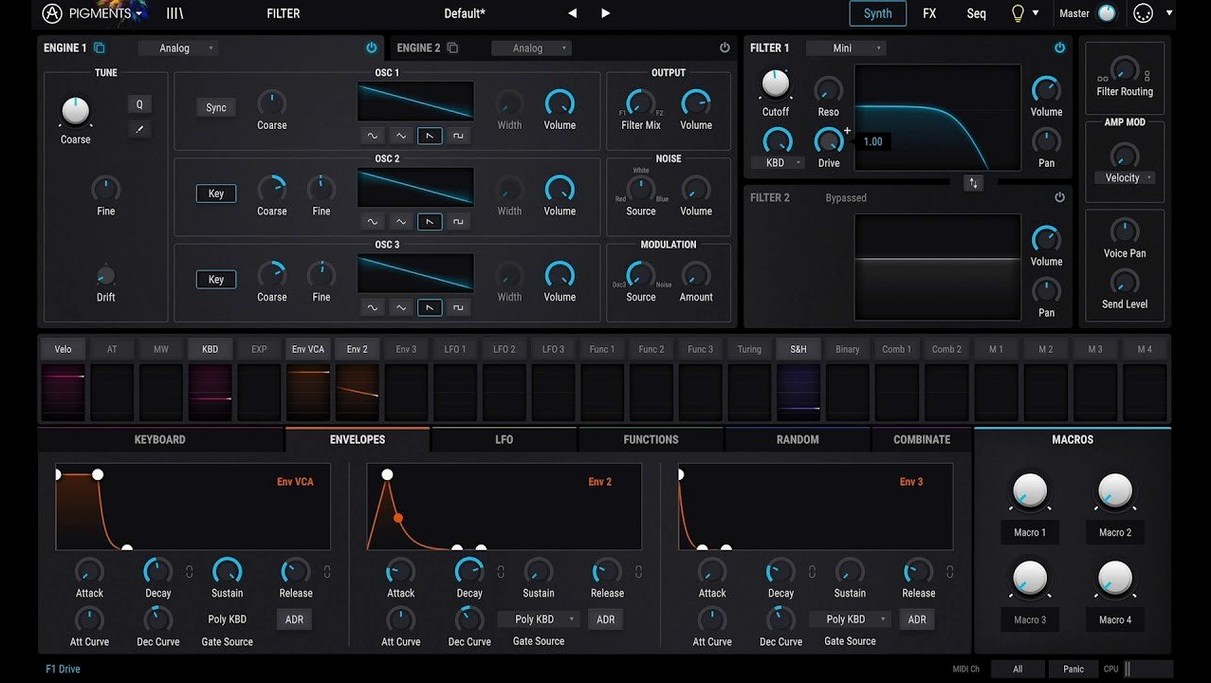
A second mistake: treating the modulation panel as an afterthought. Drag a source to a destination early, not late. Even a simple LFO mapped to filter cutoff with slight randomization changes a static patch into something alive. The visual feedback — the little colored ring around the destination knob showing the modulation amount — is easy to miss. Watch for it. It tells you what is moving and by how much, without opening a menu.
A third: overlooking the utility shortcuts tucked into the interface. Right-click any knob to assign it to a macro instantly. Double-click a modulator slot to open its full controls. Hold Alt while dragging a modulation cable to duplicate the assignment to another destination. The sequencer has a hidden talent too — flip it to arpeggiator mode with one click on the label beneath the step grid. These are not in the in-app tutorials. You discover them by accident, or you read this.
The Corroder effect deserves a moment. It is new in 7.0.1 and it is not subtle. It degrades signals with a bias toward lo-fi cassette and worn vinyl textures. Drop it on a clean bell patch and you get something that sounds sampled from a forgotten library record. Blend it lightly — below 20% wet — and it adds grit without announcing itself. Beginners tend to crank it. Don't. A little Corroder goes a long way.
Resource use under normal conditions: around 8–15% CPU per instance on an M1 Pro, depending on voice count and effects. Multiple instances stack cleanly until you pile on the Corroder and the convolution reverb simultaneously. Then the fan might wake. Closing the GUI drops the GPU load to zero, which matters if you keep plugins open on a secondary display.
If you are used to synths that fight you — menus inside menus, modulation buried three tabs deep — Pigments feels like a correction. The color coding is not decoration. It is navigation. Purple for modulation. Orange for filters. Blue for oscillators. You stop reading labels and start recognizing hues. That is a small thing that, after a week, you cannot unlearn.