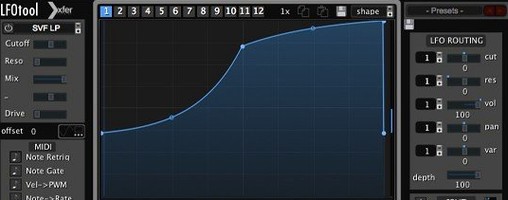
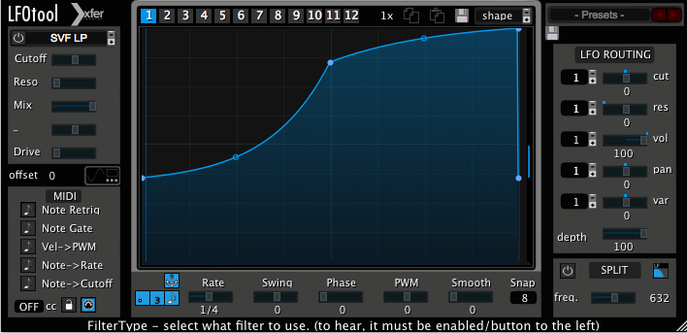
No new features this time. LFO Tool stays a clean tool for shaping movement and sending it elsewhere. Five gestures show what it does best.
- Click the curve and drag the tension handle. The shape goes from clinical to fluid.
- Set the rate to BPM and add swing. A straight pattern relaxes into a shuffle.
- Send one of the four graphs out as MIDI CC to another instrument or to hardware.
- Mute two graphs. Put one on cutoff, one on pan.
- Switch on the envelope follower. The movement starts reacting to your audio.
Side-by-side
LFOTool sits between Cableguys ShaperBox and a simple DAW LFO.
ShaperBox covers more ground. It bundles drive, filtering, and time effects with its modulation. LFOTool does not dress up the signal. It shapes, pans, filters, and ducks. That narrowness is the point. You open it for one reason. You leave quickly.
A stock DAW LFO ties you to one synth or one parameter. LFOTool sends MIDI CC out to whatever you point it at. Hardware, a different track, a reverb tail. It breaks the one-to-one link.
Between the three: ShaperBox for multi-effect chains. The DAW LFO for a single quick wobble. LFOTool when the movement itself is the idea and it needs to travel.
First-week mistakes
Two mistakes repeat.
Setting the rate in Hz and wondering why the groove drifts. If the track has a tempo, use BPM mode. Hz is for sound-design moments, not for pocket.
Leaving the envelope follower on without a purpose. It pulls the curve toward the input. That can blur a shape you spent time dialing in. Turn it off until you need the interaction.
A subtler one: loading a preset and ignoring the output routing. A preset may send MIDI CC to a channel you have not set up. You hear nothing and blame the plug-in. Check the routing first.
Single-loop shaping
Make a single four-bar loop. No other plug-ins. Put LFOTool last on a pad or a sustained bass.
Pick the slowest rate that still feels like movement. Drag one point. Listen to the shape more than the depth. Try the same curve with the envelope follower on, then off. You learn the difference fast.
After an hour, route one graph to MIDI CC 1—mod wheel—on a different instrument track. Keep the curve simple. A slow rise and fall. Just seeing movement leave one track and land on another changes how you build modulation.
Skip the 12-graph bank in the first week. Four active graphs are plenty. Cutoff, volume, pan, and one MIDI CC send. Once those four feel like one gesture, the deeper features earn their place.