
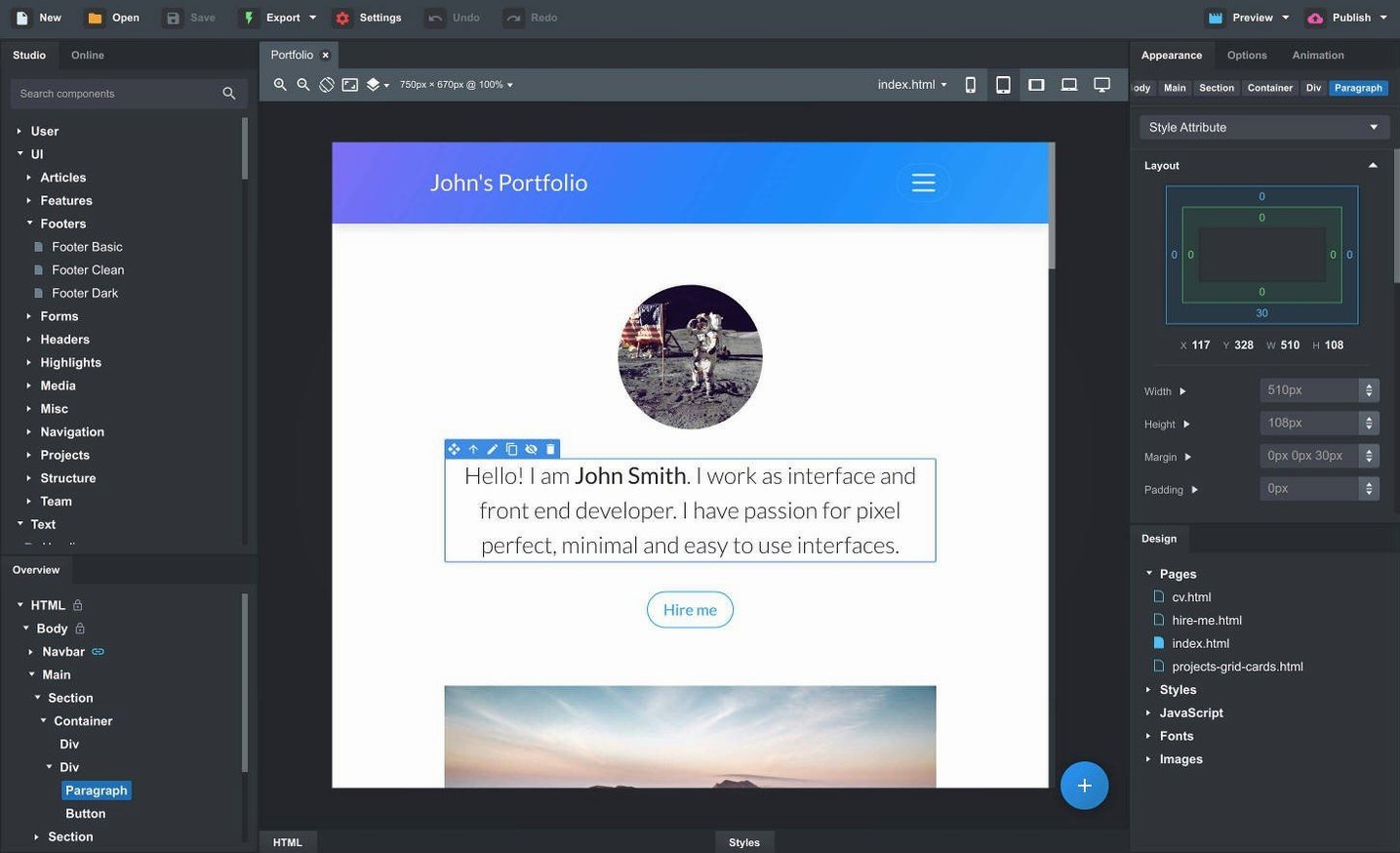
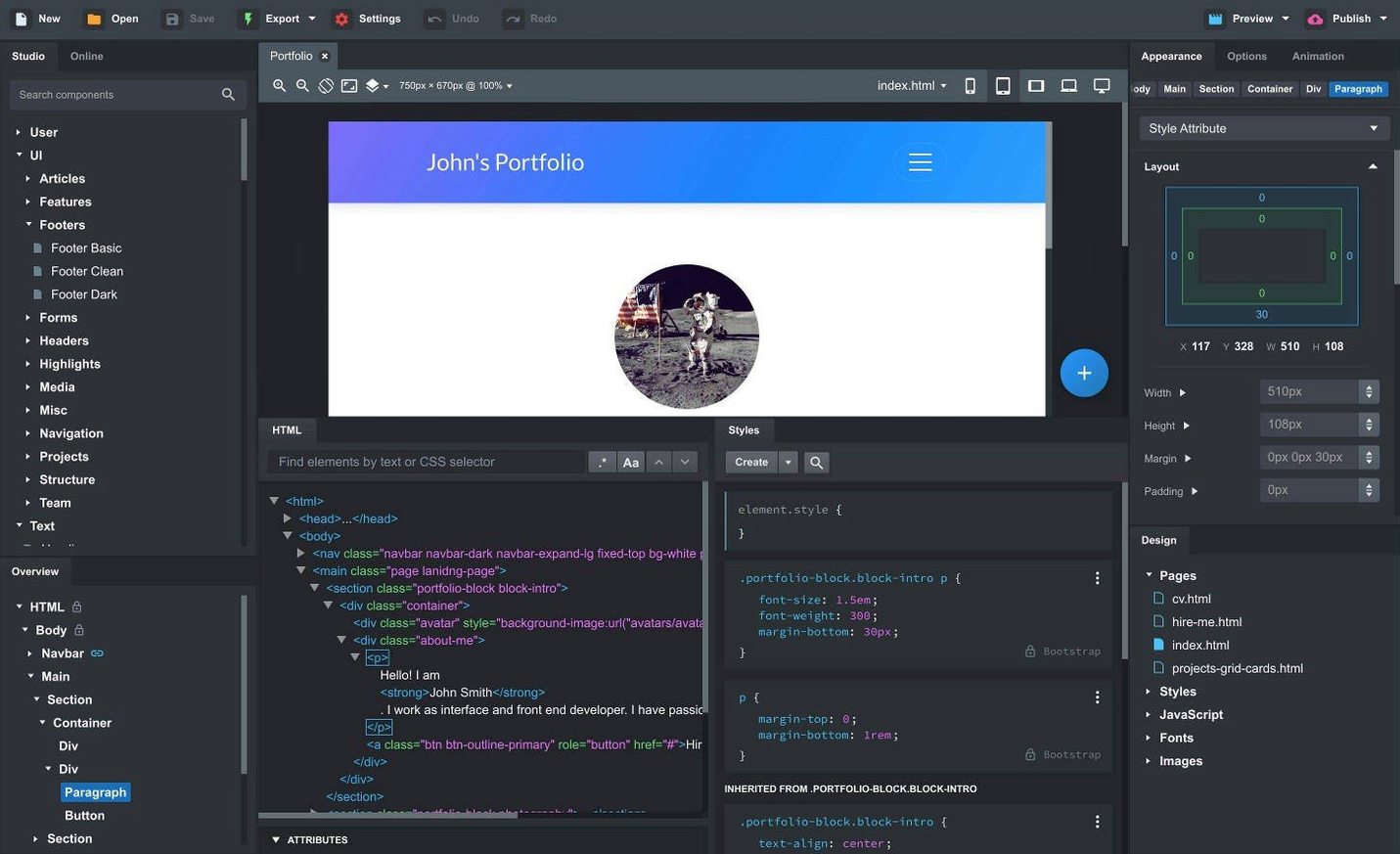
The new Sticky On option changes how you handle navbars. Set a breakpoint and the bar pins itself only when it should.
What the AI assistant sees now
Two models arrived: gpt-4o-mini and gpt-4o. They sit alongside the existing options, giving you a wider range for generating components or fixing layout logic.
Did modals get an update
Yes. A Click Outside to Close toggle now controls whether a Bootstrap modal dismisses when you click the backdrop. One less override to write yourself.
What didn't change
The core loop remains: drag a component, edit SCSS, see the result across browsers instantly. Linked components still sync across pages. It is still a desktop app, built for the Bootstrap framework, and it stays out of the browser tab clutter.
Fits where
Bootstrap Studio exports a folder of HTML, CSS, and JS. That folder drops straight into any static host—Netlify, a local server, a shared drive. No build step required unless you add one.
macOS integration is understated but useful. Drag an existing site folder onto the app icon and it parses the structure. Quick Look previews work for exported assets. The app respects Dark Mode, so long editing sessions feel native.
For teams that version their work, the exported code is clean enough to diff meaningfully. No machine-generated class soup. Paired with Git, you can track changes to a landing page across sprints and still open the project file later to tweak a component visually.
The linked components feature pairs well with partials in static site generators. Build a footer once, link it, export, and your Hugo or Eleventy includes stay consistent. Some designers use a bootstrap studio mac setup alongside a code editor, treating the app as the layout layer and the editor as the fine-tuning layer.
Finer zoom step
Head to Preferences before your first real project. Three changes make a difference.
Set the default Bootstrap version to 5.3. The app supports three versions, but new projects benefit from starting current.
Increase the canvas zoom step to a finer increment. The default jumps are large; smaller steps let you catch layout breaks earlier.
Turn off auto-save to the online library unless you intend to publish components. It keeps your workspace local and your drafts private.
In the Export settings, uncheck any unused asset folders. A leaner export saves cleanup time later.
A landing page, start to finish
Open a blank project. Set the grid to Bootstrap 5.3 and drag a Navbar component onto the page. In the Options panel, set Sticky On to md so the bar pins only on screens wider than the medium breakpoint.
Add a Hero section below it. Drag in a container, a row, two columns. Drop a Heading into the left column, a paragraph below it, then a Button group. In the right column, place an Image set to img-fluid.
Open the SCSS panel linked to the hero. Write three lines: a background gradient, padding adjustments, a max-width for the text column. The live preview on the right updates as you type.
Below the hero, drag a Features section from the Components panel. Replace the placeholder cards with three that match the page topic. Edit the icon, title, and description directly on the canvas.
Link the footer across pages. Select the Footer block, click Create Linked Component, name it. On the About page, drop the linked instance. Change one, the other follows.
Before exporting, open the AI assistant. Ask it to generate a two-column testimonial block. It returns valid Bootstrap markup in seconds. Drag the result into place and adjust the SCSS.
Export. The folder contains a single HTML file per page, one CSS file, one JS file. Upload it or hand it off. No node_modules, no build pipeline, just running code.