Time Machine keeps a history, but a full, bootable copy of a drive is a different kind of safety. That is where Carbon Copy Cloner 7.1.6 from Bombich Software comes in.
Backup — copy a whole disk or just chosen folders to another drive.
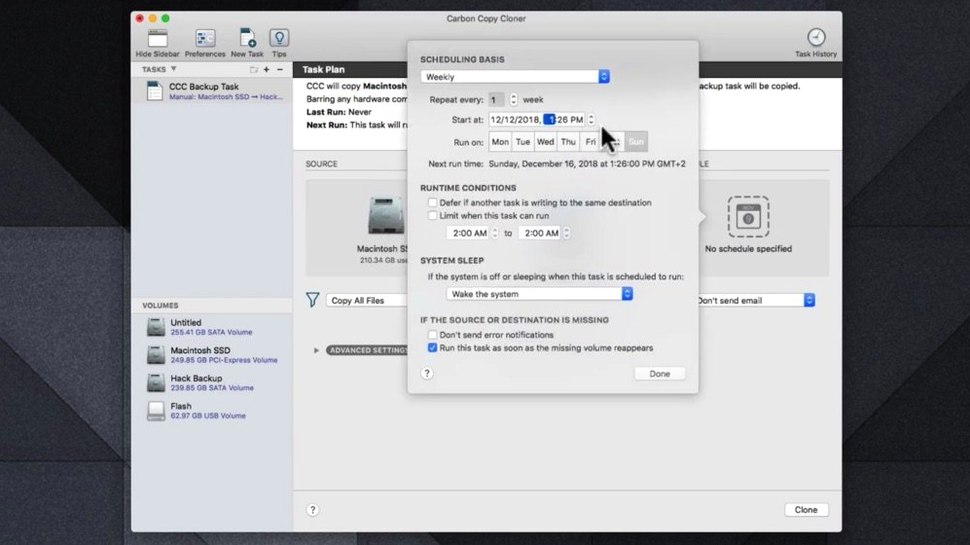
Scheduling — set it to run on a specific day and time, on its own.
Interface — plain, uncluttered, easy to read.
Build — a Universal application for Apple Silicon and Intel Macs.
Network backup reality
People ask whether CCC can back up to a network drive. It can, but the destination must be a full HFS+ or APFS volume mounted on the Mac — not a sparse bundle. Synology, TrueNAS, a Mac acting as a file server: all fine, as long as the share mounts as a volume.
Another common question: will it slow down a Mac while running? CCC uses file-system snapshots when the destination is APFS. That means the backup captures a point-in-time state without holding files open or waiting for apps to quit. On Apple Silicon, the overhead is barely noticeable. On an older Intel Mac with a spinning disk, you will feel it more, but you can schedule it for 2 a.m. and forget it.
Some worry about restoring from a clone. A CCC clone on an external SSD is bootable if the internal drive fails. Hold the Option key at startup, choose the clone, and the Mac boots exactly as it was. You are back to work in minutes, not hours.
And yes — CCC works alongside Time Machine. They do not interfere. Many people run both: Time Machine for version history, CCC for a ready-to-boot spare.
A freelancer’s Monday
A freelance illustrator finishes a project Sunday night. The client files, layered PSDs, and invoices sit in a single folder. On Monday morning, the internal SSD fails. No boot, no warning.
She unplugs the dead drive, connects the CCC clone from the shelf, holds Option, and boots from it. Ten minutes later, she is back in Photoshop. She duplicates the clone to a new internal SSD, and by noon the machine is as it was. The client never knows.
That is the scenario CCC is built for. Not data recovery heroics. A quiet Monday.
Weekly clone workflow
Start with two external SSDs. Label one Clone A, the other Clone B. Keep one off-site.
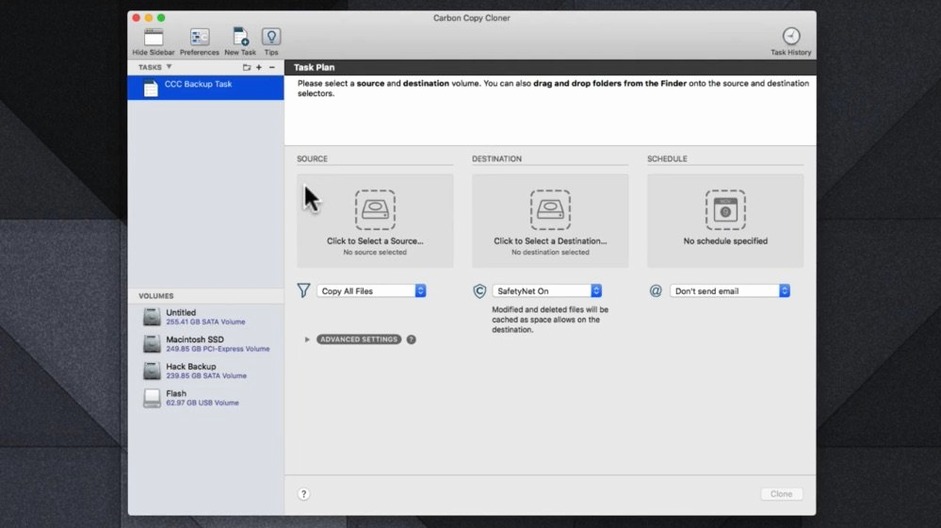
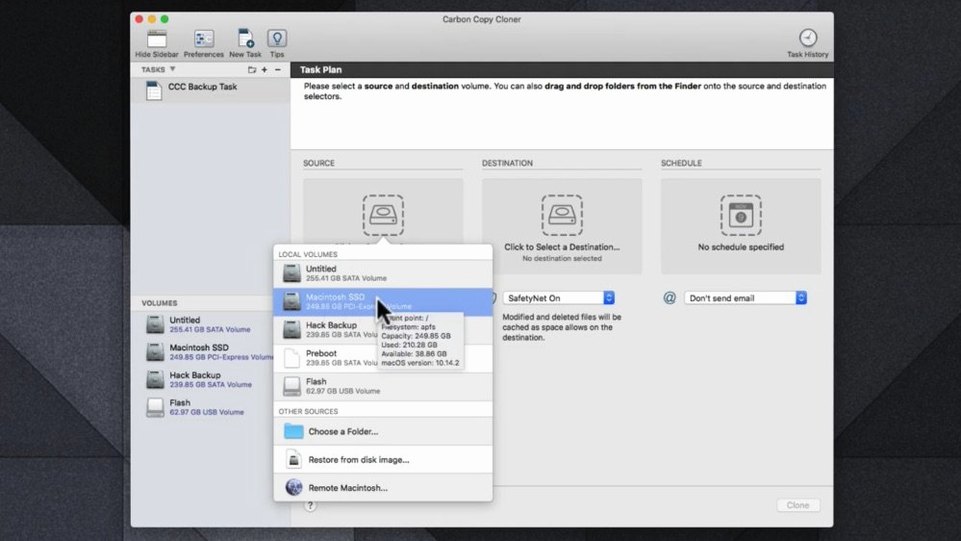
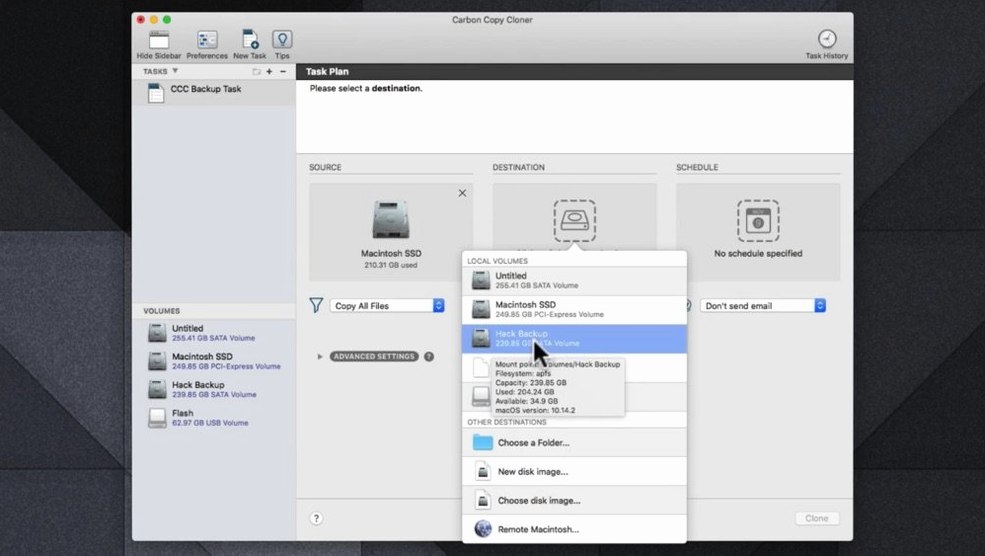
Open CCC. In the Source selector, choose the internal drive. In the Destination selector, choose Clone A. Leave the default SafetyNet off — you want an exact mirror.
Click the Schedule button. Set it for Saturday at 1 a.m. Check “Allow scheduled tasks to wake the Mac.” Click Save, then Start.
When the task finishes, eject Clone A and swap it with Clone B from your desk drawer. Next Saturday, CCC will clone to Clone B. You always have one clone physically separate and at most a week old. Rotating them guards against theft, fire, and ransomware hitting both at once.
Test boot from a clone at least once a month. It takes two minutes. You do not want to discover a firmware mismatch during an emergency.
Clone your safety net
Anyone who keeps a Mac running past its warranty. A clone is cheaper than data recovery and faster than rebuilding a system from cloud backups.
People migrating to a new Mac. CCC copies everything — apps, preferences, hidden Library files — to an external drive. Migration Assistant works, but a clone is direct. Plug it into the new Mac, boot from it, then clone it onto the new internal drive. Done.
Mac users who travel with a laptop and keep a desktop at home. Clone the laptop before a trip. If the laptop is lost or damaged, the desktop clone has everything up to the departure date.
Testers running beta macOS. A full clone before installing a beta means a one-step rollback. No Finder copy of a few folders; the whole system reverts in exactly the state it was.
It suits people who want a predictable, set-and-forget safety net for files they cannot replace.