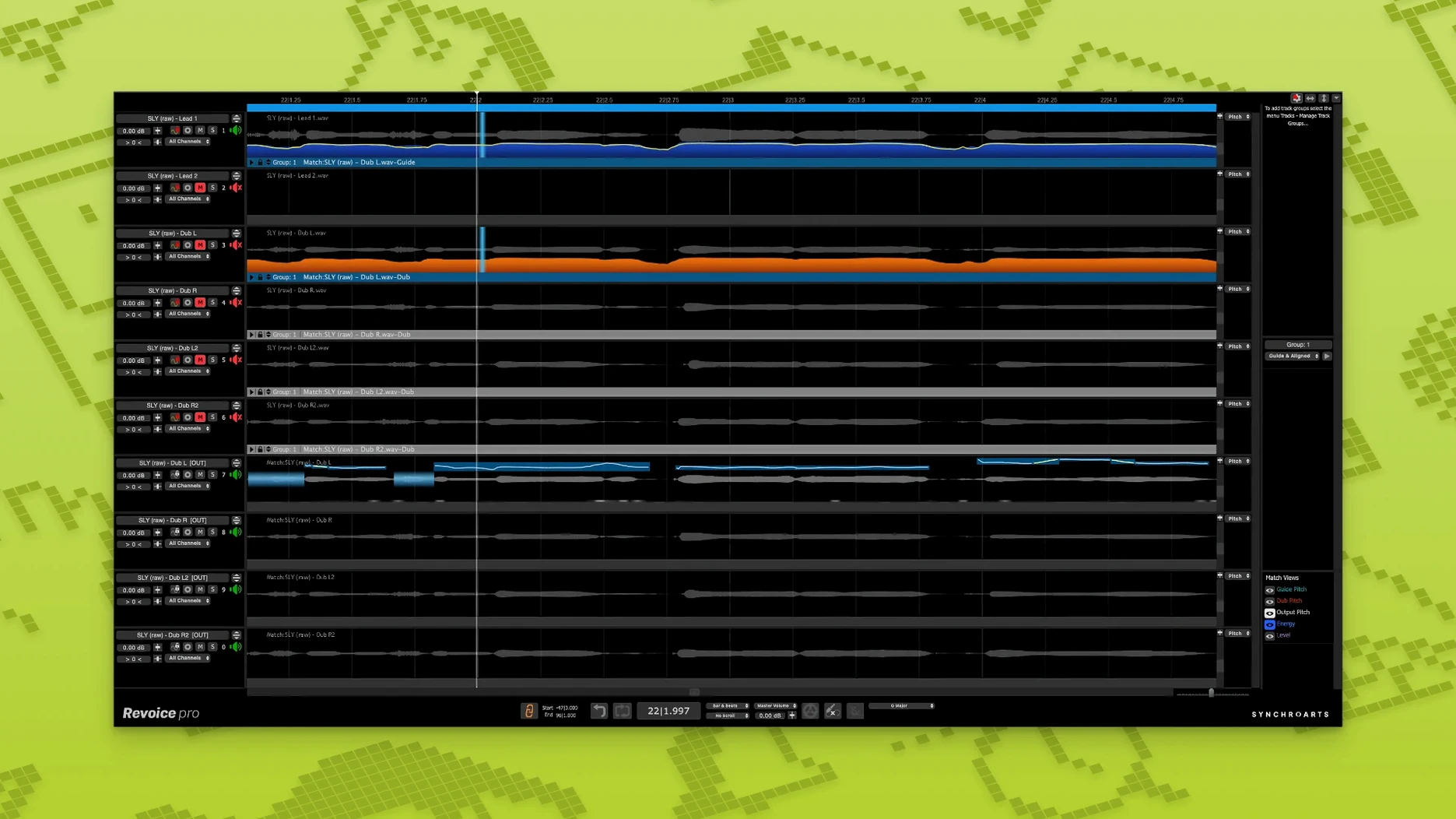
A guide vocal sits in the DAW, and the double drifts out of sync by a syllable. Revoice Pro 5 measures the gap and closes it.
- Available as AU, VST3, and AAX 64-bit plug-ins
- SmartAlign synchronizes tracks with different start and end points
- SmartPitch matches the pitch of doubles and harmonies
- Shaper Tool for manual pitch adjustment
- Vocal doubler creates layered doubles without phasing
- Runs natively on Intel and Apple Silicon Macs
The host format you pick shapes the workflow. In AU, it feels like part of Logic. In AAX, it sits inside a post session without translation. The processing stays consistent across formats. What changes is how little you notice it working.
A dialog editor on a tight deadline receives twelve tracks of ADR. Some lines start early, others late. The lips on screen don't lie. Loading the guide and the dub into the APT window, they let SmartAlign measure the drift across each phrase. Five minutes later the sync is tight — not stretched, not warped, just locked to the picture. Nobody in the review room mentions the alignment. That's the point.
SmartPitch handles the rest. One actor's performance landed flat on three lines. The editor draws a quick pitch curve, listens once, then prints. No artifacts, no telltale warble.
SmartAlign sync
A common task: tight double-tracking for a chorus, where the singer's timing wandered.
- Drag the guide vocal and the double into Revoice Pro's APT window.
- Let SmartAlign detect the offsets. Review the sync points it proposes.
- Route the aligned double to SmartPitch. Match pitch to the guide, keeping vibrato depth intact.
- Apply the doubler — set width to roughly 40%, slight detune — for a spread that sits behind the lead.
- Print the processed double back into the DAW. Mute the original.
The result stacks without phasing. Two tracks feel like four, but the stereo image stays clean.
Sidechain silence
Signal routing trips people up. The plug-in needs a clear guide and dub pair assigned in the host — if the sidechain isn't set, silence is all you get. Check your DAW's routing panel before blaming the algorithm.
Processing artifacts sometimes appear on sibilants. Lower the alignment sensitivity a notch. For stubborn esses, split the region and process the consonant separately with gentler settings.
Latency can pile up in AAX when stacking multiple instances. Commit one process at a time rather than chaining them live. Bounce the aligned track before pitch correction. Some engineers who explore a Revoice Pro 5 crack for quick trials hit this wall early — the stock buffer settings punish complex chains.
One more: SmartPitch works best on monophonic material. If your double has bleed from headphones or room, gate it first. The pitch engine chases whatever it hears, including background noise.