Version 1.8 brings one quiet change: timers set in the macOS Clock app now surface in DynamicLake without any extra step.
Playback
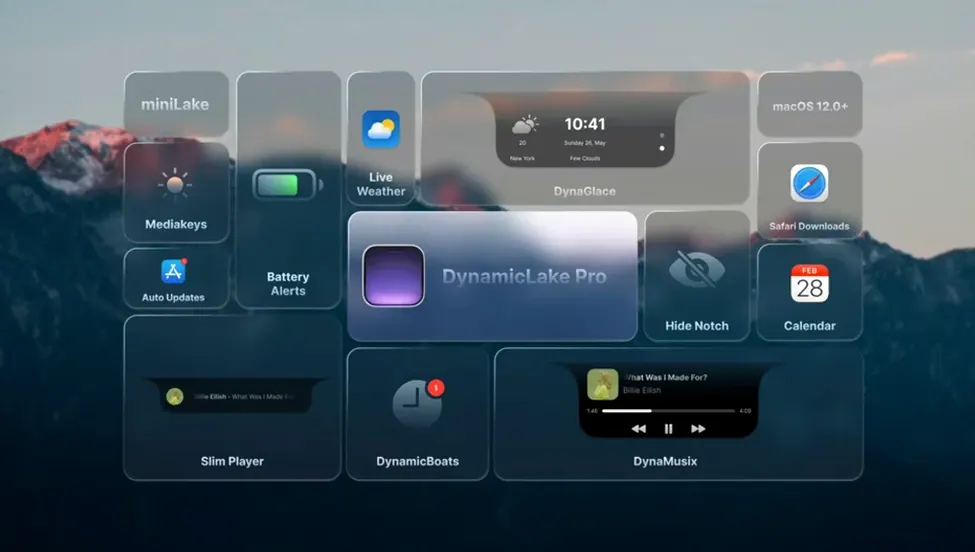
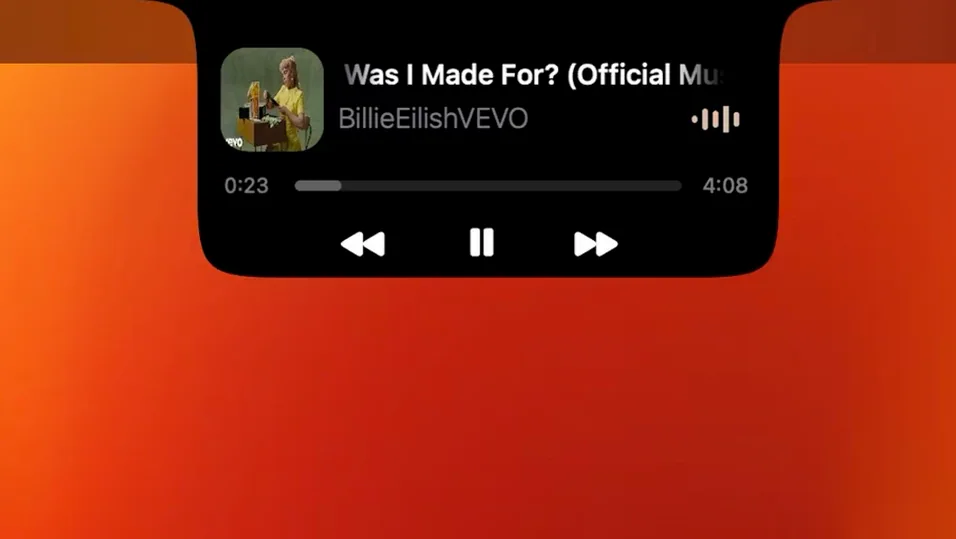
DynaMusic puts animated album art and track controls into the pill-shaped notch, so switching songs never pulls you out of your work.
Alerts
DynaConnect shows a brief pulse when Bluetooth devices join or drop. Timers from Clock appear automatically; no second setup.
DynaSwitcher
Email triage
A client message arrives while you edit a document. DynamicLake shows the sender and subject line in a compact pill at the top of your screen.
You click the pill. A quick-reply field opens without switching apps. Type two sentences, press Enter, and the pill dissolves. The document never lost focus.
Later, a meeting reminder appears. DynaGlance shows the title and start time. You click to join — the calendar event opens, and the pill waits until you dismiss it. Between replies and reminders, nothing piled up in the Dock.
Everyday shifts
Version 1.8 added native timer support. Set a timer in the Clock app, and DynamicLake picks it up immediately. Before this, you had to use the app’s own timer or rely on third-party workarounds.
The macOS 27 compatibility update means the app holds its position on newer builds without graphical glitches. DynaMusic animations stay smooth. miniLake remains readable at smaller sizes.
Older versions would occasionally duplicate a notification when Bluetooth reconnected. That stopped with the 1.8 refresh. DynaConnect now shows one clean pulse per event.
miniLake mode
Does it work on Apple Silicon and Intel Macs? Yes. The app runs natively on both architectures under macOS 11 and later.
Will it slow down an older Mac? miniLake mode uses fewer redraws. If your machine is from 2016 or earlier, switching to miniLake keeps the overhead low. Animations are lightweight; they lean on Metal, not the CPU.
Can I hide it during presentations? Press the assigned hotkey or toggle it from the menu bar. The pill disappears until you bring it back.
Does it read my notifications? It mirrors what macOS already surfaces in Notification Center. No extra permissions beyond what you grant in System Preferences.
Option+Tab
Open preferences and set DynaSwitcher to Option+Tab. The default shortcut may conflict with other switchers you already use. This one change makes app switching feel native.
Next, disable any widget you don’t need daily. If you never track Bluetooth connections, turn off DynaConnect. Fewer active widgets means fewer interruptions.
Finally, set miniLake as the default. You can still expand to the full view with a click, but starting small keeps the screen calm. Most days, the smaller format shows everything you actually need.
DynaKeys handles volume, brightness and keyboard backlight from a small overlay. miniLake strips everything back to just the essentials when you want less on screen.