Being away from the machine that holds your work creates friction. Jump Desktop removes the distance.
Here is one quiet afternoon, start to finish.
- Sign in with an email address to link your devices.
- Enter the address of a PC or VNC host. It connects.
- Open a file on the remote machine. Work on it.
- Drag a folder back to your local desktop. No extra steps.
The client handles RDP and VNC without ceremony. A companion component runs on the target Mac or PC, but the experience from your side stays plain. You see the other screen. You use it. Files move in either direction when you need them.
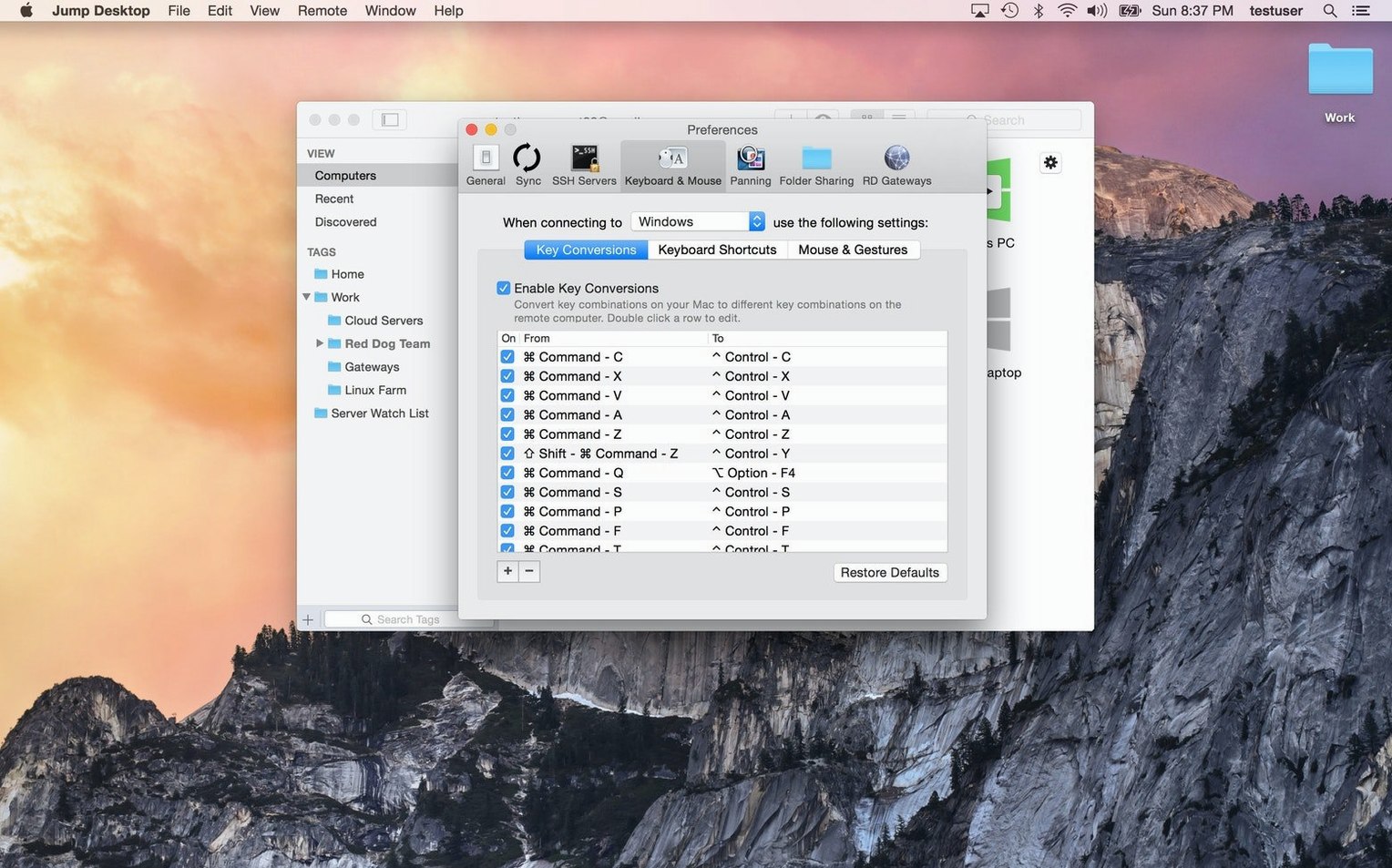
The Mac's keyboard and a Windows machine rarely agree on modifier keys. Jump Desktop lets you fix that once and never think about it again.
Remap Command to Ctrl for muscle memory. Set Option to Alt if you copy between platforms often. These mappings stay tied to each connection, so your office PC feels one way and a client's VNC server another.
Pairing with other apps
Jump Desktop does not try to replace your file manager or text editor. It leaves that to Finder, BBEdit, or whatever you already use. A file dragged from the remote window lands on your Mac as a regular file. Open it locally. Save it. Drag it back.
Clipboard sharing works the same way. Copy on one side, paste on the other. No intermediate pane or cloud step.
For quick capture, the built-in macOS screenshot tool works over a Jump Desktop session. The remote screen becomes just another display. Annotate in Preview. Drop the result into a Messages thread. The app stays out of the way for all of it.
Fit
macOS fluid resolution matching arrived in recent updates. The remote desktop now scales to your local display without letterboxing or fuzzy text. On a 14-inch MacBook Pro, a Windows machine looks native.
Audio routing also tightened. Remote sound comes through the local speakers by default, but you can mute it per connection. Small change. Less distraction.
Connection recovery is faster than it was. A brief network drop no longer means a full reconnect. The session pauses, then resumes where you left off. For long-running tasks on a jump desktop mac download, that matters.