Forgotten shortcuts
The person who knows there's a faster way, but hasn't found it yet. KeyCue sits next to your other Mac tools and shows what's available right now in the app you're using.
Instant overlay
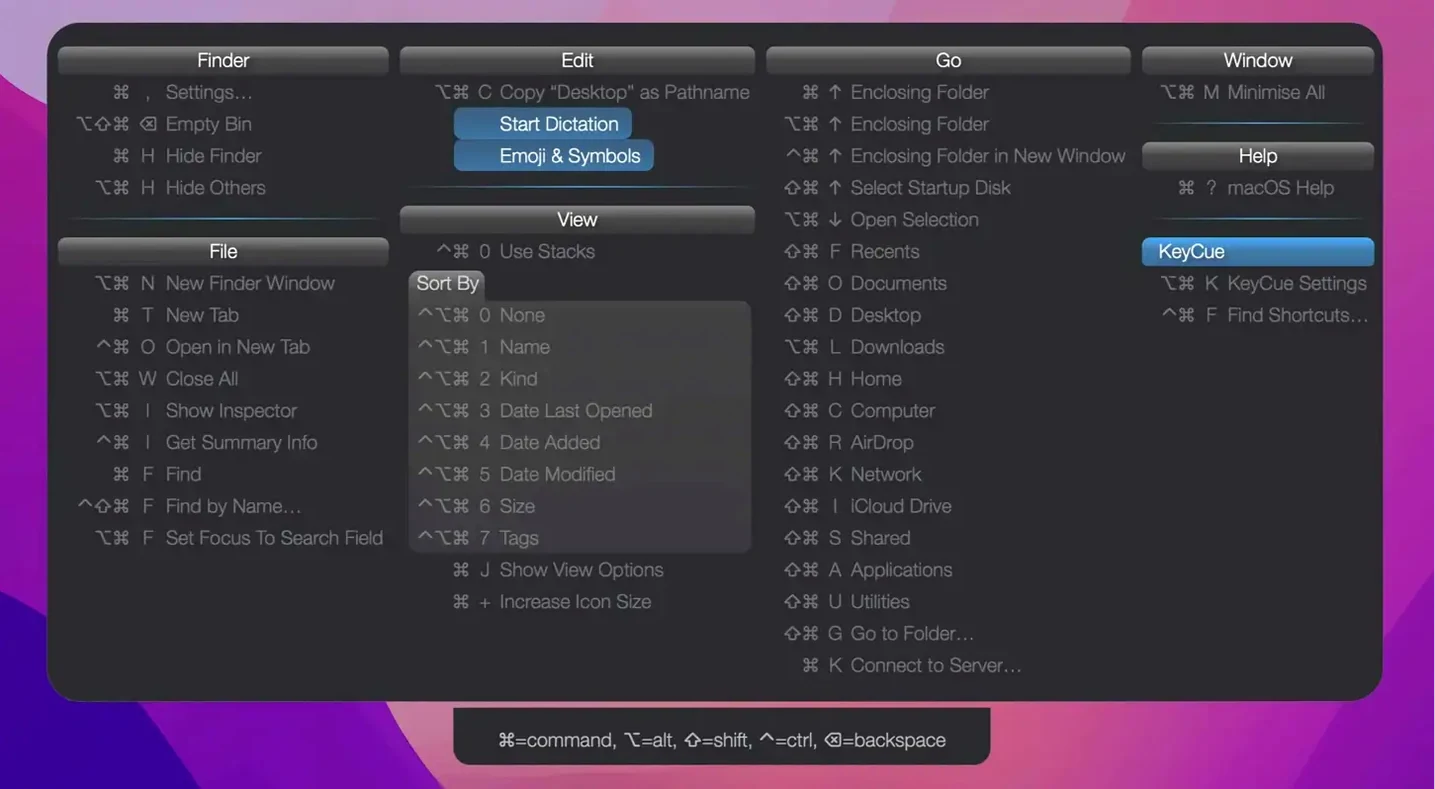
Press a key and it overlays the current app's menu commands with their shortcuts. It also shows system-wide hotkeys you might have set and forgotten.
Muscle memory
Seeing the shortcut every time you reach for the menu builds memory. You stop looking things up and start moving faster.
What about emoji?
Start here
Open KeyCue’s settings and turn off the large bezel animation. The default is friendly but slow. A plain overlay appears and disappears without ceremony.
Next, set a trigger you won’t press by accident. The default is holding Command. I switch mine to a quick double-tap of Control.
One app
Don’t try to learn every shortcut at once. Pick one app you live in — Finder, a text editor, whatever feels like home — and glance at the overlay before you use the menu. After a week, a few combinations will stick without effort.
Use the search field when you know what you want but not where it lives. Type copy or save and watch what KeyCue pulls from the menu bar. It’s faster than hunting through nested menus.
A small list holds your recently used emoji. Pick one without opening the full character viewer.