
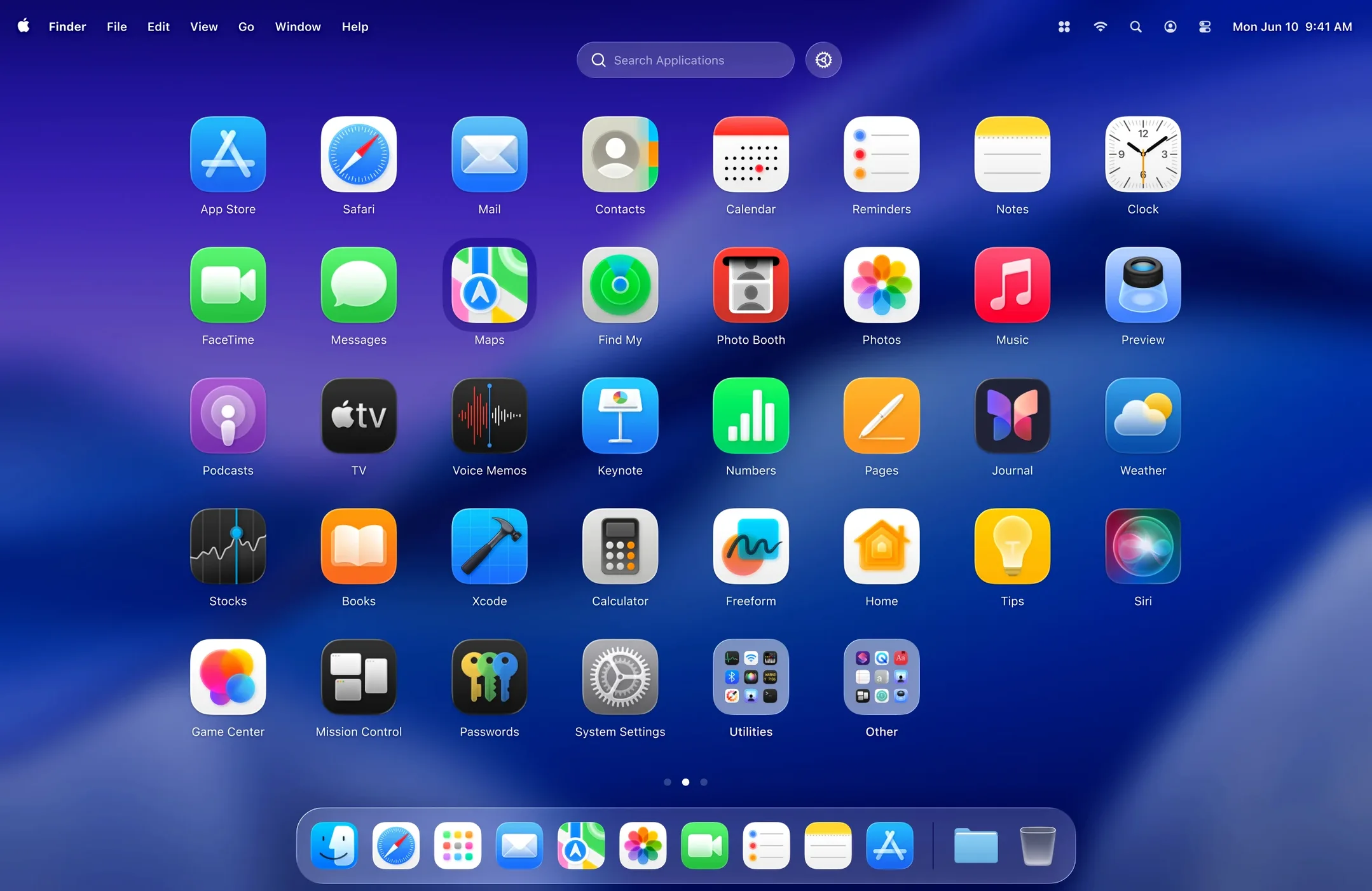
Apple’s Launchpad drifts further from its original intent with each macOS release. What was once a quick grid of apps now feels like an afterthought. LaunchOS brings back that directness.
Grid in a second
An app launcher should be instant. LaunchOS responds to a keyboard shortcut you set. One press, the grid appears. Type a few letters to filter. The whole interaction takes a second. It removes the trip to the Dock or a Spotlight query that returns web results you don’t need.
Control
Version 2.1.0 adds app uninstallation. Long-press an icon or right-click to remove software without opening Finder. It’s a small gesture that keeps your system clean from the same place you launch. The interface adopts macOS 26’s Liquid Glass effect, so it sits naturally on a modern desktop without calling attention to itself.
F4 key fix
LaunchOS doesn’t always take over the F4 key automatically. If the system still summons Apple’s Launchpad, open System Settings, head to Keyboard Shortcuts, and rebind the Launchpad trigger to LaunchOS. Takes twenty seconds.
Hiding apps can confuse people who forget what they’ve tucked away. If an app goes missing from the grid, check the hidden-app list before reinstalling. It’s almost always still there, just invisible.
Some users report that freshly installed apps don’t appear right away. A quick restart of LaunchOS — use the new Restart item in the status bar menu or right-click the Dock icon — forces a refresh. No need to log out.
Uninstall from grid
Version 2.1.0 changed the daily rhythm in two small but sharp ways. Uninstallation by long-press or right-click means you no longer switch contexts to clean house. The grid becomes the single surface for adding and removing.
The Restart command, tucked into the status bar and context menus, solves the stale-icon problem without quitting other work. It also helps when you’ve changed the grid size and want the layout to snap into place immediately.
Liquid Glass support arrived alongside macOS 26. It’s a visual layer only, but it keeps the launcher from looking like a port. On a desktop that uses depth and translucency everywhere else, a flat grid would stand out for the wrong reasons.
Best fit
People who keep fewer than forty apps gain the most. A tight grid, no folders, everything visible at a glance. LaunchOS rewards restraint.
Users who came up on older versions of macOS and still reach for a gesture-based launcher by muscle memory will feel the least friction. The layout logic is familiar; only the clutter is gone.
Designers and writers who want the Dock hidden but still need fast, keyboard-driven app access find a natural home here. Set a shortcut, hide the Dock, and the screen clears for work. launchos slips into that quiet setup without ceremony.