
Silent mode
Quiet Mode postpones interruptions. It holds notifications until you are ready to decide. The firewall still applies your existing rules in the background.
When you open the Mac again, the pending decisions appear one by one. No noise. Just a queue.
This matters because Little Snitch sits next to your editor, your browser, your terminal. It does not demand attention. It waits.
Map
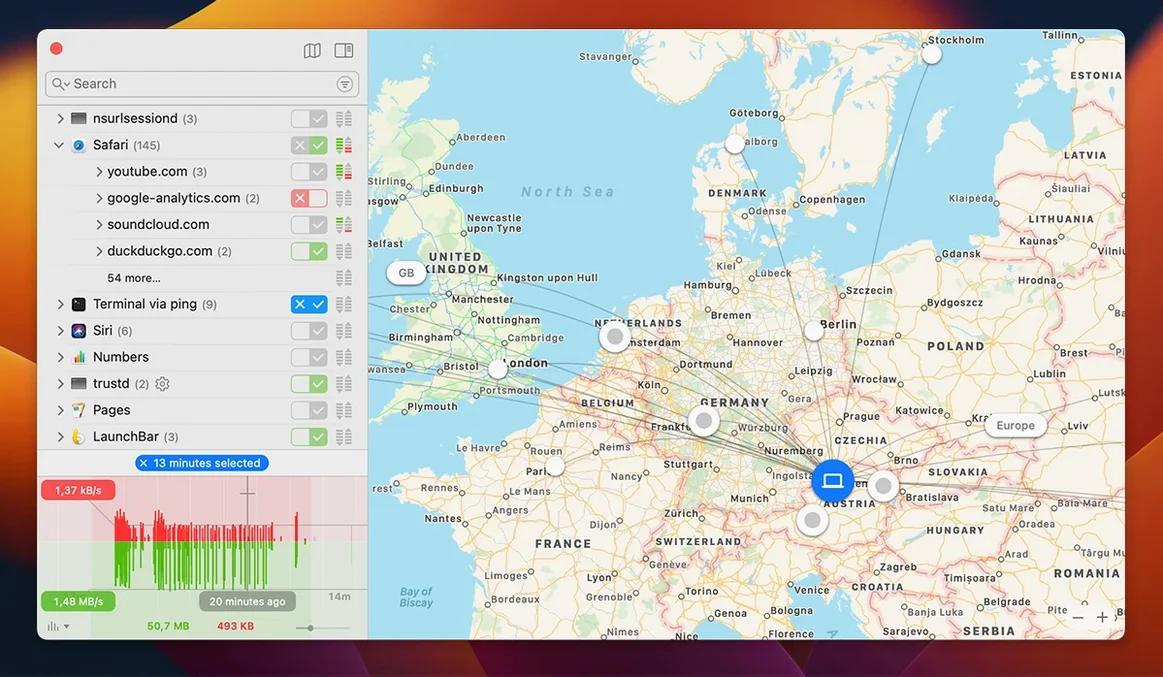
A connection attempt lights up a location on the world map. You see where your data wants to go before you allow it. The rule you set once is remembered and applied automatically later.
Network Monitor shows the same activity as a live list. Same data. Different view.
Next to your tools
Little Snitch replaces the old kernel-extension approach with a new filtering engine. Version 6.5 runs on macOS 27 Golden Gate. It checks app bundle integrity while an app runs, and improves encrypted DNS handling.
The command-line interface lets you configure settings without opening the window. It fits into a workflow that is already yours.
A new alert appears. Little Snitch caught something — an app you trust, but phoning a server you don’t recognize. You click Show Details. The map pin drops near a data center you have never dealt with.
You deny it once. That creates a temporary rule.
You open the app in question, do the thing you were about to do, watch the connection list. Nothing else looks odd. You convert the temporary denial into a permanent rule and move on. The whole pause lasted twelve seconds.
Later, you run little snitch in the terminal to dump the current configuration before a change. You edit one line, reload. The window never opened.
That is a session. Interruption, decision, return to work. No accumulation of ignored dialogs.
Option-click expiry
Hold Option while clicking Allow or Deny. The rule applies only until the app quits. Useful for installers and one-off tools you will not keep open.
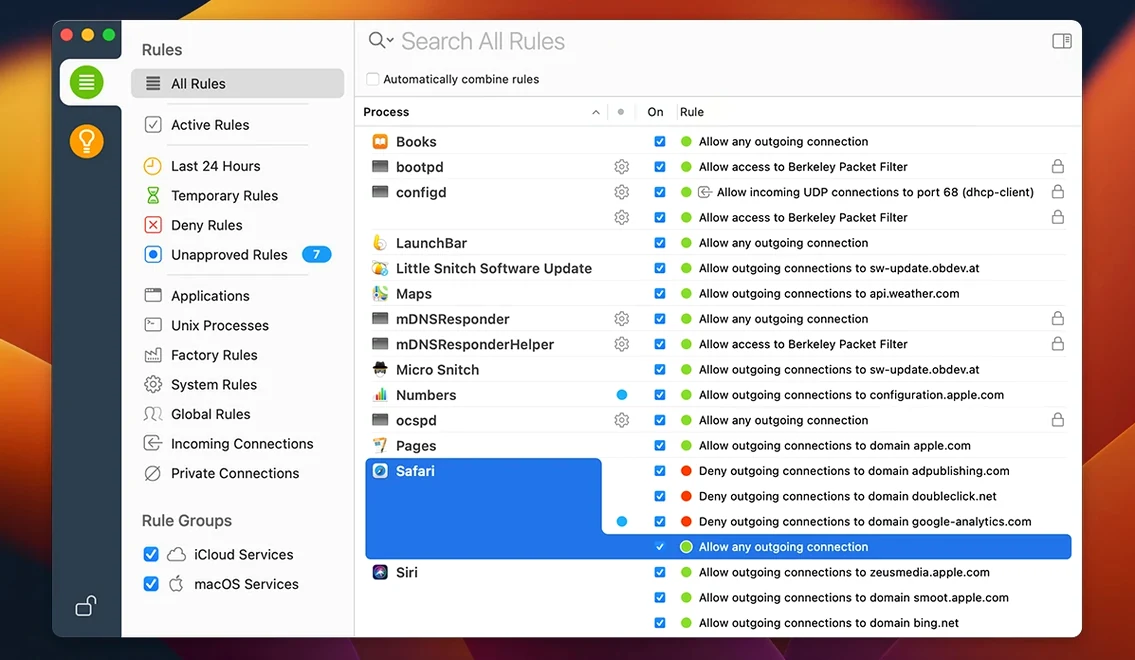
Right-click any rule in the list and choose Suggestions. Expired temporary rules sit there, visible again. Version 6.5 fixes the bug where some expired rules stayed hidden.
The world map supports pinch-to-zoom. A quick gesture narrows the view to one continent. Drag to pan. It is faster than the on-screen controls.
In Network Monitor, double-click a process to jump straight to its rules. No digging through the rule editor.
First changes
Open Preferences and switch the alert style to Simplified. The decision panel shrinks. Fewer fields, same control. You still see the app, the server, the port. You still decide.
Set Quiet Mode to activate automatically when specific apps are in full screen. If you use a tiling window manager or spend hours in a code editor, this keeps the queue silent until you surface.
Turn on Research Assistant only for connections you block. The assistant cross-references servers against a community database and marks known trackers. It is loud otherwise. Narrow scope keeps it useful.
Check the rules list for anything marked Any process. Those broadsides are usually leftovers from early decisions. Replace them with per-app rules. Tighter now, less noise later.
Who feels it
Users who live in the menu bar, not the Dock, notice Little Snitch first. The alert slides down from the top edge. The Network Monitor icon sits beside the clock. No window clutter. It suits the kind of person who already monitors battery cycles and swap usage.
System administrators get the command-line interface. A single shell script can query rules, apply profiles, or lock down a fleet. The tool does not require the GUI to be running. Silent deployment, silent enforcement.
Anyone who works with untrusted binaries — testers, researchers, tinkerers who download Little Snitch Mac torrents or hunt for a Little Snitch crack Mac — winds up leaning on the map. A connection to an unknown host in a country with no business relationship is a bright red dot. It demands a decision. The firewall does not moralize. It just shows the dot.
Developers who sign their own builds appreciate the new bundle integrity check. If a running app changes on disk while active, Little Snitch notices. The alert mentions the mismatch. That catches a replaced binary before it sends anything.
Users searching for a little snitch 6 license key free or a little snitch 6.3.1 serial often find the app first, then realize the map and the silence are the actual draw. The value is not the license. The value is knowing, for certain, which of your tools talk.
One less thing that shouts.