
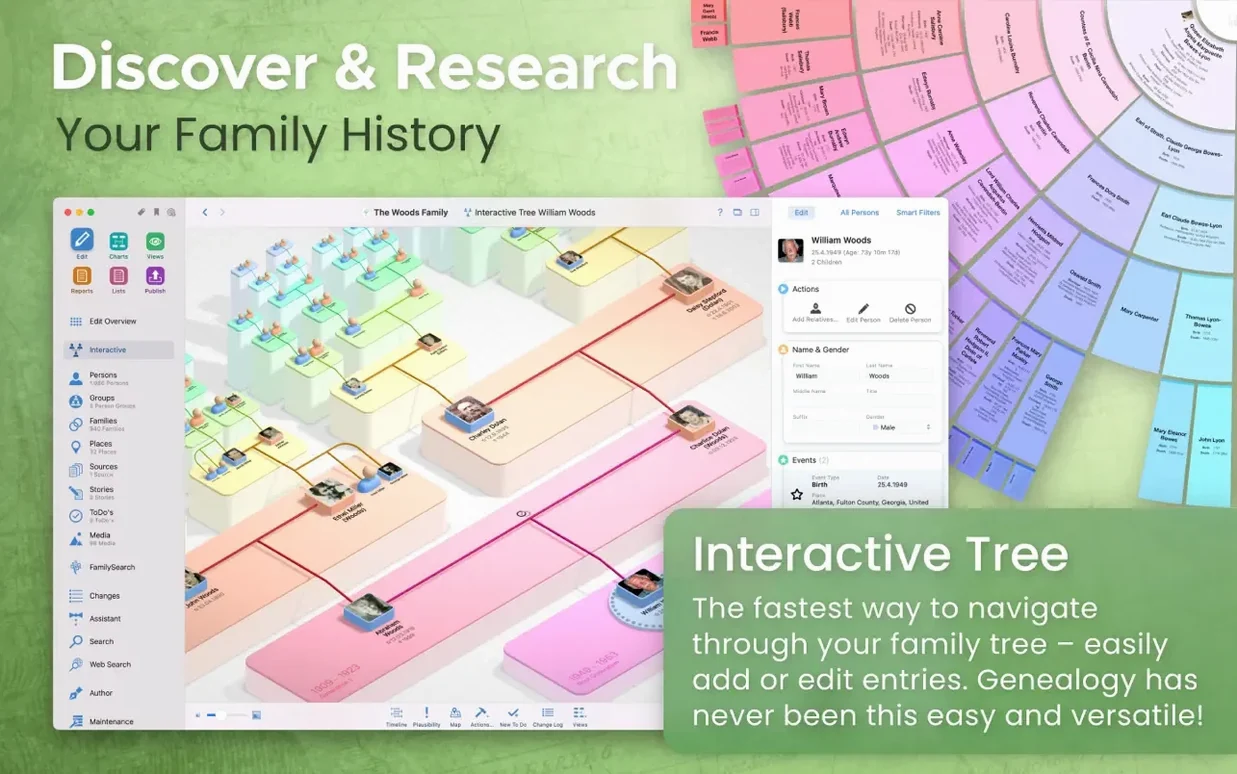
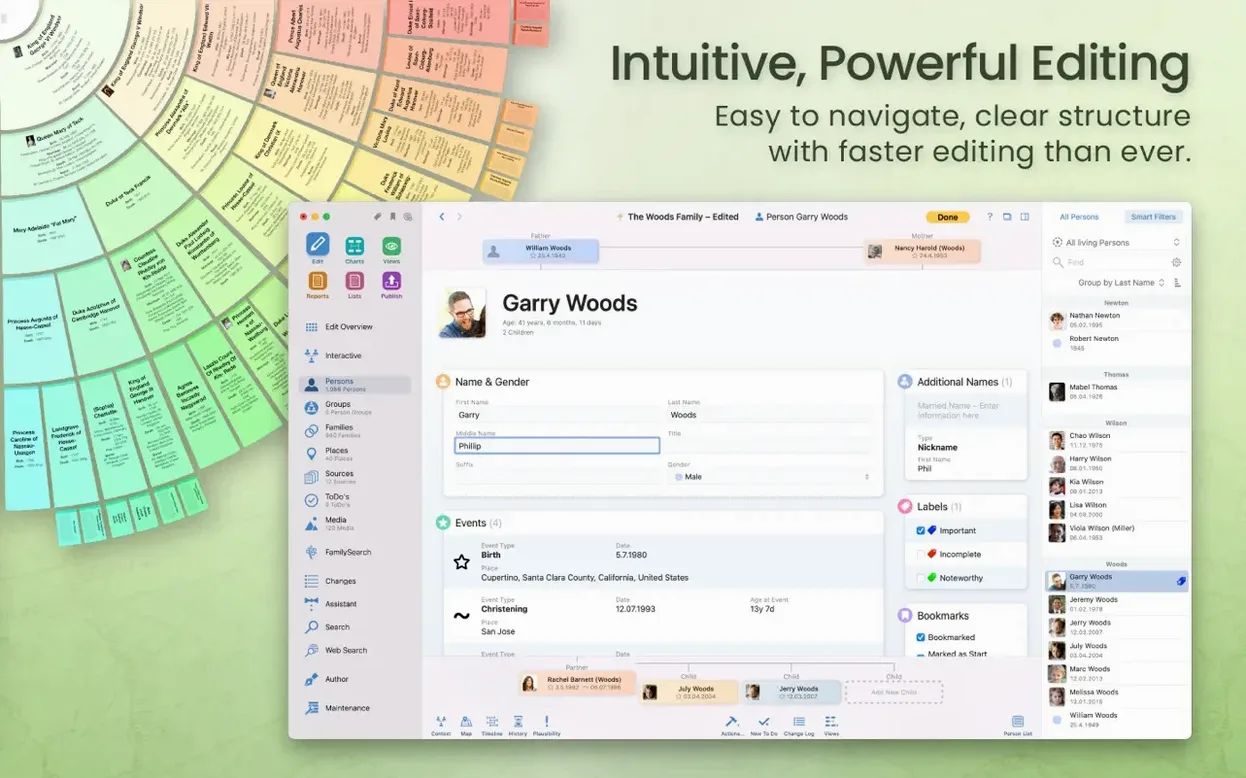
A fan chart opens, and you see four generations at once.
MacFamilyTree builds that kind of view — detailed, immediate. The app runs on Apple Silicon and Intel Macs. It needs macOS 12 Monterey or later. An iCloud account is required only if you plan to sync between devices.
Data stays local, or you can store it encrypted in iCloud.
Search FamilySearch
- Interactive family tree navigation
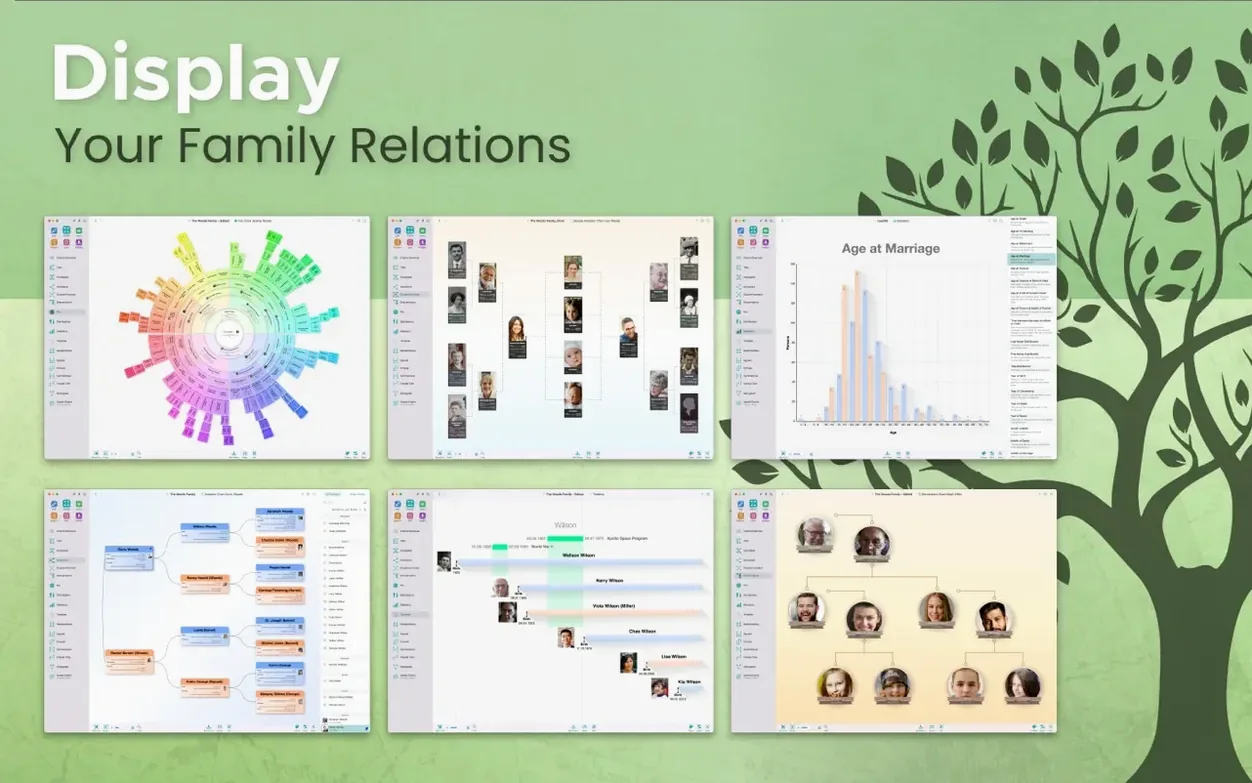
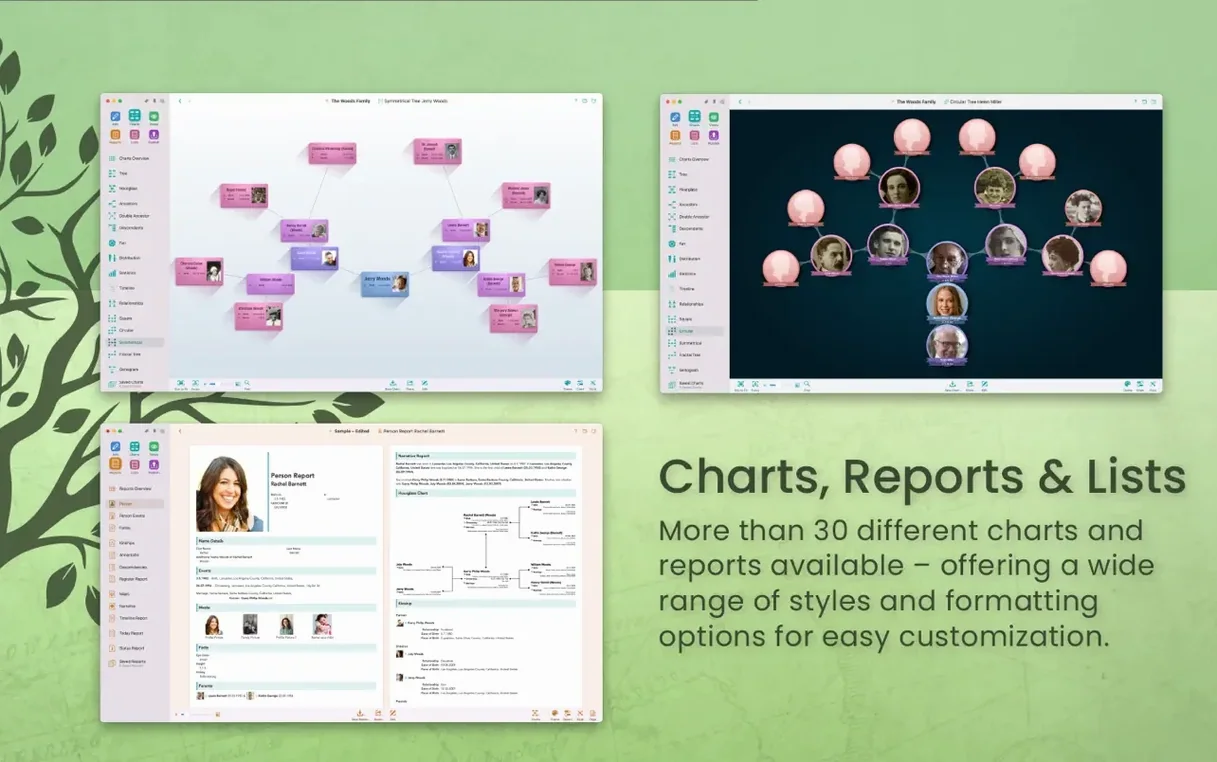
- Hourglass, fan, timeline, genogram, and double pedigree charts
- Searching FamilySearch records
- Exporting charts and reports in multiple formats
- Creating family websites through MacFamilyTree.com
iCloud sync
- Syncing across devices demands iCloud
- Interface is rich — give it a moment to learn
Storyboard hub
People with scattered paper notes and half-filled family binders. MacFamilyTree gives them one place that feels less like a database and more like a storyboard.
It also works for the researcher who already has a GEDCOM file from another app and wants better charts without rebuilding everything. The app imports and exports without fuss.
If you collaborate with relatives who use iPhones or iPads, CloudTree sync keeps everyone current. But the syncing is not required. Many users never turn it on and are perfectly content.
It is less suited to someone who wants a quick one-name index and nothing else. The depth here rewards patience.
Compared with others
Gramps is free and open, and its data model is powerful, but the Mac experience feels imported and text-heavy. MacFamilyTree trades that raw flexibility for a calmer, native Mac interface and charts you actually want to print.
Reunion shares the Mac-only focus and has a loyal following. Its strength is careful, record-by-record data entry. MacFamilyTree leans more toward visualization: the 3D tree, the globe, the fan chart. Choosing between them is mostly about whether you think in lists or in shapes.
Family Tree Maker covers both Mac and Windows and connects tightly to Ancestry. If Ancestry hints are your primary research method, it may pull ahead. MacFamilyTree connects to FamilySearch instead and keeps the family tree file on your own disk or iCloud, never on a subscription service.
Add children
You open the app and see the familiar family view from last time — your maternal line, centered on your great-aunt. You meant to add her three children.
You click the plus button on her person card. Three new blank cards appear. You name the first one Clara and add a birth year. The app offers a list of matching FamilySearch records. You tap one, review the parish register scan, and confirm. The source attaches itself to Clara without leaving the window.
Next you switch to the fan chart. You zoom out to six generations. The gaps are immediately obvious — two missing names on the paternal side. You tap one empty segment and start a new person entry right there.
Before closing, you export a pedigree chart as a PDF to share with your cousin. The export panel lets you hide living people automatically. You check that box and save. Clean, private, done.
Diagrams, books, and statistical maps are included. The app is optimized for Apple Silicon Macs.