

Loudness varies wildly between audio files. You need a consistent average level and dynamic range, but manual adjustment takes too long.
Analyze then adjust
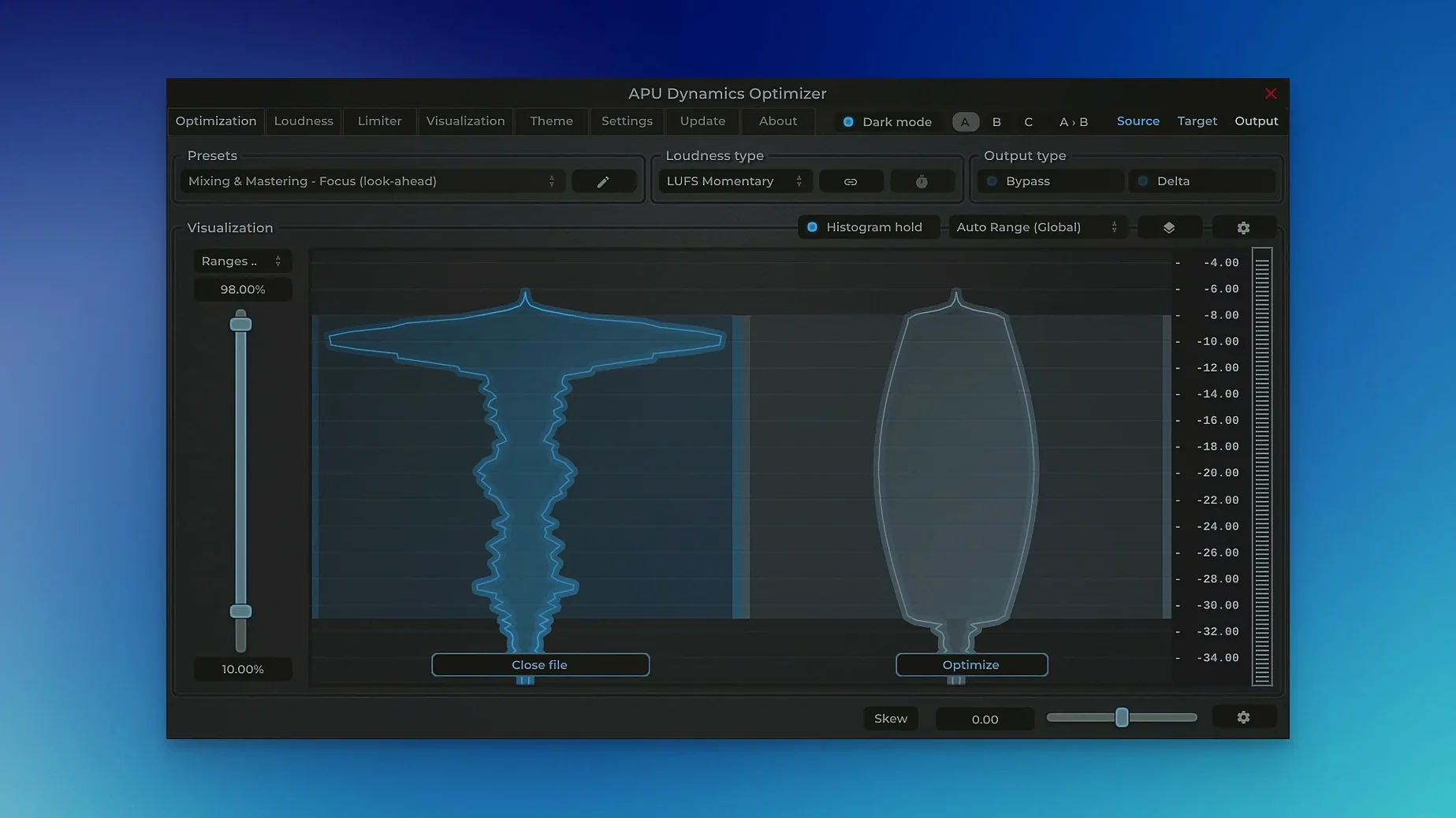
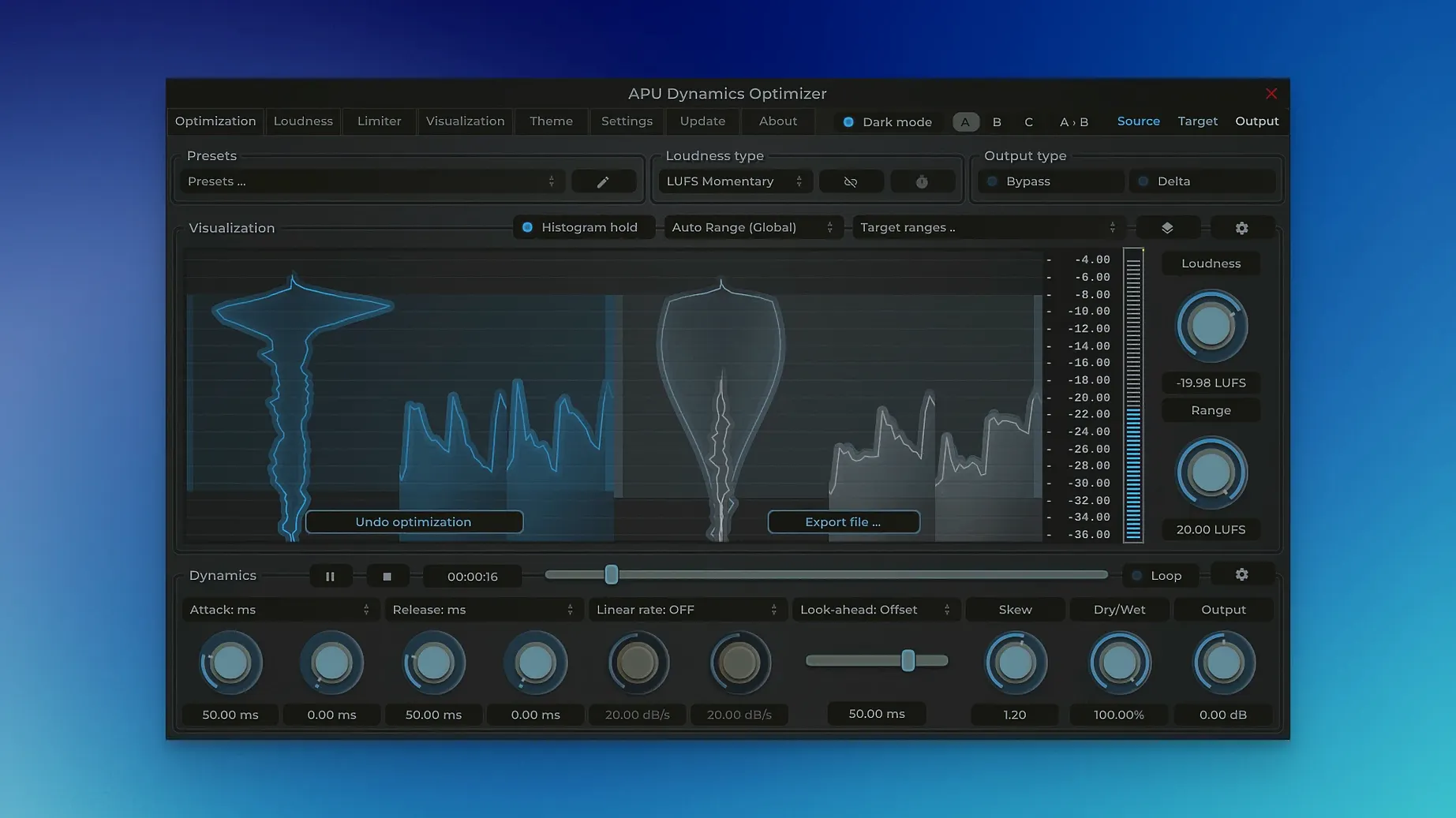
APU Software Dynamics Optimizer reads the entire file before you touch a slider. It shows the loudness distribution and lets you set LUFS-based targets. The software creates an optimized gain curve automatically. You hear the result immediately during playback.
One file, one pass
Open a file. Set your target loudness and dynamic range. The app calculates the curve, you preview it, then export. Version 6.0.3 improves the auto-range display — the graph expands as soon as content leaves the visible range, no waiting for a full axis step. It is a standalone app, no host required.
Most people who try Dynamics Optimizer for the first time push the loudness target too far. They set -10 LUFS for a podcast or -8 for music, expecting clarity. The result sounds cramped. The software lets you do this, but the graph tells you immediately — the distribution shifts into a narrow spike. Back off by a few LUFS and the breath comes back.
Auto-zoom in preferences
Open the preferences before you load a file. Turn on "auto-zoom" in the display section. Without it, the graph stays at a fixed scale and you miss the fine detail of low-level content. Set the default export format to your usual delivery spec — AIFF for broadcast, FLAC for archiving. The app remembers this.
Enable "follow playback" in the view menu. The graph scrolls with the cursor during preview. You see exactly which section causes the loudness spike. Without it, you guess.
Common questions
Does it work on a two-hour mix? Yes. Processing time scales with file length and your computer's speed. A 90-minute podcast on an Apple Silicon Mac finishes in under two minutes. Intel machines take longer but still complete the job without memory issues.
Can I undo after export? No. The export writes a new file. Keep the original. The app does not touch your source file unless you explicitly overwrite it.
What happens if the True Peak limit is lower than the loudness target? The app warns you. It still processes, but the gain curve will be uneven. Raise the True Peak or lower the loudness target until the warning disappears.
Do I need a separate batch processor? No. Drag multiple files onto the main window. The app queues them with the same settings. You can adjust individual files in the queue before processing all of them. APU Software Dynamics Optimizer Mac torrent users sometimes ask about batch limits — the queue handles hundreds of files without slowing down.
Small conveniences
The spacebar toggles playback. Most people reach for the mouse. Stop doing that.
Press Command-I to invert the selection in the graph window. Useful when you want to exclude a section rather than include it.
The gain curve overlay dims automatically after three seconds of inactivity. Click anywhere on the graph to bring it back. The dimming saves your eyes during long sessions.
Hold Option while dragging a threshold slider to make fine adjustments. The slider moves at one-tenth speed. You can set values to the tenth of a LUFS without fighting the UI.
Right-click the waveform to open a loudness analysis of that exact point. The value appears in the status bar at the bottom. Quick way to check a single word in a voice track.
Export presets are plain JSON files in ~/.dynamicsoptimizer/presets/. You can copy them between machines or share them with a colleague. No cloud account needed.
The app saves its last-used settings per file type. Open a WAV file, set targets, close it. Next WAV you open inherits those targets. Switch to MP3 and it remembers a different setup. A small thing that removes repetition.