Stem Separation
Version 7 installs beside your existing copy. It leaves older versions untouched. AI-powered stem separation arrives. Unlimited Launcher Scenes and advanced tempo detection come with it.
A deeper workflow
- Pull in stems with drag-and-drop. The AI separation gives you clean layers from a mixed track.
- Set tempo fast. The new detection reads complex material without manual tapping.
- Build live sets with unlimited Launcher Scenes. No ceiling on Playlists.
- Move to the Project page for mastering. Compile and sequence without leaving the app.
People often ask whether the app can handle a mix of recorded audio and virtual instruments without choking. It has no fixed track limit, and the dual‑buffer engine adjusts latency while you play and record. The real ceiling is your machine’s single‑core speed and your drive’s random read times. A fast NVMe drive matters more than RAM beyond 32 GB for most sessions.
Another common question is whether version 7 reads projects from Studio One 5 or 6. It opens them directly. The file format has evolved, so it writes a copy in the updated structure and leaves the original untouched. Old plug‑ins that relied on ReWire will not load. Most people replace them with native routings or run a bridge in a separate host.
People also ask about Stem Separation quality before they install. The processing is offline, so it does not tax the session CPU. It gives you four lanes — drums, bass, vocals, other — drawn from a single stereo mix. The result depends on the source material. A dense pop mix separates well enough for remix stems and quick backing tracks. A room recording with heavy bleed becomes less clean. You can refine the output by slicing and muting parts the algorithm guessed wrong.
One task, end to end
Take a stereo reference track you want to study and re‑harmonize. Start by dragging it onto a stereo track in the Song page. Right‑click and run Stem Separation. You get four new tracks grouped inside a folder. Mute the bass and vocal stems. You are left with drums and the harmonic bed.
Now drop the Advanced tempo detection onto the original reference. The tempo map appears across the ruler, following every push and pull. Insert an instrument track and load a sample‑based piano. Play along. The click follows the detected map, so your MIDI parts breathe with the original phrasing. Record a chord part and a sparse melody.
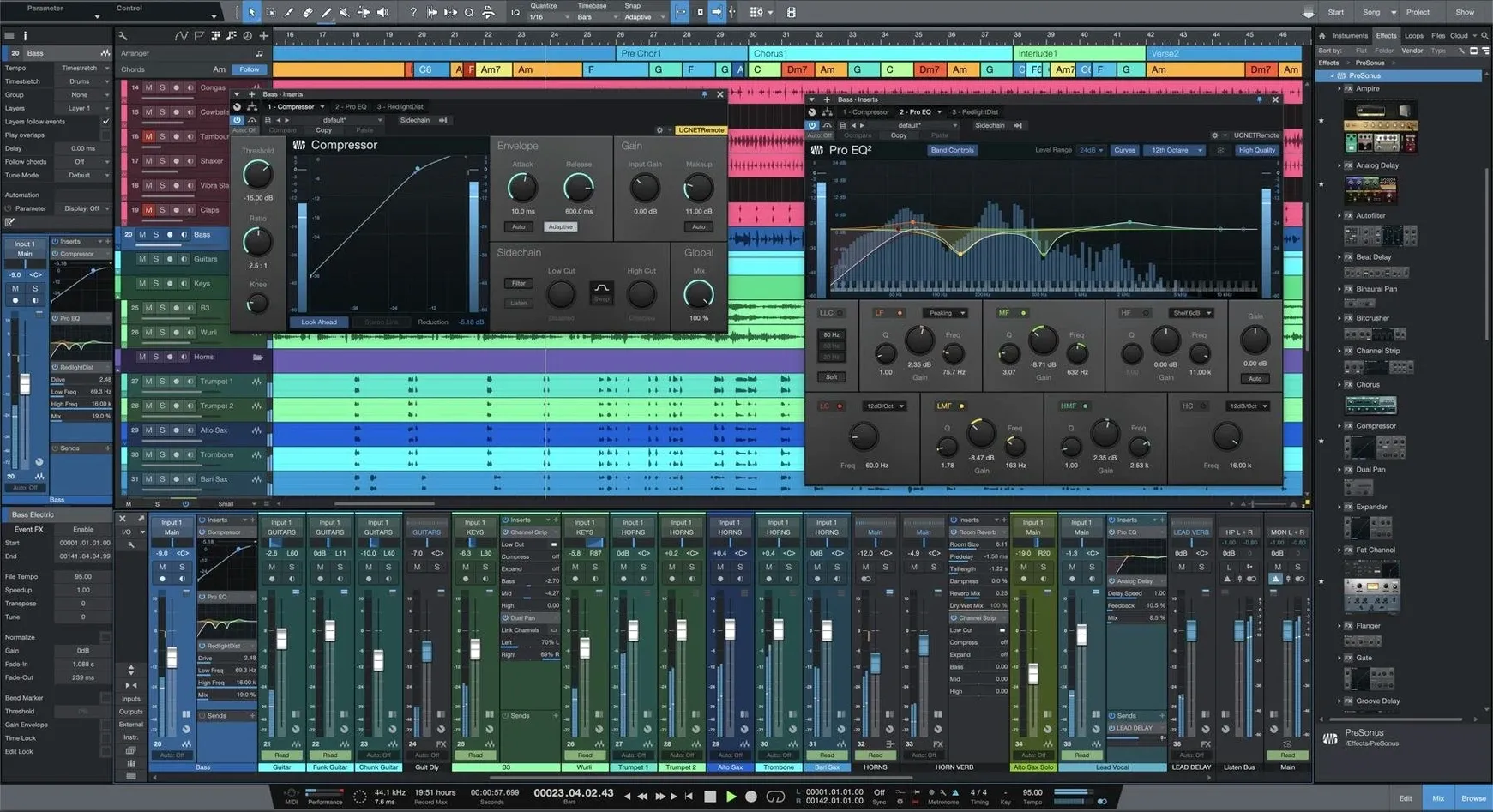
Move the vocal stem up by a minor third using the transpose lane. The formant shift keeps it natural. Unmute the bass stem and add a sub‑bass part with a Native Effects synth. Group the new parts and the processed stems into a mix bus. Apply gentle bus compression and a touch of room reverb. The reference track becomes a new arrangement in under ten minutes.
Where it connects
Studio One talks to the Finder and the system clipboard in ways that speed up hybrid workflows. You can drag an audio region from the Arrange view directly onto a folder on your Desktop. It renders a WAV with the current processing and leaves the original clip in place. The Browser panel mirrors any folder you add to Places, so a shared samples drive or a Dropbox folder stays live inside the app.
AU and VST3 plug‑ins appear without separate scanning. macOS’s built‑in Audio MIDI Setup aggregates devices, and Studio One reads the aggregate as a single I/O target. That means you can combine a Thunderbolt interface with a USB mic and monitor through both. Side‑chaining works with any plug‑in that accepts a side‑chain input, including third‑party compressors, which pairs well with the native Listen bus solo.
Export to SoundCloud, Notion, or a video editor via the dedicated Share menu. The mixdown dialog remembers your last format and location, so repeat exports need two clicks. For live use, the Show page pulls Setlists from Launcher Scenes, and MIDI program changes advance through them, which suits people running a hybrid live rig with hardware synths.
Early missteps
Beginners often ignore the Input Channel strip between the audio input and the track. That strip applies to all tracks set to the same physical input. Adding a compressor there saves CPU and glues a kit before individual processing. People skip it, then wonder why their kick and snare feel disconnected.
Another mistake is treating the Project page as an afterthought. It is not just a mastering view. It sequences complete songs, inserts track notes, and applies loudness normalization per region. A new user will finish a mix in the Song page, export a WAV, and master elsewhere. That works, but moving the Song directly to the Project page keeps all fades, automation, and clip gain editable until the final render. The DDP export from that page is ready for duplication.
Finally, people leave Smart Templates untouched. Every template is editable. You can strip a template down to a bare routing matrix, save it, and start every session with your own bus layout and metering already in place. A minute spent removing what you do not need saves ten minutes on every new song.
The interface stays customizable. Native Effects run on Apple Silicon and Intel. ReWire is gone, but the drag-and-drop core remains.