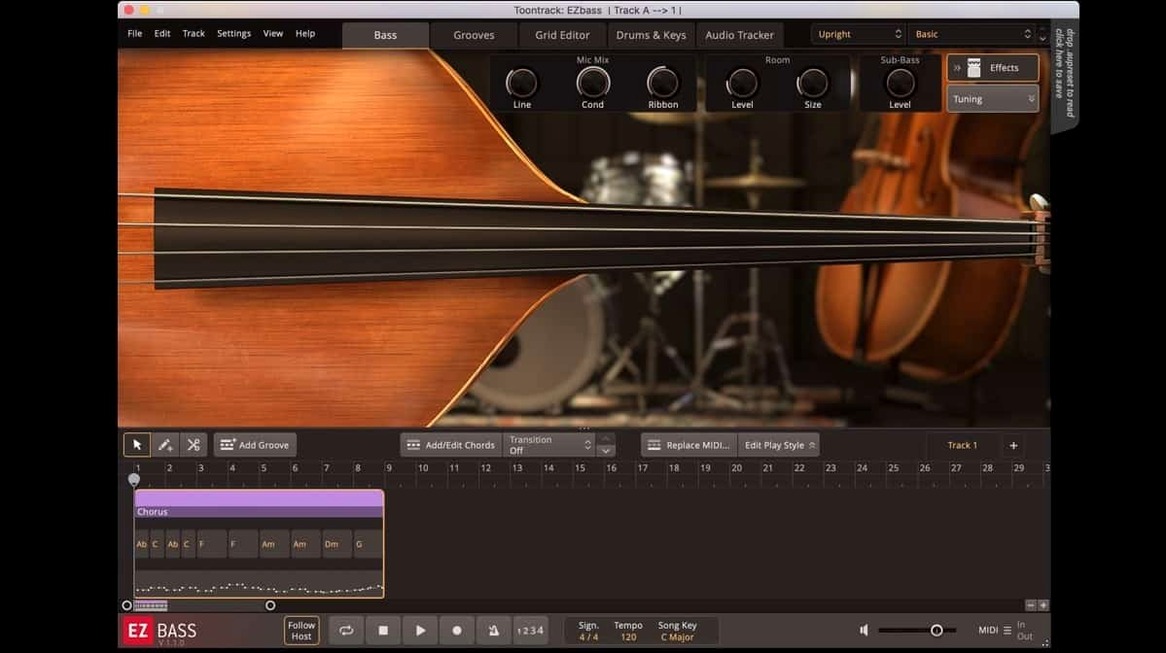
A bass part can stall a whole session. You hear the line, but the instrument, the timing, the tone — none of it arrives. EZbass removes that waiting. It gives you two sampled basses, a place to build the part, and audio-to-MIDI conversion borrowed from Superior Drummer 3.
Drop-in bassline
EZbass works as a plugin in your writing tracks. Drag in a guitar or keyboard idea, let the audio-to-MIDI find the notes, then shape them inside the software. Rearrange the line until it sits. When the part is right, send it to a bus or bounce it out — 1.3.3 also fixes export timing at sample rates other than 44.1 kHz.
Demo duties
Songwriting demos, production beds, quick replacements for a missing player. The included basses cover vintage and modern ground. EBX expansions extend the range. Keyboard shortcuts are now adjustable in Settings, and the Mac icons match the current OS style.
Physical model
Modo Bass 2 from IK Multimedia models the instrument physically, component by component. It sounds alive and can shift string material or pickup placement on the fly. But it gives you the bass — not the bassline. Build the part yourself, note by note.
Ample Bass P offers one deeply sampled Precision, with a dry, immediate tone that sits in a mix without effort. Again, you write the line, you play the line.
EZbass does less to the sound — two instruments, no physical modeling — but writes with you. Drop a kick pattern or a piano sketch and it suggests a bass part. You shape it, edit it, or scrap it and let it try again. For a songwriter on a deadline, that gap in thinking matters more than a dozen tone-sculpting knobs.
Clean DI rule
People often ask if the audio-to-MIDI conversion really works from a rough guitar take. It does, reliably, provided the source is clean and monophonic. Strummed chords confuse it, and heavy string noise needs trimming first. A DI signal works better than a miked amp track.
The download is large — the two basses together are substantial. Most users keep the core library on an external drive and let the plugin point to it. That keeps the system drive light.
Another frequent question: does it stand alone or require a DAW? EZbass opens as a standalone instrument for practice and auditioning, but for writing to picture or syncing to a project, it lives inside a host.
Cross-feed lines
EZbass talks to the rest of Toontrack’s world. A Superior Drummer 3 groove or an EZkeys MIDI block feeds directly into the bass engine, and it returns a line that follows the kick or the chord movement. That alone can rough out a rhythm section in minutes.
With a DAW, drop the standalone audio-to-MIDI onto a vocal or keyboard guide, then drag the resulting MIDI back onto the EZbass track. Tighten a few velocities and note lengths in the piano roll, and the part feels played. Mac users on recent Apple hosts will notice the menu click fix in 1.3.3 — a small change that keeps the workflow fluid.
Outside the Toontrack ecosystem, it works like any AU or VST3 instrument: route the MIDI out to another bass library if you prefer a different tone, or print the audio and feed it through your own processing chain. The software handles the thinking; you keep the sound you trust.