Match
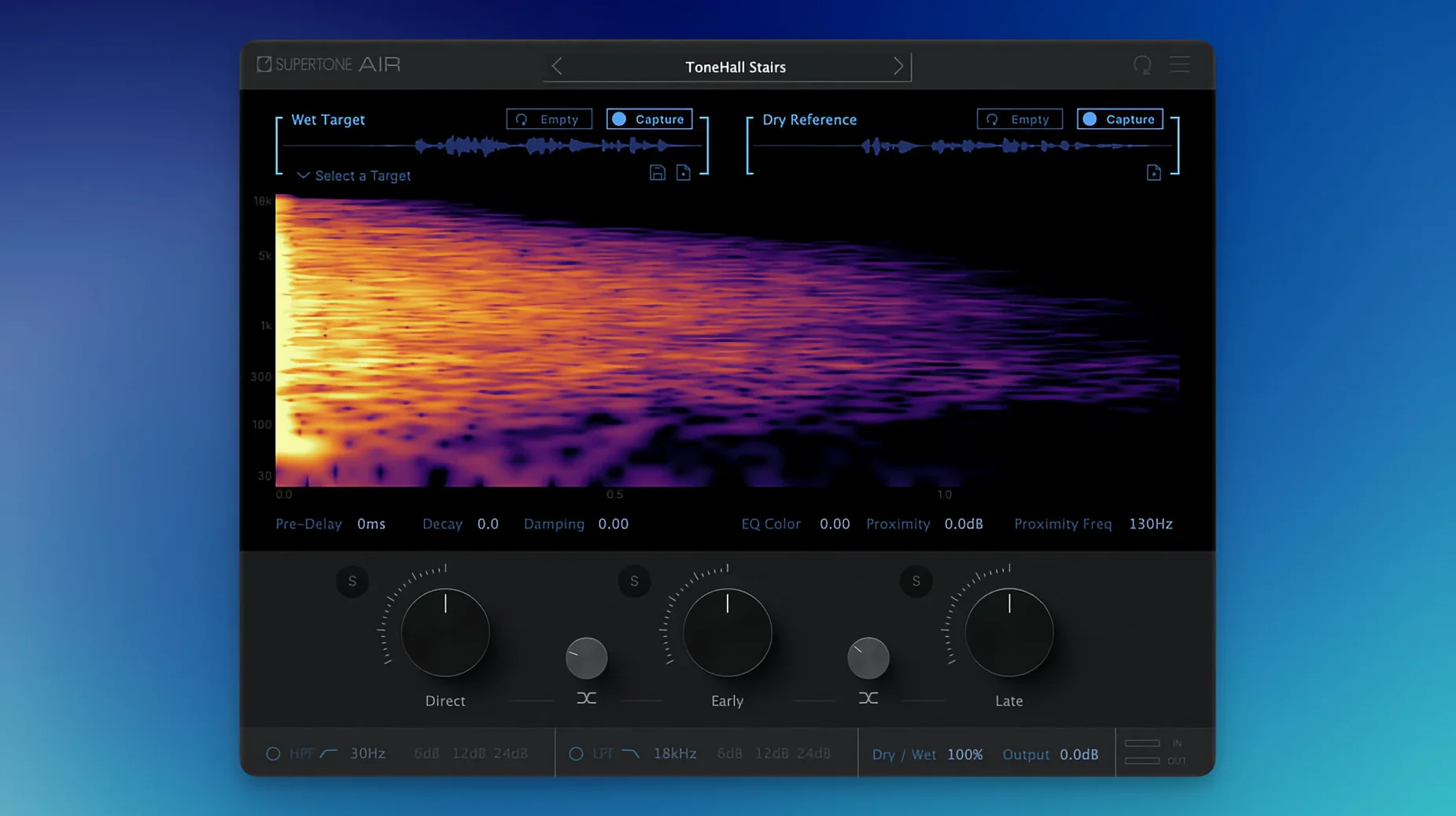
Drop it on an insert, play the reference dialogue and capture its acoustic fingerprint.
Shape
On the dry ADR track the captured reverb and EQ apply at once. Adjust decay, damping and proximity until the voice sits.
Bus
A session often starts with a single line that refuses to sit. You open Supertone Air on the dry ADR clip in AudioSuite, switch to the reference track, and hit Capture. The plug-in listens for a few seconds — longer if the room has a distinct tail — then stores the spectral and spatial imprint.
Back on the ADR clip, you preview. The voice gains weight. A short hallway now reads across the entire phrase. You pull early reflections down a touch and tighten Decay by half a second. It locks in.
From there you save an Air profile and load it onto the next six lines. Two need their own capture — the actor moved toward a window — but the rest share the first profile without a tweak. Before lunch the scene is roughed in.
Late in the day you export the captured space as a WAV impulse. Another mixer wants it for a parallel reverb bus. You drag the file into a convolution loader and keep moving.
Reflection layers
The Direct, Early, and Late sliders let you treat reflections as separate layers. Drop Late to zero and the voice loses tail but keeps its tonal shift. Useful for close-ups that still need the room’s EQ.
Hold Option while dragging any knob and the movement slows to a fine resolution. Command-click resets a parameter to its default. Neither is labeled, but both reward a restless hand.
The profile browser uses plain filenames. Name your captures after the scene and character — “Hall_03_Jonah” — and you will scroll less during a tight turnover. The import menu reads directly from Finder, so a profile folder on the desktop becomes an extension of the plug-in.
Dialogue editors
Dialogue editors who inherit three hours of lav and boom and a folder of dry ADR. They need a single tool that handles reverb and EQ matching without round-tripping through a separate EQ match plug-in and a convolution reverb. Supertone Air collapses those steps, which means fewer lanes open and a cleaner session to hand off.
Re-recording mixers working inside Pro Tools on tight schedules. Because Air runs as AudioSuite, it slots into an offline workflow — process five clips, nudge, audition, commit. No real-time inserts eating voices on a dense dub stage template.
Sound designers who capture rooms on location. They record a clap or a slate tone and bring it into Air later, extracting a space they can save as an impulse or a profile. One capture becomes a portable room that follows the project from edit to mix.
Anyone searching for a supertone clear mac workflow will notice how little the plug-in adds to a track beyond the space itself. The processing stays transparent, the tail stays clean. That restraint is what makes it useful across an entire reel.
On an aux for several lines that share a space. Export and import Air profiles to carry a room across sessions.