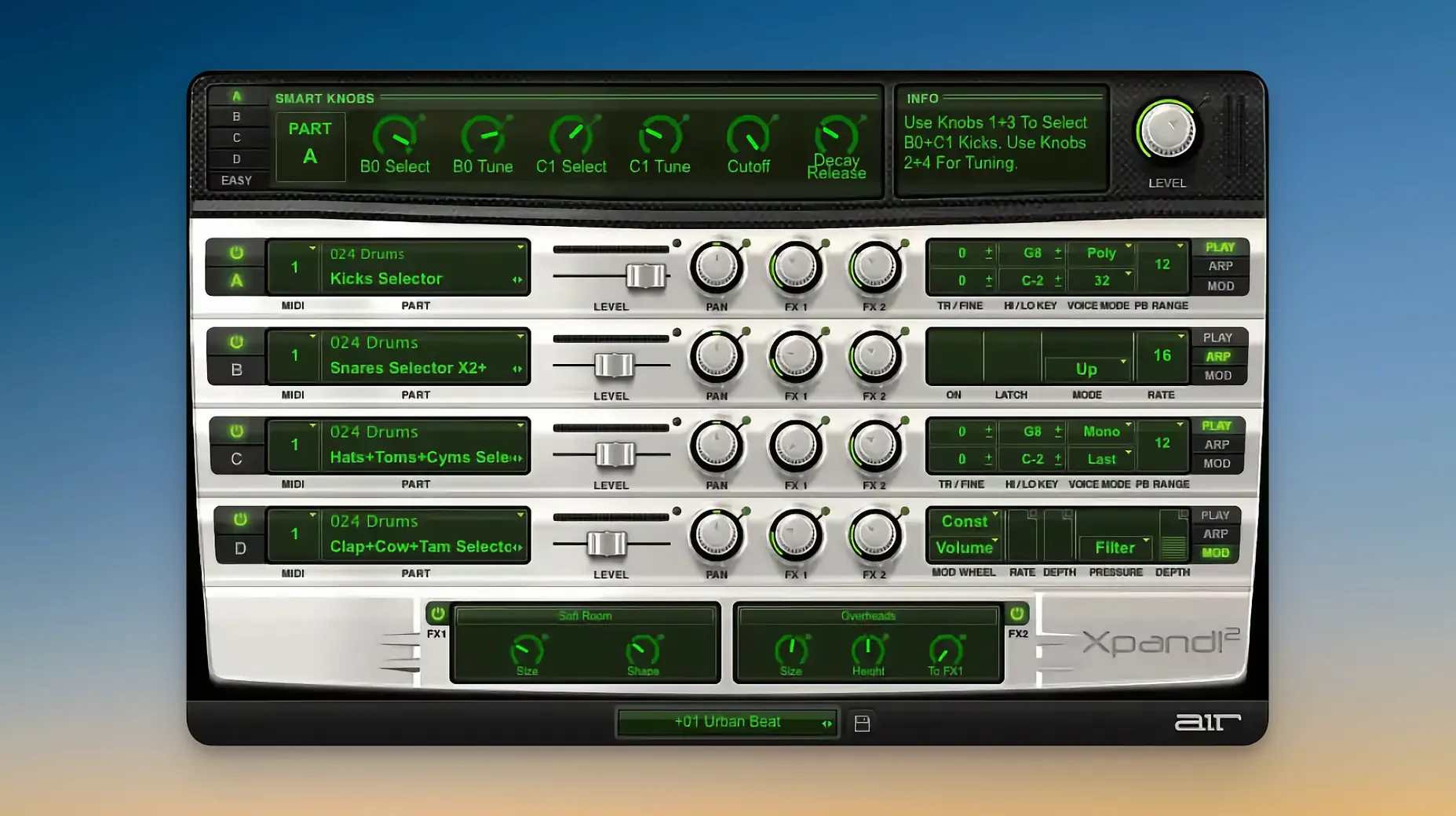
If you ever used Pro Tools, you probably already touched its DNA. Xpand!2 started as part of the Creative Collection, and it still carries that immediate, preset-forward attitude.
A few things it handles well:
- Layering four parts per patch, each on its own MIDI channel
- Subtractive, FM, wavetable, and sample playback in one window
- Quick tweaking with six smart controls
Keep in mind:
- Two effect processors handle the 50 included effects — you pick what goes in each slot
- Polyphonic parts cap at 64 voices; mono parts let you set note priority
- Requires macOS 13 or later
Scale up
Open the plugin, grab the bottom-right corner, and stretch the window until the text stops feeling small. The HiDPI scaling is there for a reason.
Then turn off the arpeggiator on any slot you are not actively using. A leftover arp has ruined more sessions than a bad cable.
After that, assign MIDI Learn to the six smart controls once, for the controller you actually own. Save that as your default patch. You will stop reaching for the mouse.
One working session
Say you are building a cue that needs weight without muddying the low end.
You load a bass preset, something round and slightly dull. Slot A sits on MIDI channel 1, polyphonic, playing a simple two-note figure. The built-in chorus adds width but not enough to blur the fundamental.
Slot B gets a soft pad, assigned to channel 2. You set its note range to start above middle C so it never collides with the bass. Mono mode, last-note priority. The arpeggiator runs at eighth notes, synced to the host. You lower its mix to around forty percent.
Slot C is a short percussive pluck on channel 3. You use the second effect processor for a tight delay, sixteenth notes, feedback low enough that the repeats die after three taps. You automate the smart control tied to delay mix during the last four bars.
Slot D stays empty. Not every patch needs four parts. The empty slot keeps the CPU calm and the arrangement clear.
You render the take. The patch plays back with each part behaving like a separate instrument, because in practice that is what it is.
Cue composers
Composers working to picture get the most from Xpand!2. The four-part structure maps naturally to sketchpad thinking: bass, pad, pulse, accent. You can mock up a cue without leaving one window.
Live performers benefit from the per-slot MIDI channels. One keyboard can feed a split patch — left hand bass, right hand lead — with no routing gymnastics in the host.
Sound designers like the collision of engines. A wavetable part run through the Chaos Delay does not behave like a rompler preset. It gets strange fast, which is usually the point.
Beginners also settle in quickly. The 2,500 presets mean you can work for months without touching a synthesis parameter. The six smart controls give you just enough to make a preset yours without opening a manual.
If you spend your days in a DAW and want fewer instruments, not more, this one earns its place. Some people look for an xpand 2 torrent because they remember it from an old Pro Tools rig. Others arrive curious about an xpand2 torrent after hearing it on a track. Either way, the plugin holds up. It is not a museum piece — it is a workhorse that still loads fast and sounds finished.