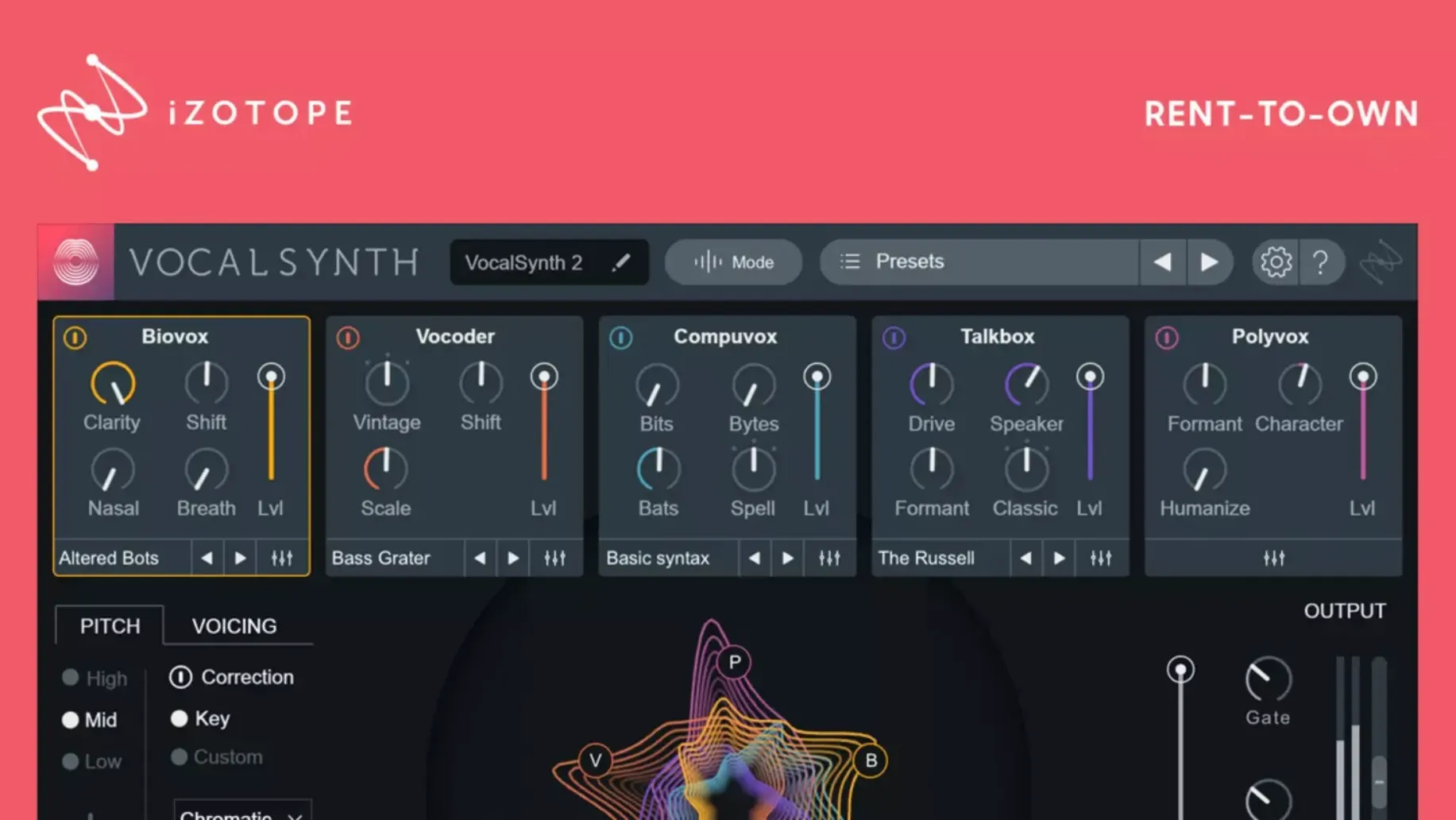
For producers who treat the voice as texture. Five modules blended in parallel, and a spectrogram in the middle that reacts to every vowel.
1. Pick a module: Biovox, Vocoder, Compuvox, Talkbox or Polyvox.
2. Shape the character with formant and harmonic controls.
3. Blend in a second module until the vocal sits.
4. Tame the edges with the gate and EQ.
Where VocalSynth 2 sits alone is in treating the voice as a synthesizer voice, not as a signal to correct. Compared with Waves Ovox, the iZotope plug-in leans further into spectral weirdness. Ovox does the classic vocoder and talkbox thing cleanly; VocalSynth 2 adds Biovox and Compuvox, modules that feel less like homage and more like science experiment. Compared with Arturia Vocoder V, which models vintage hardware, VocalSynth 2 is not interested in nostalgia. It is interested in what a voice can become through analysis and resynthesis.
If you already use another iZotope plug-in, the difference deepens. The inter-plug-in communication means VocalSynth 2 can see what Neutron or Ozone is doing further down the chain. No other vocal designer has that line of sight into the mix bus.
The trade-off is focus. VocalSynth 2 does not try to be a channel strip. It ignores pitch correction and surgical EQ. For those, you pair it with something else. That pairing is the point.
In daily use, the plug-in stays out of the way. On an Apple Silicon Mac the interface opens without delay, and switching modules interrupts nothing. CPU load climbs noticeably with Polyvox and Biovox running together, but freezing a track or committing early solves that. Memory pressure stays low even in sessions with thirty or forty tracks. I have not seen a crash that traced back to VocalSynth 2, though the 2.6.1 fix suggests earlier builds had a flicker of authorization trouble for some users updating from 2.5.0.
The spectral display is not decoration. In Sidechain mode it reads another track and shapes the vocal around it—useful for ducking a pad behind a spoken phrase without touching a compressor. Combined with Tonal Balance Control, it also gives you a rough check on whether the vocal layer is piling too much energy into one frequency band.
The display shows what the voice is doing, not just how loud it is.