Two layers?
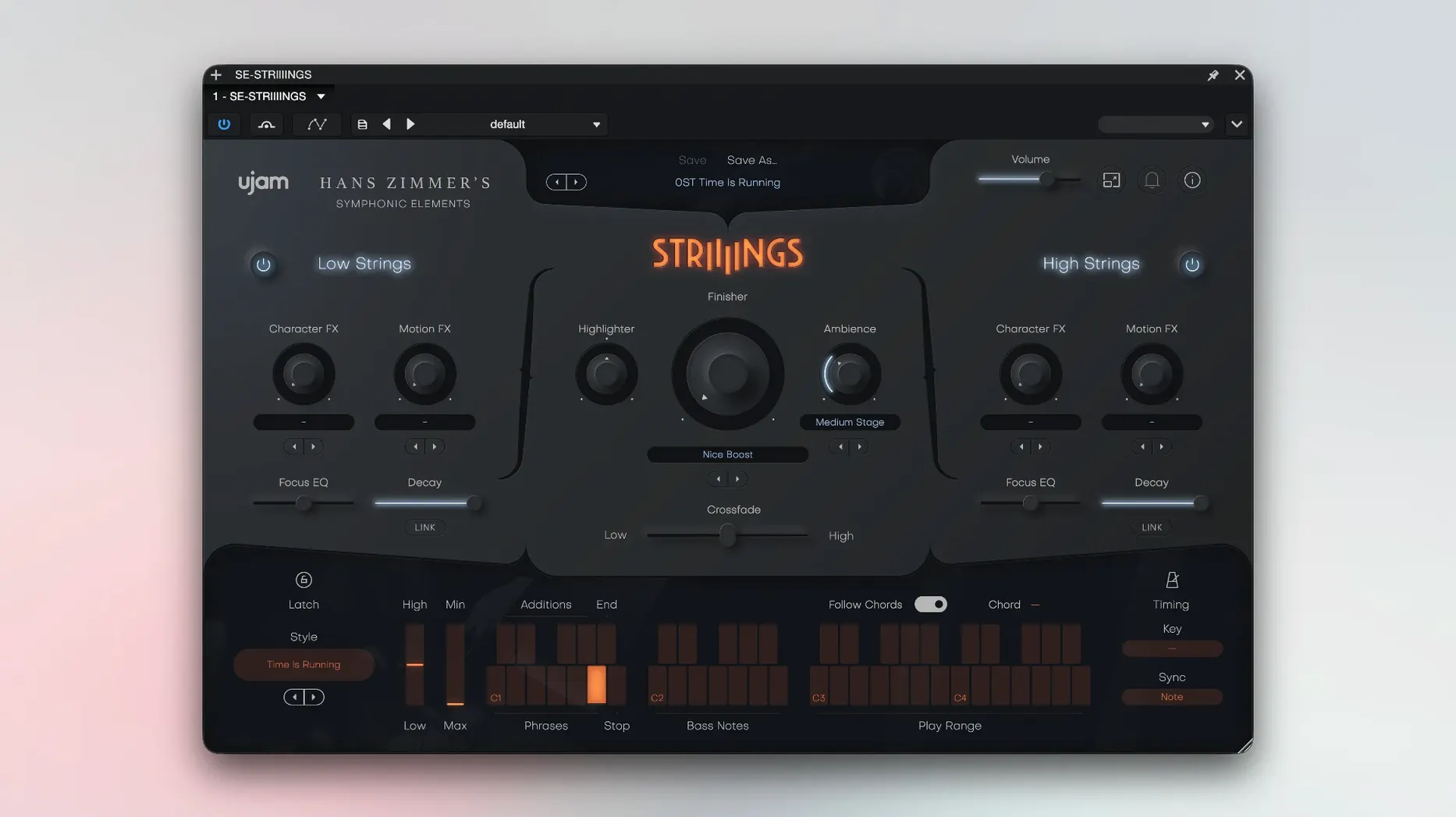
Low Strings and High Strings. Cellos and basses against violins and violas, balanced with one fader.
Quick ensemble beds
On an instrument track for quick ensemble beds, or under a drier string library for weight and movement.
Sound design?
More than 200 presets turn the Hans Zimmer recordings into processed, evolving pads that sit behind dialogue or melody.
4 GB of RAM and a 64-bit host, Apple silicon or Intel, Mojave or later. Open the plug-in twice on first launch and it settles in.
Build a scene
Start with an empty project and one instrument track. Load STRIIIINGS. Leave the Low Strings fader at center, pull High Strings down three dB. Pick Style 17 — something slow, with movement in the cellos. Record a simple minor-third swell, two bars. Bounce in place.
Add a second instance. This time, solo High Strings. Select a glassy, processed preset from the sound-design bank. Play a single high octave, held long. Pan it slightly right. Both layers together now — one earthy, one synthetic.
Group them to a bus. A gentle high-pass at 200 Hz, a touch of plate reverb. Done in six minutes.
Play it like a pad
Most common mistake: treating STRIIIINGS like a phrase library. It is not. The 60 styles respond to your own chord voicings and velocity — play it like a pad instrument, not a loop player.
Another: ignoring the Crossfade control. Leaving both sections at equal level creates a wash. Pull one back. Let the arrangement breathe.
And the install quirk trips people up. The plug-in needs two launches on first use. Skip the second and your DAW may blacklist it. Open, close, open again. Then it is stable.
Tightened browser
Version 1.3.1 tightened the preset browser noticeably. Loading large sound-design patches used to stall for a beat; now it is quick. Apple Silicon support arrived earlier in the 1.x cycle, but the latest build feels fully native — no Rosetta drag on heavier sessions.
The Crossfade curve was also subtly reworked. It used to bunch the blend toward the middle. Now the transition is wider, which makes subtle High String air easier to dial in without losing the low-end weight.