It runs on any Mac from macOS 10.13 onward. Intel or Apple Silicon — the plugin is native for both.
Formats are VST3, AU, and AAX. It loads in Logic, Pro Tools, Cubase, Ableton Live, and similar hosts. No standalone mode.
Once it is open in a session, the workflow is direct.
- Insert it on a drum bus or vocal track.
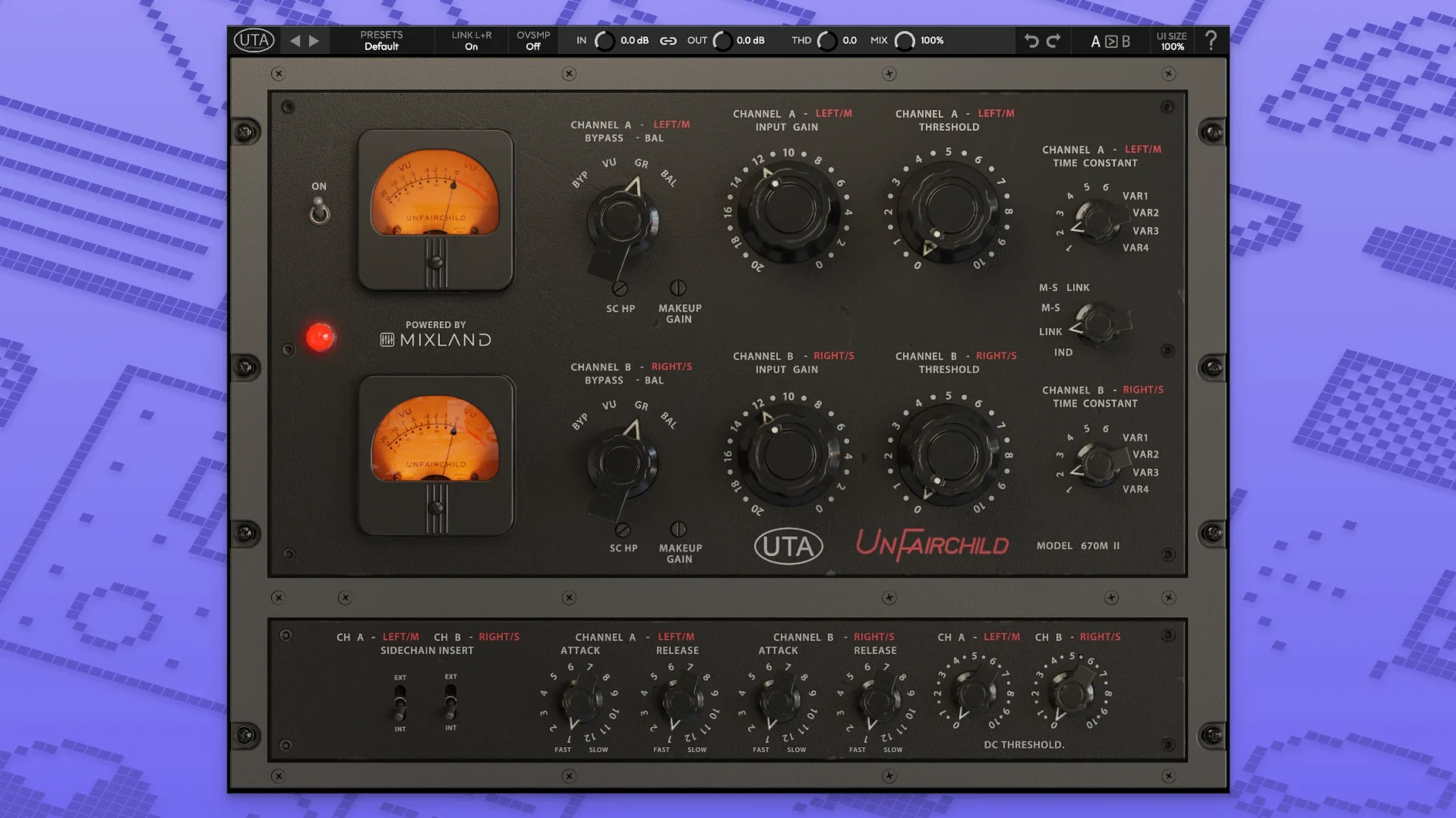
- Pick one of the six preset time constants, or dial in a variable one.
- Adjust the DC Threshold and side chain to shape the detector response.
- Use the overall THD control to add weight without extra plugins.
- Fine-tune the left/right balance and set output level.
A true bypass lets you check your work cleanly. It does one thing: the sound of the 670M mkII hardware, with the control that a screen and mouse afford.
Drop output 3 dB
Open the plugin and lower the output level by 3 dB. The default gain staging runs hot on purpose, mimicking the hardware. A small cut here prevents clipping further down the chain.
Next, set the wet/dry knob to 70%. Full wet sounds glorious on drums, but parallel compression is where this plugin earns its place. You can push the input harder without burying the transients.
Switch the detector to Feed-Back mode. Feed-Forward is useful for surgical work. Feed-Back gives you the softer knee and the bloom that vari-mu compressors are known for.
Leave the THD control at noon for now. You will come back to it later, once the compression is set. It is easy to over-season early.
Drum bus from scratch
A drum bus is the natural place to hear what the UnFairchild does. Here is one way through it.
Start with a kit that already has some internal balance. Group the kick, snare, toms, and overheads to a stereo bus. Insert the UnFairchild as the first plugin on that bus.
Select time constant 3 — the medium attack, medium release preset. These six constants were pulled directly from the hardware, and this one suits a mid-tempo rock or pop kit without much tweaking.
Set the DC Threshold so the meter shows 3 to 5 dB of gain reduction on the loudest hits. Use the side chain high-pass filter to let the kick bleed through a little less. The snare will control the compressor now. The low end stays big.
Bring the wet/dry down to 60%. The dry signal preserves the crack of the snare. The wet signal glues the room mics and cymbals into a single picture.
Now add THD. Push it to 2 o'clock. The low mids thicken. The overheads lose some of their digital edge. The whole kit sounds like it was recorded a few degrees warmer.
Finish by balancing left and right. A half-dB nudge to the right channel can correct a drummer who plays the hi-hat too hard, without reaching for a pan pot.
Drum bus crush
Mix engineers working on dense rock, indie, or electronic tracks will use it most. The UnFairchild excels on groups — drum bus, parallel crush, even a full mix bus if you are gentle with the threshold.
Mastering engineers will find the MS function useful. It lets you compress the mid and side channels independently. A little side compression with a slow time constant opens up the stereo field without obvious movement.
Post-production users benefit from the DC Threshold. Dialogue rides stay transparent if you set the detector to ignore low-frequency rumble. The true bypass confirms the plugin is helping, not just adding weight.
Bedroom producers who want one colorful compressor to try on everything should place the UnFairchild after a clean FET or VCA compressor. The combination gives you control and character without a hardware rack.