People with AirPods Pro and a Mac. People who want to see battery levels before a call. People who switch headphones between devices all day.
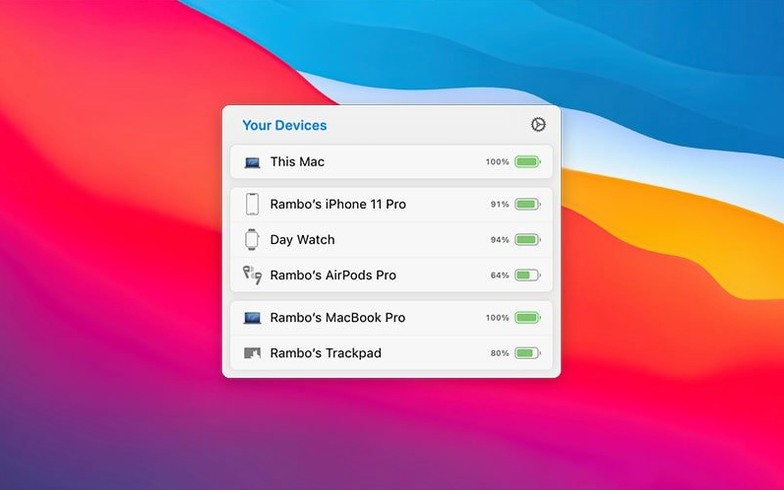
Check battery
Open AirBuddy and see the charge for nearby AirPods, Beats, iPhone, iPad, and other Macs. Devices appear grouped by how they relate to each other.
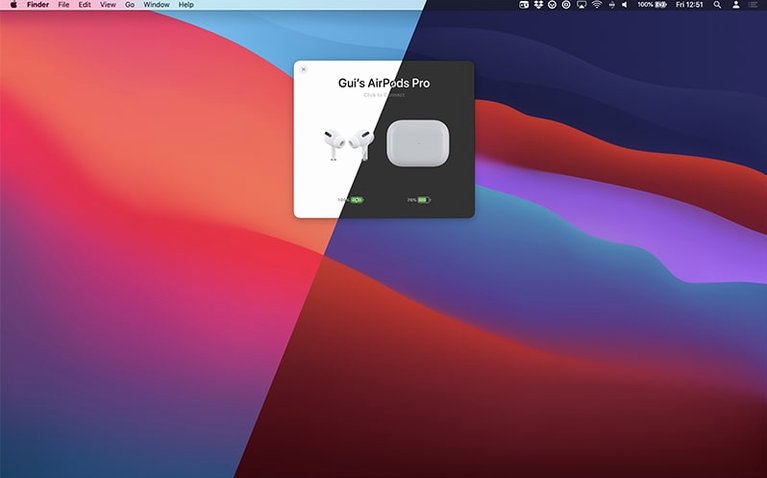
Connect headphones
Connect AirPods Pro and change the listening mode with a trackpad gesture. No digging through Bluetooth settings.
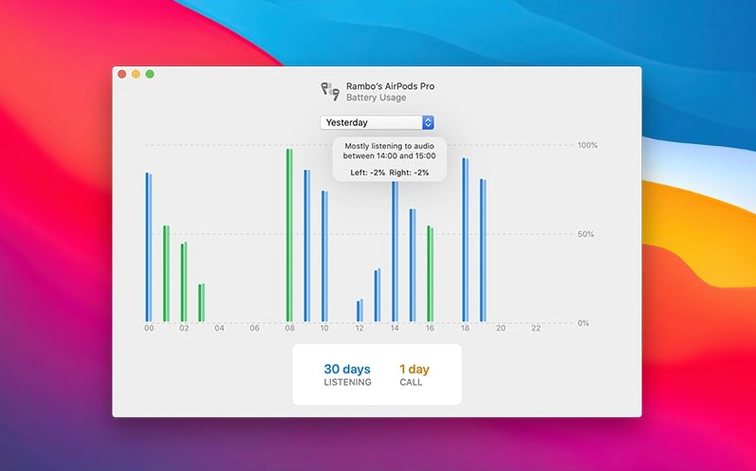
See usage
Does it interfere
Most people ask two things before installing. First: does it interfere with macOS Bluetooth. It doesn’t. AirBuddy reads status data that’s already available and presents it in a panel you can actually see. No hack, no kext.
Second: will it drain battery. The app is quiet. It polls only when devices are nearby and sleeps in the background otherwise. On an M2 MacBook Air I see no measurable difference over a workday.
Zero-spinner switching
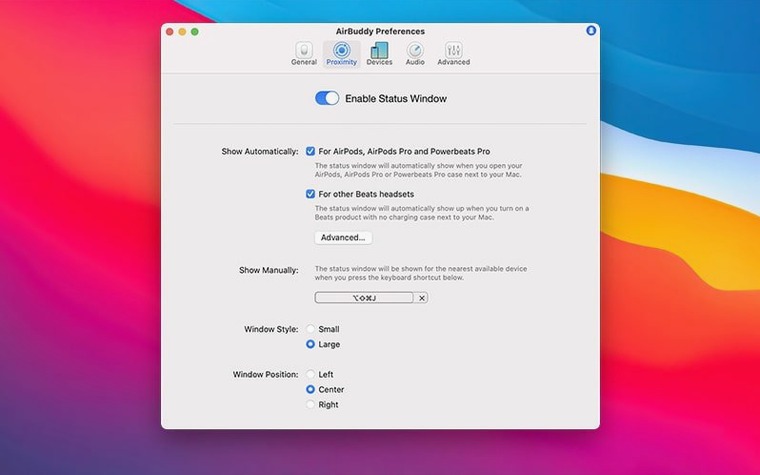
The status window opens faster than the macOS Bluetooth menu. Tapping the trackpad to switch listening modes is instant, with no spinner. Memory use hovers around 45–55 MB; CPU sits at zero unless you’re actively connecting something. It’s the kind of utility you forget is running.
Beside Control Center
AirBuddy doesn’t replace anything—it sits beside Control Center, the menu bar, and System Settings. It works well with apps like FaceTime and Zoom, where knowing your headset battery before a call matters. The Magic Handoff feature treats your Magic Mouse or keyboard like AirPods: move them between Macs without re-pairing.
It also plays nicely with things outside Apple’s world. If you’re testing an affinity beta or trying an adobe beta generative fill build, you can set connection modes that switch your AirPods to the right listening mode automatically when you launch those apps. No manual switching.
For people who follow the airbuddy beta releases, the menu bar icon options let you match the look to Bartender or Hidden Bar. The app disappears into your setup, which is the point.
Total listening time and total talk time are shown for each device. Useful when you wonder how much of the day went to meetings.