Version 3.3.10 is the current build. No new features, no bullet points. Just a quiet maintenance release that keeps things working.
Good for
- Dragging a file in and pressing play
- Picking a Chromecast from a short list
- Running on older Macs — macOS 10.12 or later
Keep in mind
- Intel only
- Interface is English
Remux fixes
People ask about codecs. Airflow handles most common formats — the ones that play in QuickTime and then some. If a file won’t cast, it’s usually a container issue, not a codec problem. Remuxing to MP4 fixes it in under a minute.
Another question: does it need Chrome? No. It talks to the Chromecast directly. No browser, no extension. Keep Chrome closed and it still works.
People looking for airflow 3.3.10 sometimes wonder if older versions were more stable. They weren’t. This build is the one to have. Those searching for airflow 3.3.9 or an airflow torrent often find earlier builds — just verify the version number after setup and you’re set. The current build skips the drama.
One more thing: the app is Intel-only. On Apple Silicon it runs through Rosetta — fine, no performance hit for video casting. But don’t expect a native ARM binary. It hasn’t arrived yet.
macOS gap
Airflow doesn’t replace anything. It fills a narrow gap in macOS.
QuickTime plays local files but doesn’t cast. Chrome can cast a tab but chokes on high-bitrate files. VLC has experimental casting that breaks with every other update. Airflow sits between them: plays local, casts native.
It works alongside the Finder. You keep your files wherever you keep them — an external drive, the Movies folder, a NAS. Airflow never moves or copies anything. It streams from where the file lives. Spotlight won’t find your Airflow library because there isn’t one.
Subtitles come from the file itself or from a sidecar with the same name. No subtitle downloader built in. If you already have an SRT next to your video, Airflow picks it up and sends it with the stream. The Chromecast renders it on-screen — you can’t tweak font size from the app, but it’s readable on a TV.
People who search for airflow mac often run it on a machine that stays plugged in at home. Airflow doesn’t do remote streaming over the internet. Same Wi-Fi network, same room in practice. It’s a local tool.
GoPro folder
You’re back from a trip. A folder of footage sits on the desktop — an hour of clips from a GoPro, mixed resolutions, some 60fps, some with separate audio tracks.
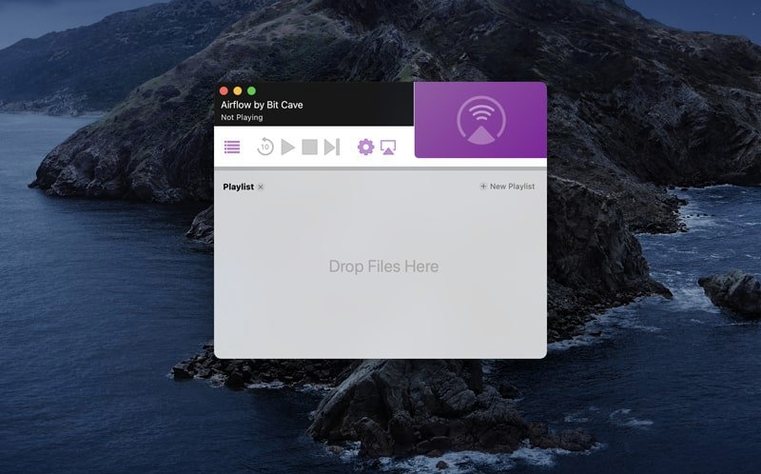
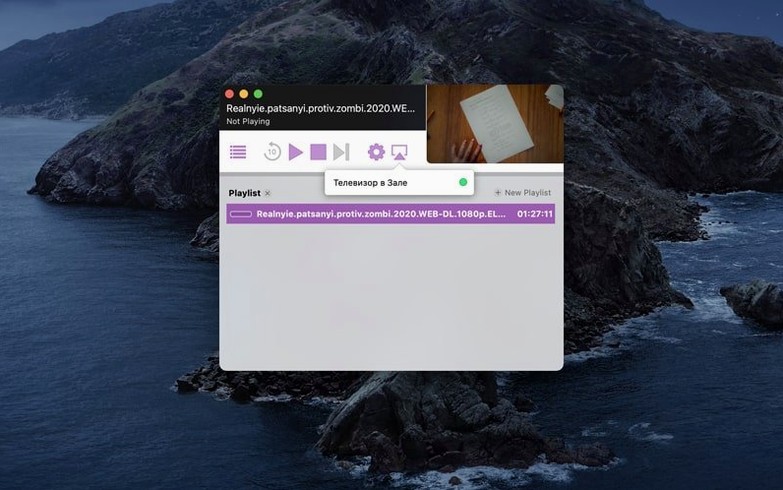
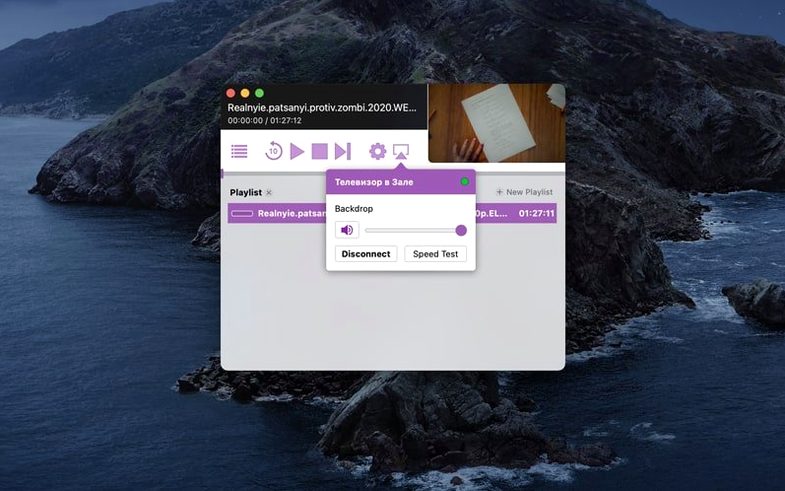
You open Airflow. The window is small, white, nearly empty. No welcome screen, no setup wizard. At the bottom, a list of Chromecast devices appears. Your living room TV shows up because it’s already on. You click it.
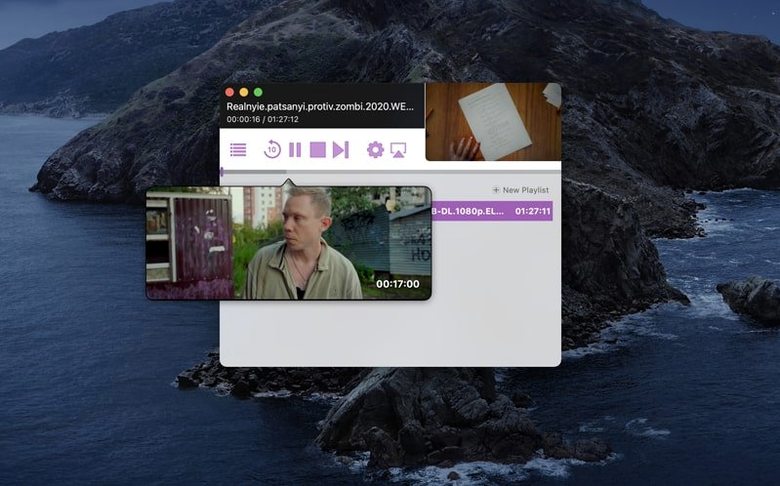
You select five clips in the Finder and drop them onto the Airflow window. They stack in a vertical list. Thumbnails are plain — a frame from the middle of each file. You double-click the first one.
Playback starts in three seconds. The TV shows the clip. The Mac shows a scrubber and a pause button. You pause, drag the scrubber forward, resume. No lag. The audio stays synced.
When the clip ends, Airflow stops. It doesn’t auto-play the next one by default. You like that. You click the second clip, hit play, lean back.
Halfway through, someone sends a message. You switch to another desktop. Airflow keeps streaming in the background. The spacebar doesn’t pause it — you need to switch back to the app or use the Chromecast remote on your phone. A minor friction, but you learn it once.
After the last clip, you close Airflow. The window disappears. No dock badge, no leftover process. The TV goes back to its ambient screen. The files stay exactly where they were.
That’s the whole deal. A window, a drop zone, and a cast button.