It starts with the machine itself. Any Mac running 10.15 or later, Intel or Apple Silicon. The app meets you there.
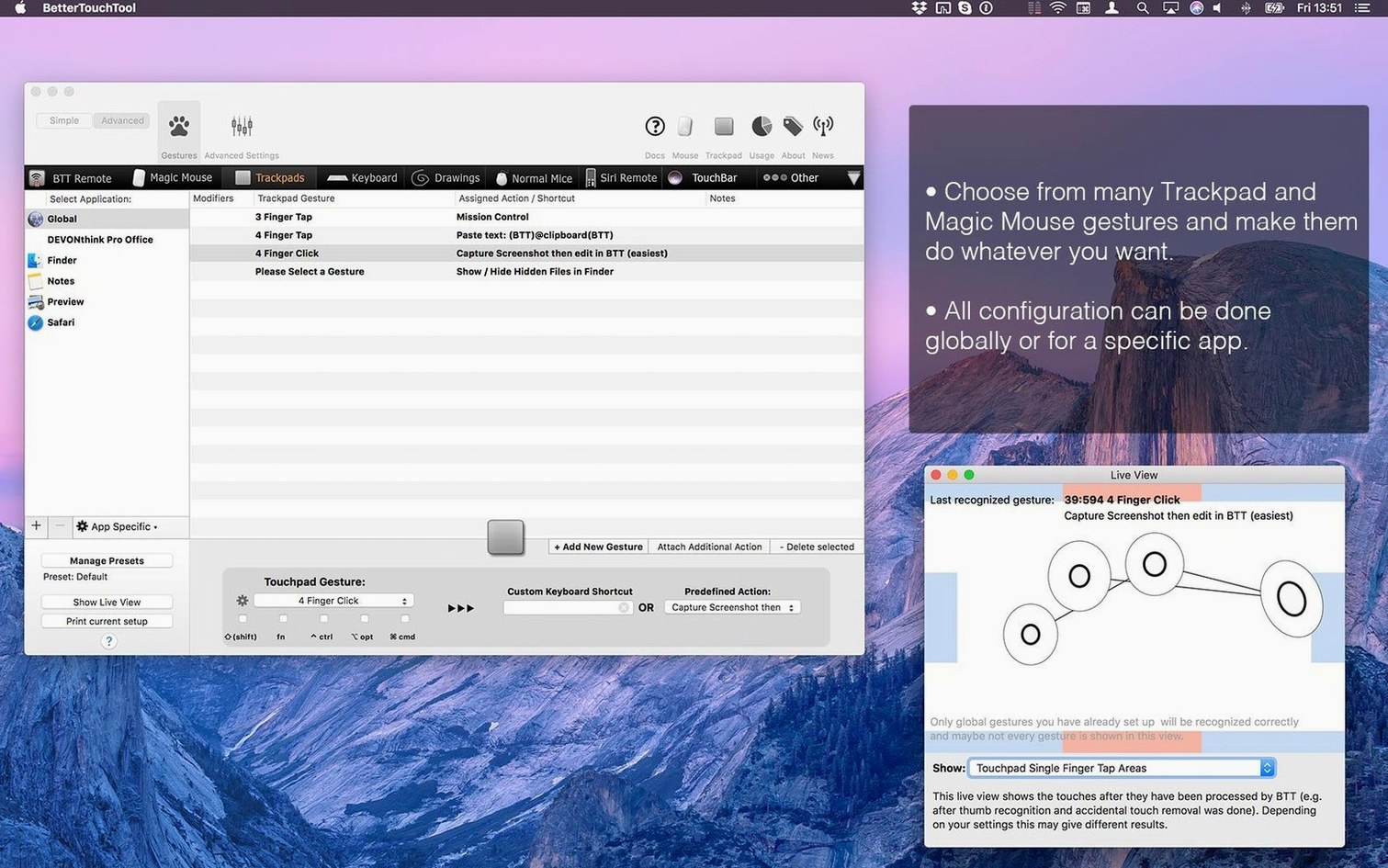
Per-application rules are what separate casual tinkering from real automation. A three-finger swipe can scrub audio in Logic but switch tabs in Safari. The same gesture, two different results. No mode-switching. No thought.
A quiet workflow for an experienced user:
- Pick an app you live in all day.
- Map a keyboard chord or trackpad shape you rarely use elsewhere.
- Tie it to the app’s most buried command.
- Repeat for the Magic Mouse, then the Siri Remote.
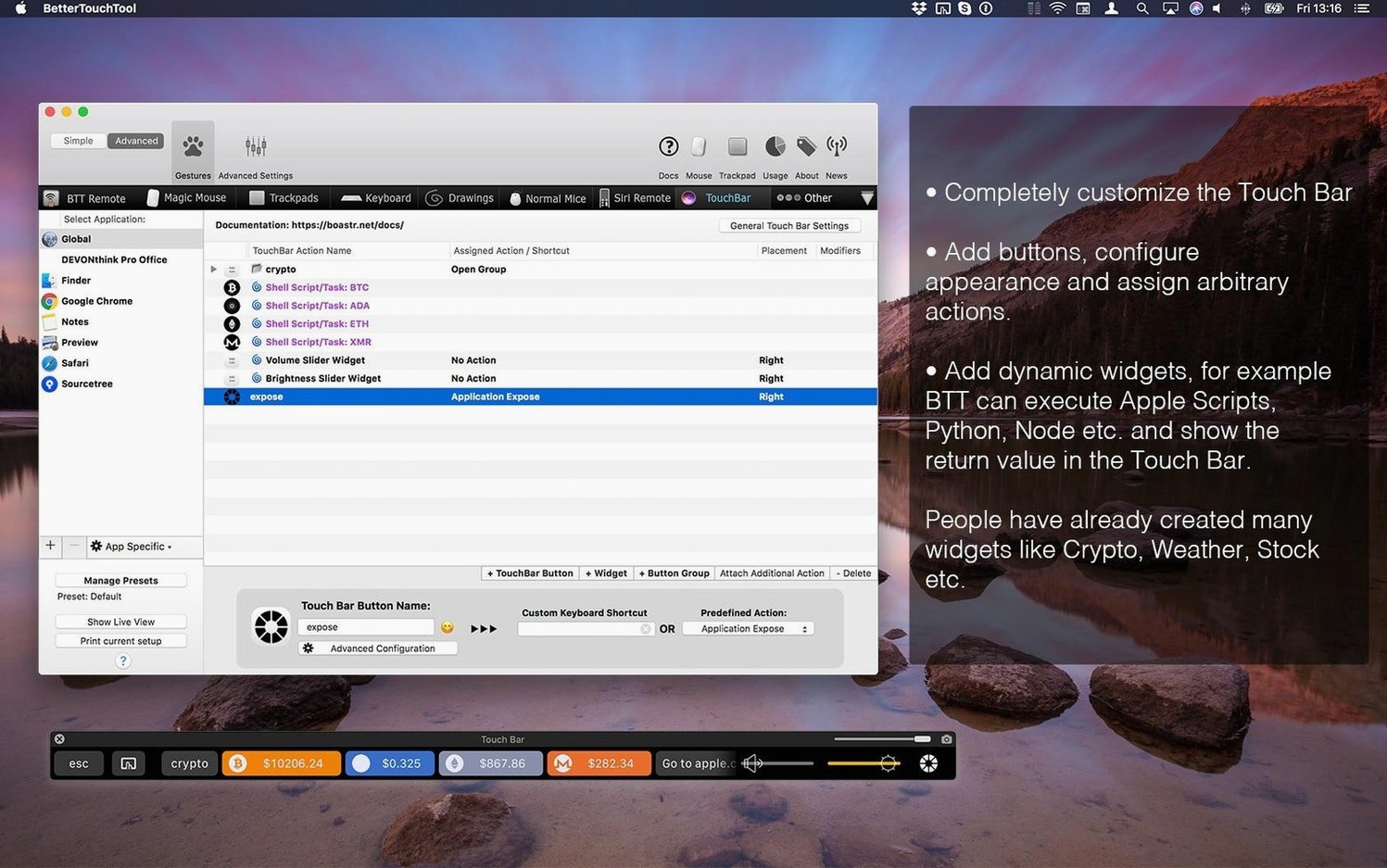
- Build a small Touch Bar widget that shows only what that app needs.
Clipboard rhythm
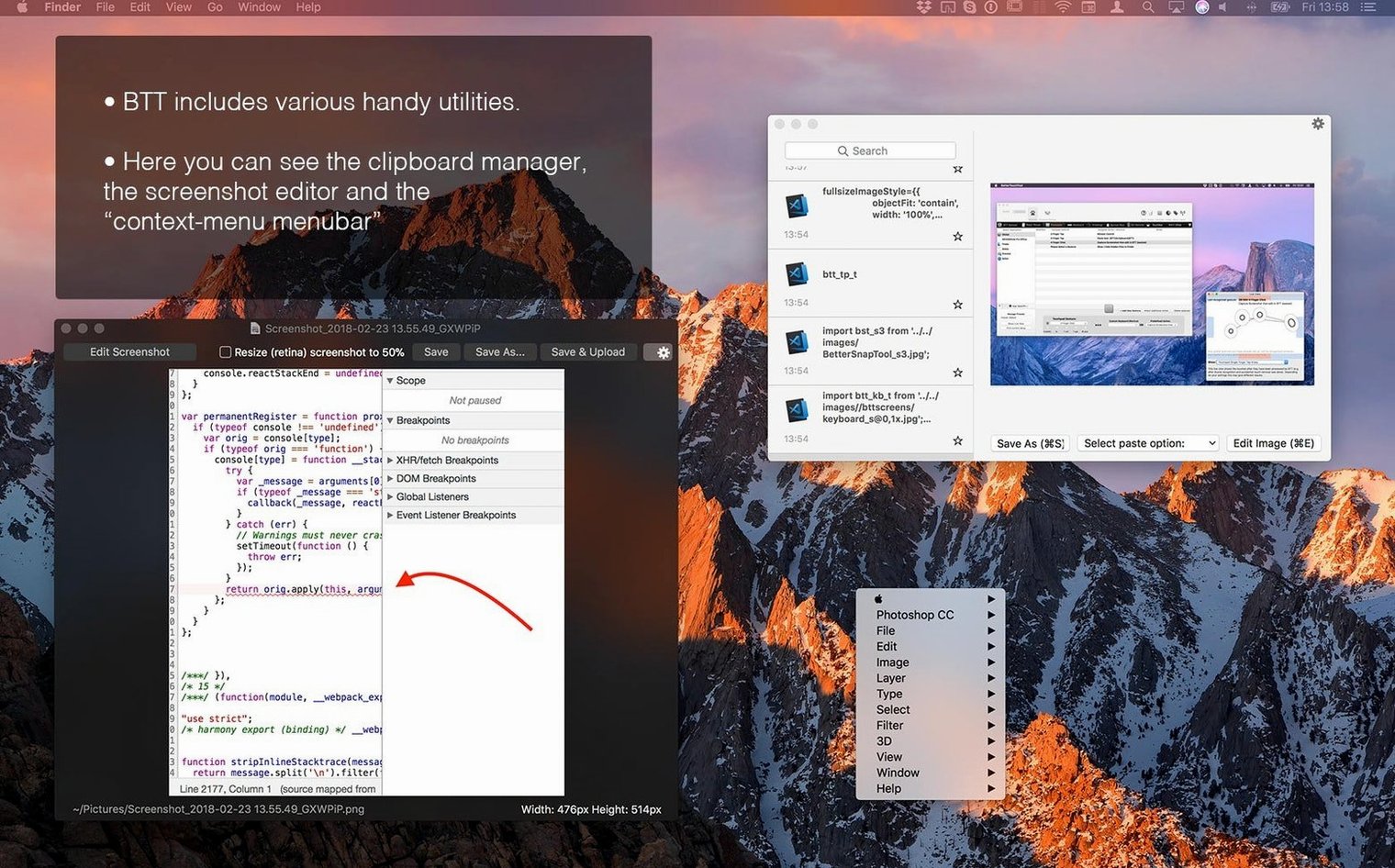
The clipboard manager sits in the menu bar, quiet. A keyboard chord calls a list of your last twenty copied items. Plain text, images, files. You paste without leaving your typing rhythm.
Window snapping gets its own set of rules. Drag a window to an edge and it resizes to half-screen, or a third, or a custom grid you define yourself. The snap feedback is a subtle highlight, not a bouncy animation.
Two-finger force-click on a link. The gesture can summon a floating browser, a quick note, or a screenshot of just that region. Most people never open the gesture-drawing pane to see what shapes are possible.
The screenshot tool includes an arrow, a blur brush, and a text stamp. You mark up an interface, copy it to the clipboard, and discard the file. No desktop clutter.
Three-finger swipe
A writer opens Scrivener at 6 a.m. The Touch Bar shows a word counter, a dark-mode toggle, and a button that runs an AppleScript to append today's date to a log file. Three-finger swipe left sends Escape. Three-finger swipe right types a custom Markdown link. The Magic Mouse assigns a tip-tap gesture to the built-in thesaurus lookup.
The clipboard manager holds five research snippets. A corner-click screenshots a reference image, blurs a name, and pastes it into a note. No menu diving. The writer stays in the text.
When the session ends, one keyboard chord saves all open documents and locks the screen. The writer never built a macro; they assigned existing commands to shapes and taps until the machine felt like an extension of the desk.
A gesture shortcut from scratch
Goal: trigger a quick web search for the selected text in Safari without touching the menu bar.
Open BetterTouchTool and select Safari from the app list. Choose “Add New Gesture” and draw a small clockwise circle on the trackpad preview. The app captures it as “circleCW.”
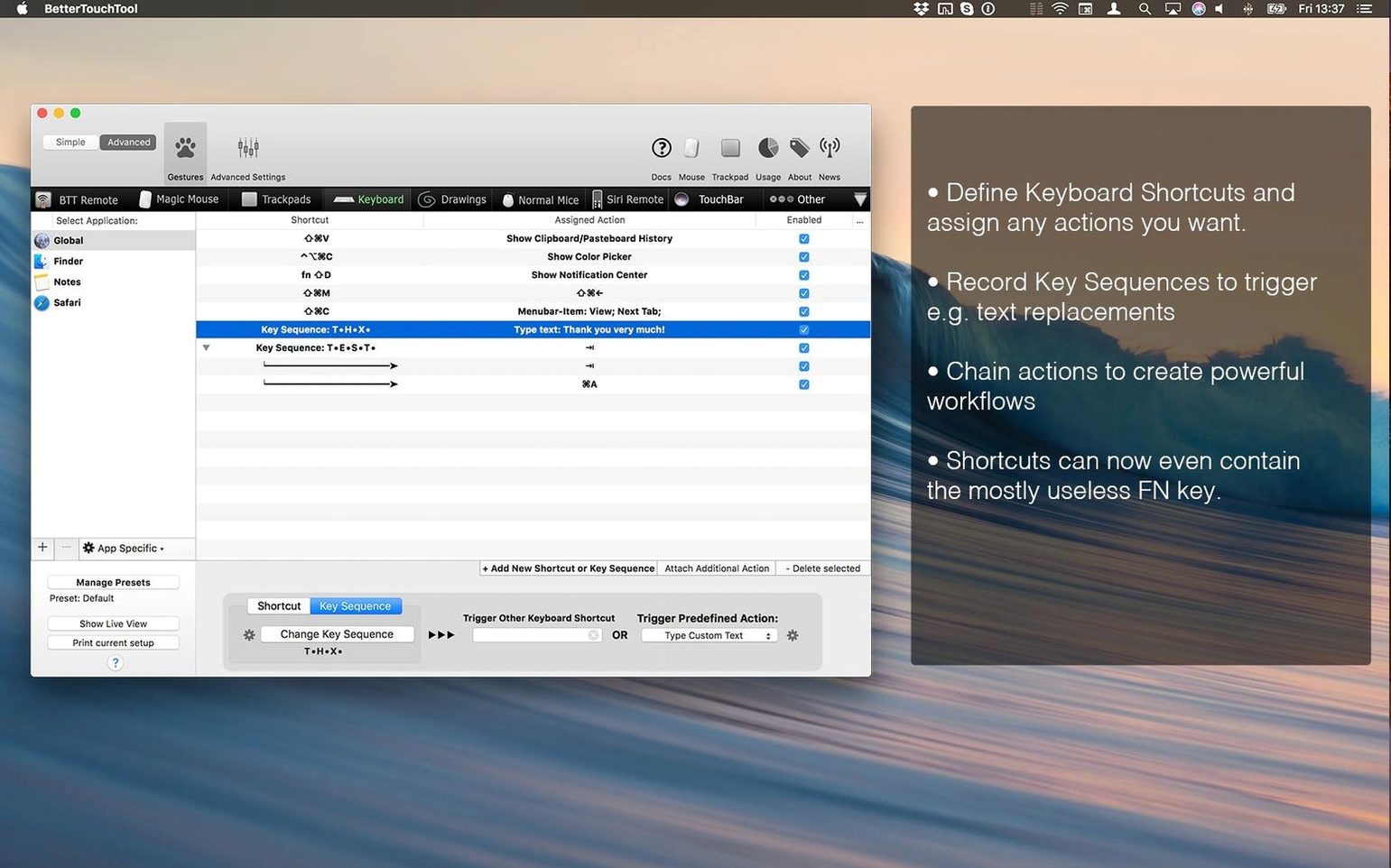
Assign the action “Send Shortcut” and type Command-C, then Command-T, then Command-V, then Return. The delay between keystrokes is adjustable; a 0.05-second pause keeps the sequence reliable. Name the trigger “search selection.”
Test it in Safari. Select a phrase, draw the circle. A new tab opens with the results. The gesture works on any website, inside any text field, without overlapping the system’s own trackpad gestures. That single circle now replaces five keystrokes and two clicks every time you search.
Some users look for a better touch tool cracked download to try this kind of customization without waiting. The trial period covers it.
You stop translating your hands to the software. The software bends instead.