
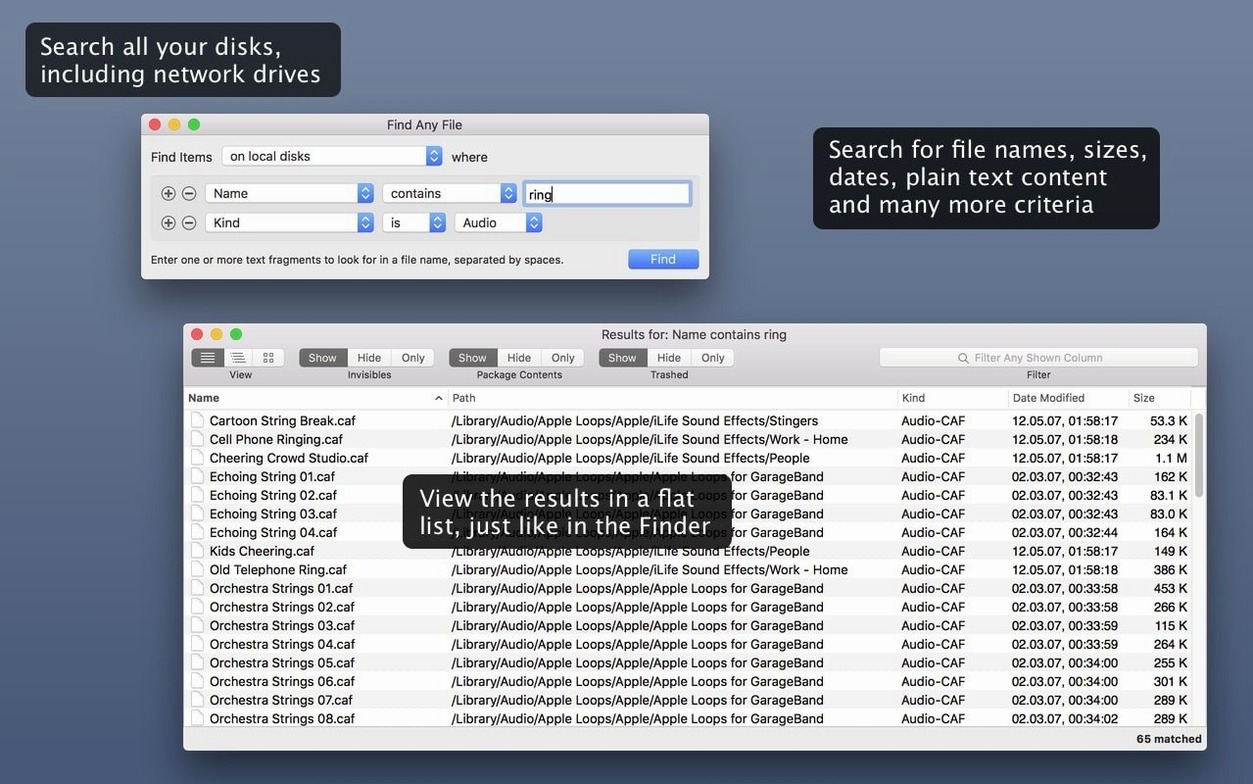
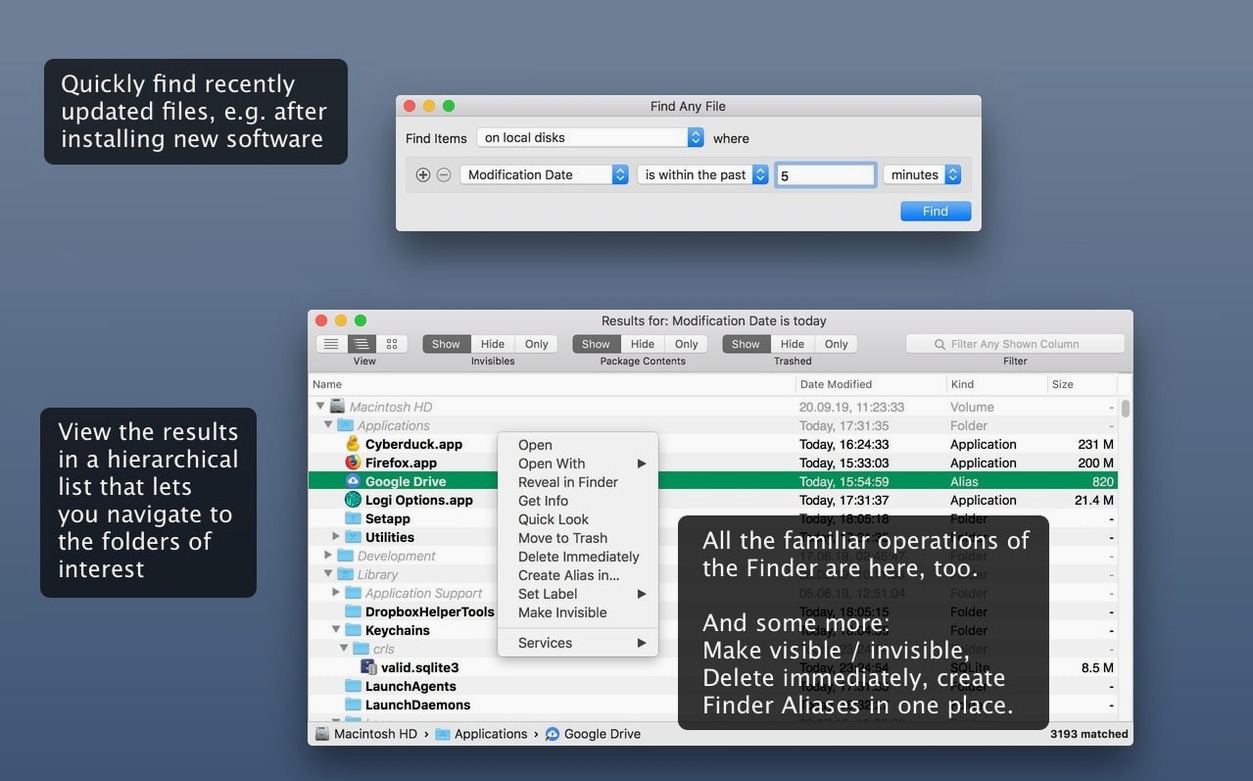
Spotlight won't show a system file you need to check. You know the name, but not the folder. Find Any File opens, you type the name, and the file appears in a few seconds.
System scopes
- Finding files inside system folders Spotlight excludes.
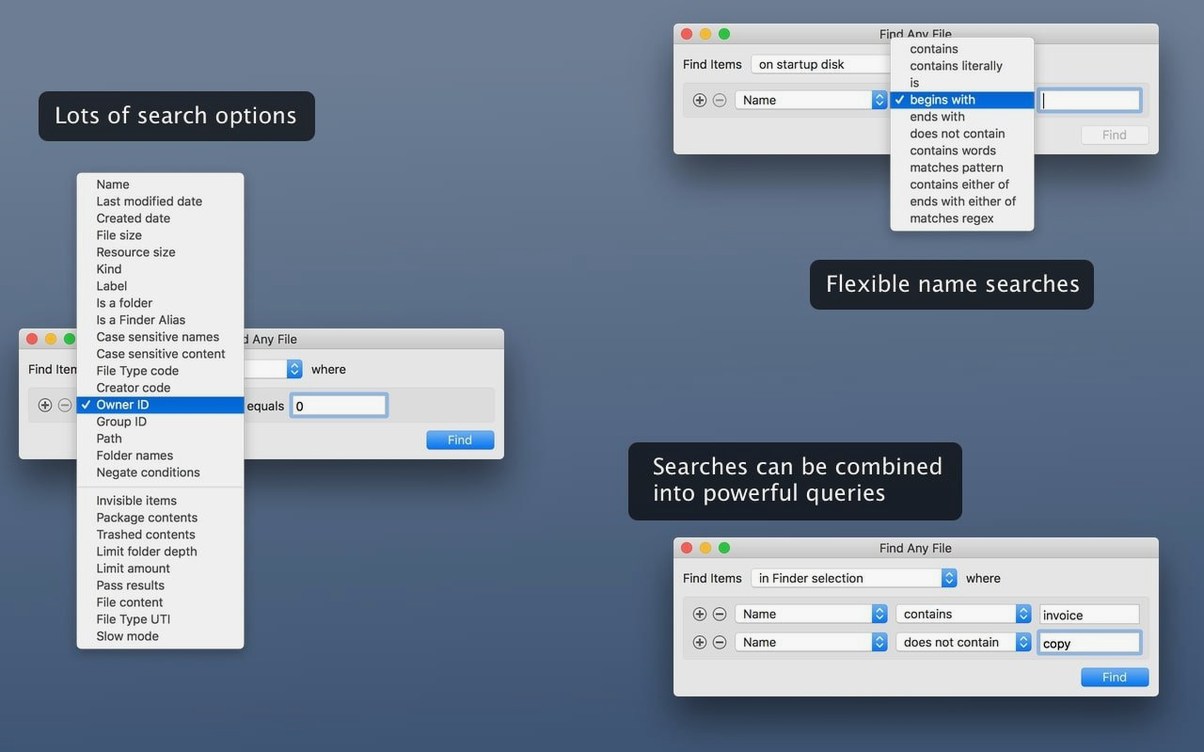
- Searching by date, size, or plain text inside files.
- Working alongside Spotlight rather than replacing it.
Content gaps
- It does not search email, Word, or PDF content.
- Tembo is a separate tool for improving Spotlight results.
A technician arrives at a client’s studio with a vague report: “All my old project files disappeared.” Spotlight shows nothing. A Finder search by kind returns empty. She launches Find Any File, types the date range when the sessions were last modified, and sets a size above 2 MB. In under ten seconds she sees a flat list inside a hidden backup folder Spotlight never touched. The files were never lost — they were just invisible to the everyday Mac.
One task
Finding every font file on a server volume, start to finish.
- Open Find Any File and click the Anywhere button to set the server as the search location.
- In the Name field, type
.otfand.ttfseparated by a space. - Switch the pop-up menu below to Any of these words so both extensions match.
- Uncheck Packages if you want to exclude font files inside .app bundles.
- Press Return. The hierarchical list shows every match, grouped by folder.
- Select all results and drag them into a new folder on your desktop.
No database to rebuild. No waiting for the server index to catch up.
Live results
Two changes make the app feel like yours.
First, open Preferences and enable Show results as soon as they appear. You watch the list grow while the search runs, which is faster than waiting for a complete pass.
Second, in the search window, switch from Name contains to Name ends with when you know the extension. It cuts out irrelevant folders whose names happen to share a substring.