
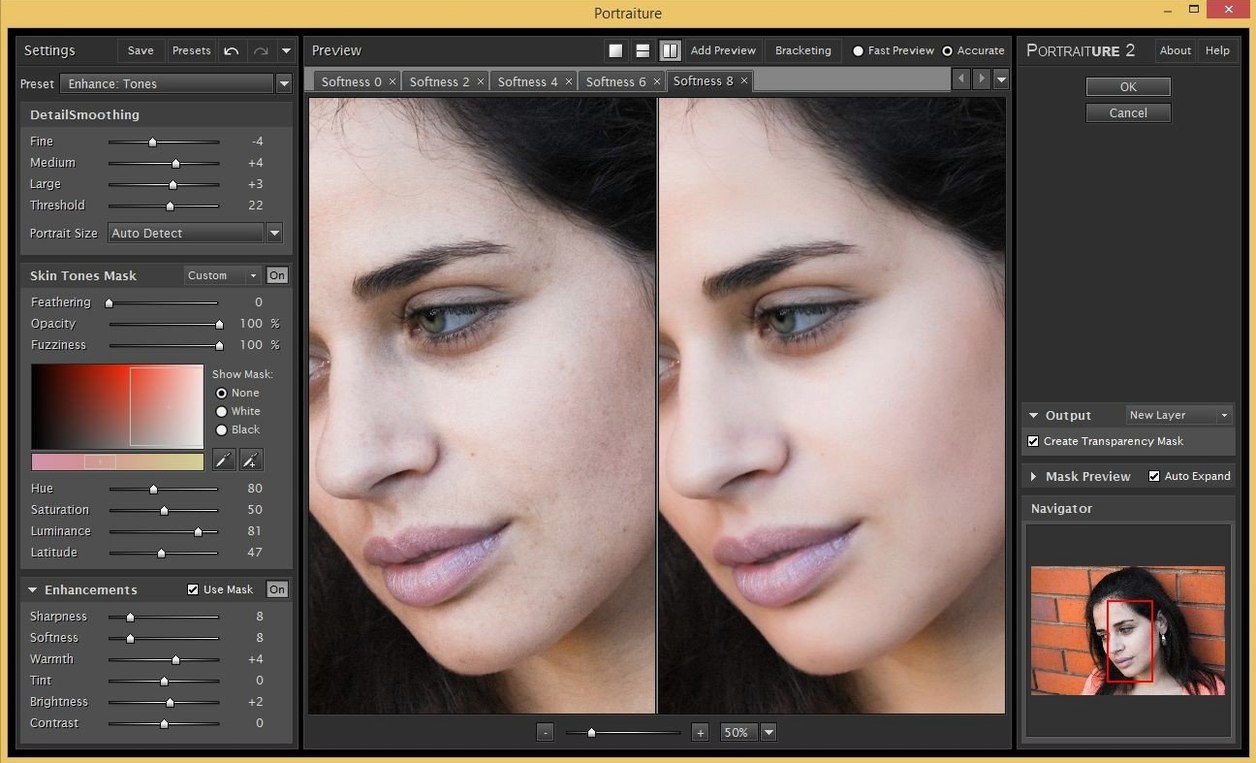
You open a portrait in Photoshop, apply a layer, and the skin tones even out before you reach for a slider. The Imagenomic Professional Plugin Suite still works that way.
Portraiture — skin smoothing and healing that preserves texture.
Noiseware — luminance and color noise reduction.
Realgrain — film grain and tonal response.
Three plugins, one installer. They show up in Photoshop, Lightroom Classic, and Affinity. The 2027 release carries no new features. It adds support for current macOS versions and Apple Silicon, and otherwise leaves the tools alone.
A wedding photographer on deadline. The ceremony was indoors, ISO pushed high, and the bride’s skin shows blotchy red patches under the reception lights. She opens the first pass in Lightroom Classic, crops tight, then sends the file to Portraiture. One preset — Smoothing Medium — and the uneven tones settle. A second pass in Noiseware pulls back the grain from the dark suit without softening the fabric weave. Realgrain adds a faint Tri-X curve at ten percent opacity, just enough to tie the room’s mixed light sources together. Three minutes from raw file to client-ready. She exports a TIFF and moves to the next frame.
Non-Destructive Layers
The suite slots into a host app and stays out of the way. In Photoshop it respects layer masks and Smart Objects, so you can fade any effect non-destructively. In Lightroom Classic the plugins accept the current crop and white balance — no round-tripping through a separate editor. With Affinity Photo on Apple Silicon, the plugins run as external filters, keeping the same preset system across all three hosts.
macOS Handoff doesn’t apply here, but the plugin settings file lives in a predictable folder. Move it to a second Mac and every saved preset follows. Many retouchers pair the suite with a Wacom tablet; Portraiture’s mask view zooms with a pinch, and the brush-in effect area updates live as you paint.
One edit
A common workflow for a headshot session:
- Open the raw file in Lightroom Classic. Correct exposure and white balance. Do not sharpen.
- Send the image to Portraiture. Choose the Normal preset, then brush the effect away from eyes, brows, and lips.
- Send the same file to Noiseware. Use the Night Scene preset, reduce luminance smoothing to 60%.
- Back in Lightroom, apply a subtle vignette and a slight lift to the shadows.
- Open in Realgrain. Add Ilford HP5 grain at 15% opacity. Set the toning split to warm highlights, cool shadows.
- Export as a full-resolution JPEG.
The whole sequence stays inside one catalog. No exported intermediates. No duplicate files.
What was good enough remains good enough.