

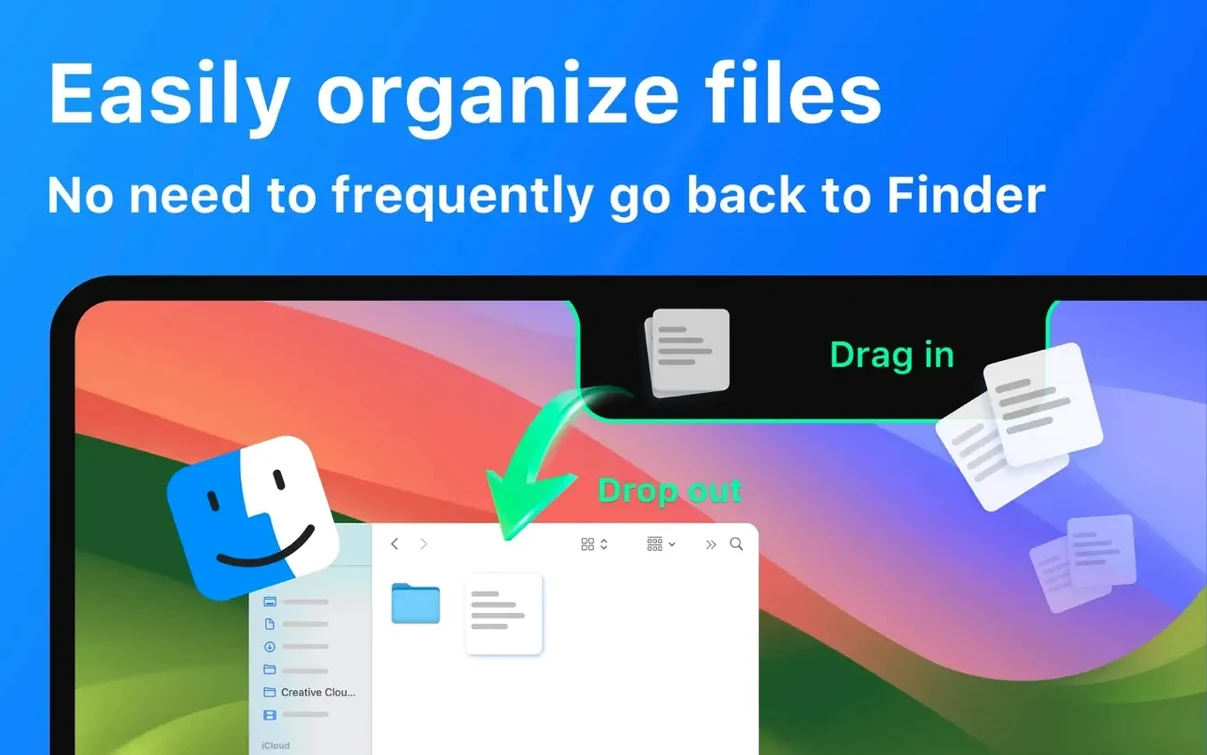

The notch sits there doing nothing. You learn to ignore it. But ignoring it means ignoring a strip of screen that could hold the small things you reach for all day.
With NotchBox, a drag turns that dead zone into a shelf. Pull a file from the desktop and drop it onto the notch. It stays there, out of the way, until you need it again. No new window. No Finder hunt.
Music sits there too. Apple Music or Spotify — tap the notch to see what’s playing and skip a track without leaving your work. Calendar events, Wi‑Fi speed, and the clock live in the same slim bar. A glance is enough.
Drag-to-notch transfer
People who move files between projects will use NotchBox without thinking. Designers dragging assets into Slack. Writers dropping research clippings. Developers passing screenshots to a reviewer. The notch becomes a handoff point — grab, drop, keep working.
It also suits anyone who listens while they work. Skipping a track from the notch is faster than switching to Music or Spotify. No window slides into view. No focus stolen.
If you already glance at the menu bar for the time or your next meeting, pulling that glance a few pixels lower feels natural. The calendar strip and clock are right there, quieter than a widget but just as quick.
Light memory footprint
On an M1 MacBook Air the app sits light. Activity Monitor shows it hovering around 90 MB of memory with music playing and a file stored. CPU use stays flat during normal work.
Dragging a file onto the notch triggers a subtle haptic-like animation. No lag. Retrieving the file later — a single click — opens it instantly in its default app. The clipboard history panel scrolls smoothly through dozens of entries without a stutter.
Stability holds up across a full workday. NotchBox persists through sleep and wake without crashing. Even with Spotify, the calendar, and a countdown timer running, the app doesn't balloon in resource use. It feels built to stay out of the way.
A file handoff in practice
Say you’re moving a PDF from a client email into a design review folder. Here’s how NotchBox fits.
Open the message in Mail. Drag the PDF attachment directly to the notch. A small icon appears, confirming it’s held. Switch to Finder and navigate to the review folder. Click the notch — the file drops right where you need it. No desktop clutter. No temporary folder.
If the same file needs to go to a colleague, drag it from the notch onto the AirDrop icon that appears when you hover. Select their Mac and it’s sent. The whole sequence takes seconds and never opens a new window.
This workflow removes the friction of staging files. The notch holds what you’re moving between contexts, and then it disappears again.
The notch stops being a design quirk and starts earning its place.