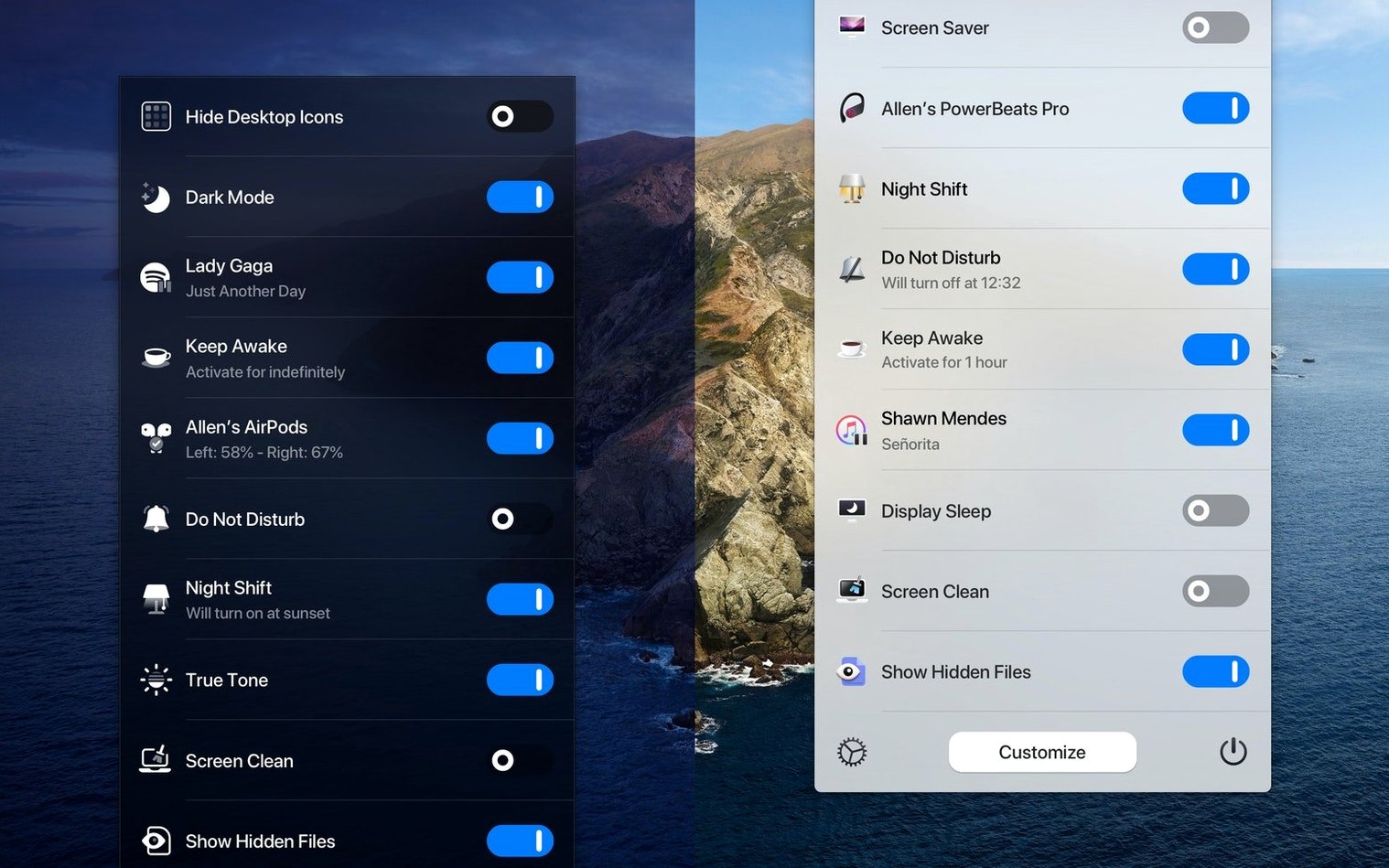
macOS has a hidden switch-audio-output selector you reach by Option-clicking the volume icon. One Switch extends that idea to a handful of system controls you touch every day.
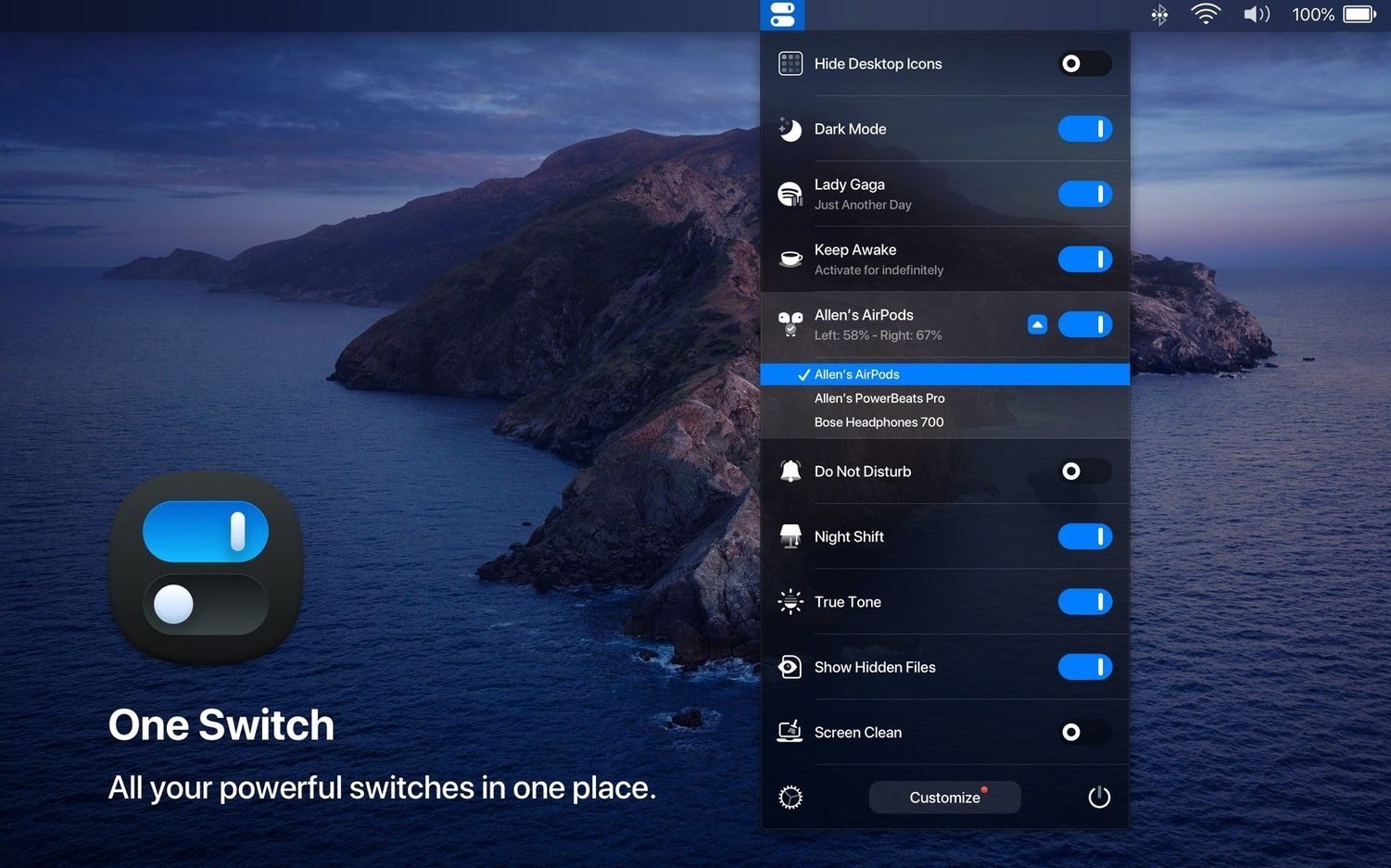
Dark Mode — flip appearance without opening System Settings
Desktop icons — hide or show them in one go
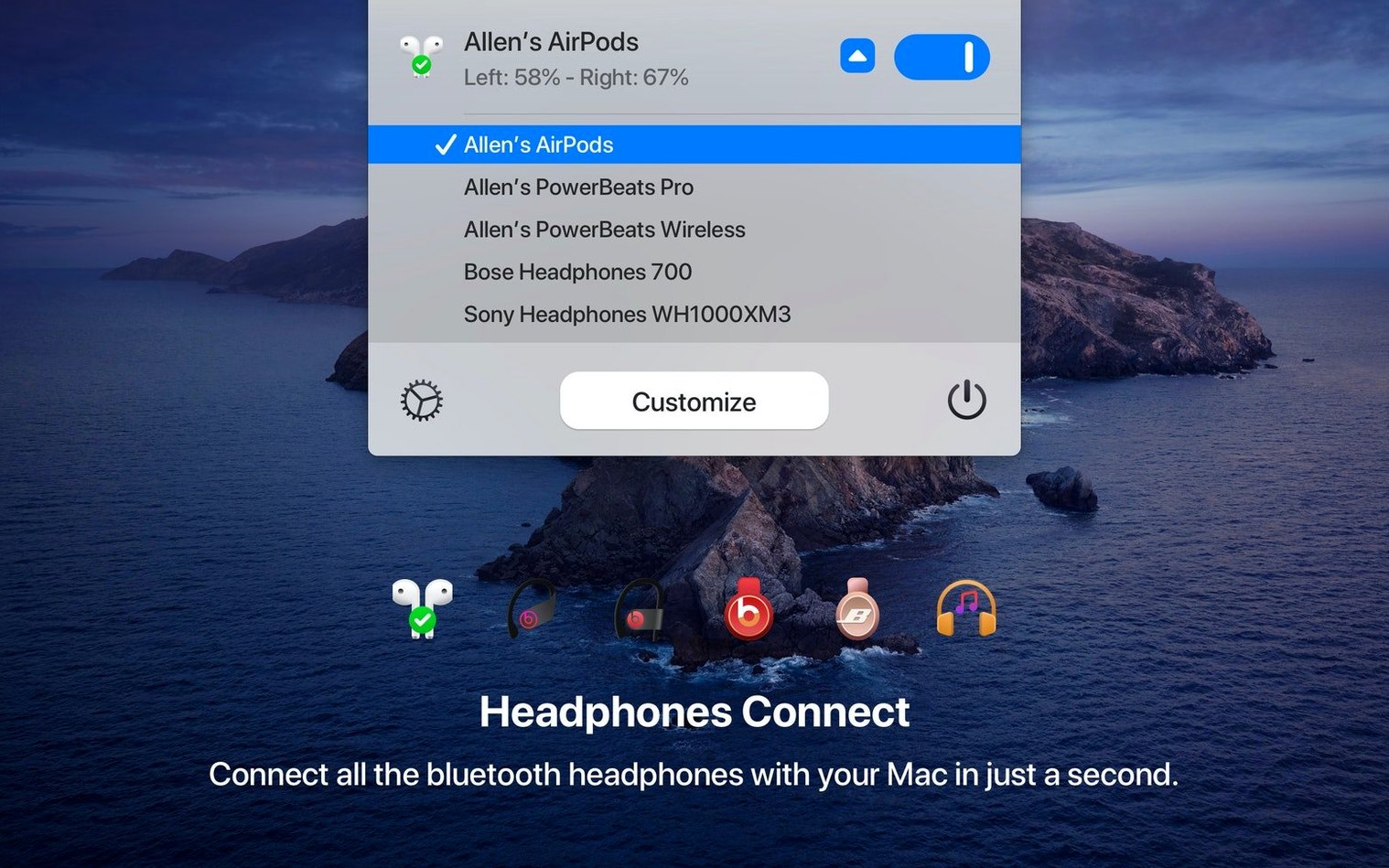
AirPods — connect without the Bluetooth menu dive
Do Not Disturb — quiet everything until you switch it back
Screen Saver — start it from the menu bar
Sleep — put the Mac to sleep without reaching for the Apple menu
Night shift
A designer who works late keeps three switches visible: Dark Mode, Do Not Disturb, and Screen Saver. Around six in the evening she flips Dark Mode. The menu bar dims, the canvas follows, and she does not open System Settings once. Before a client call, Do Not Disturb goes on. After the call, it goes off.
When she steps away, she starts the screen saver with one click. The Mac locks behind her without a keyboard shortcut to remember.
That is the whole point. One Switch does not add a workflow. It removes the small detours between you and a setting you already use.
Who notices
Menu bar minimalists get the most from it. People who keep few icons and want the ones they keep to do more.
Presenters also benefit. Hiding desktop icons before sharing a screen, enabling Do Not Disturb, and starting the screen saver all happen from one place. No System Settings window appears in a recording or on a projector.
Users who move a Mac between home and office appreciate the AirPods switch. The connection routine shrinks to two clicks.
If you rarely change these settings, One Switch will feel unnecessary. If you change them several times a day, the menu bar becomes the natural place for them.
Nearby apps
Compared with OnlySwitch, One Switch stays closer to core macOS controls. OnlySwitch adds more utilities, such as hiding the notch or emptying the trash. One Switch keeps its list short and familiar.
Compared with Raycast, the difference is speed of access. Raycast requires a keyboard shortcut and a typed command. One Switch requires a menu bar click. Users who prefer the pointer over the keyboard will find it quicker.
Compared with Bartender, the purpose differs. Bartender organizes menu bar icons. One Switch replaces trips into System Settings. They can sit next to each other without overlap.
One Switch is not a command launcher and not a menu bar manager. It is a small panel for the switches macOS already has, placed where your hand already goes.
Seven switches run at the same time. Disable the ones you never use.