
Version 3.5.5 tightens the algorithm that decides which app gets which letter. The guesswork fades faster now.
Right Command
Hold the right Command key. Running apps appear with their assigned letters. Tap a letter to focus that app. The algorithm learns which app you mean for each letter, adjusting in real time. It switches spaces when needed. You can change HIDE and CYCLE behavior per app. The trigger can be another modifier combination if you prefer.
Memory switchers
People who switch apps by memory, not by sight. If you know the app you want, rcmd gets you there in one key press. No scanning a dock or a grid of windows. It runs on Apple Silicon and Intel Macs.
Three apps
Start with three apps you open together. The algorithm tightens its guesses once it sees a pattern. Until then, give it a day of normal use before judging the suggestions.
Disable the keys you never want rcmd to claim in Settings → Disabled Keys. Numbers and punctuation are often safe to free up. You lose almost nothing, and the switcher feels less intrusive.
Settings to change
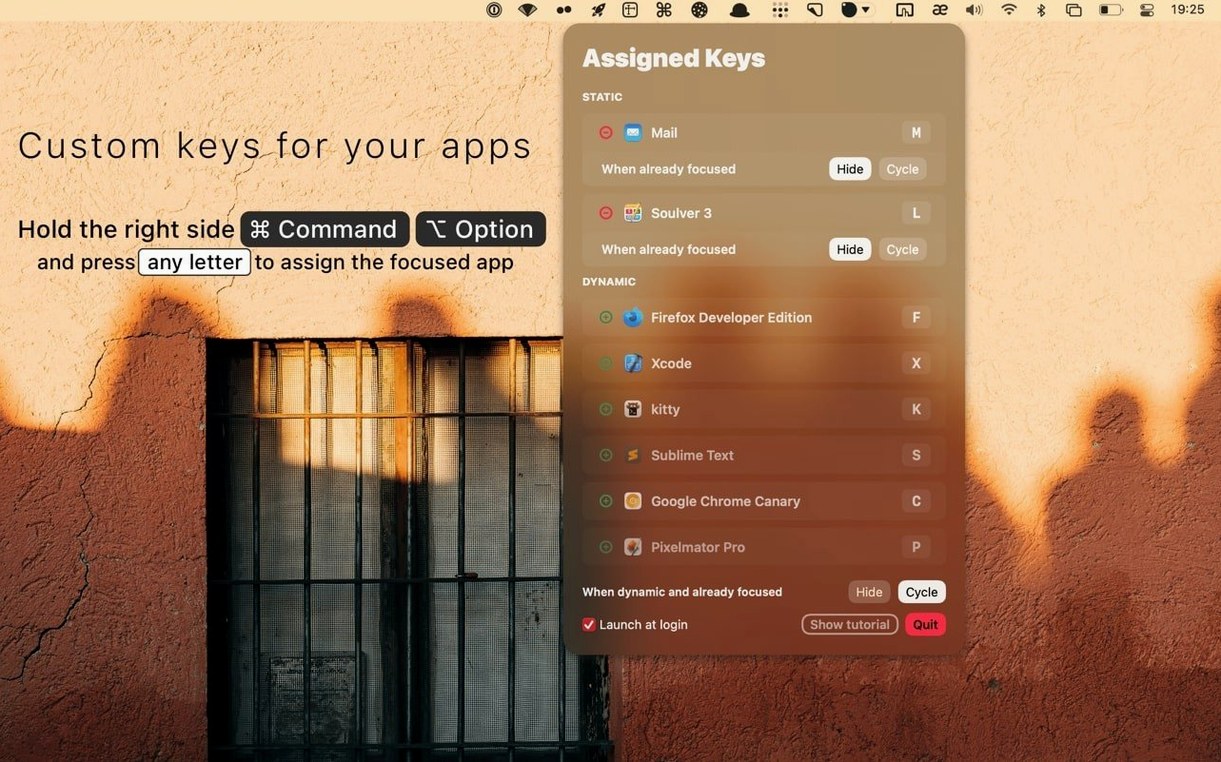
Assign custom keys early. Hold right Command and Option, press a letter. That letter now belongs to that app. It launches the app when it’s not running. This is the most reliable part of the app switcher Mac full version.
Set HIDE to toggle for apps you glance at briefly — a calculator, a notes window. Set CYCLE for browsers or editors where multiple windows matter.
If right Command feels unnatural, switch the trigger to a different modifier. The adjustment takes a few hours, then it sticks.