Where QuickTime leaves you with a flat, unedited capture, Screen Studio hands you a finished take.
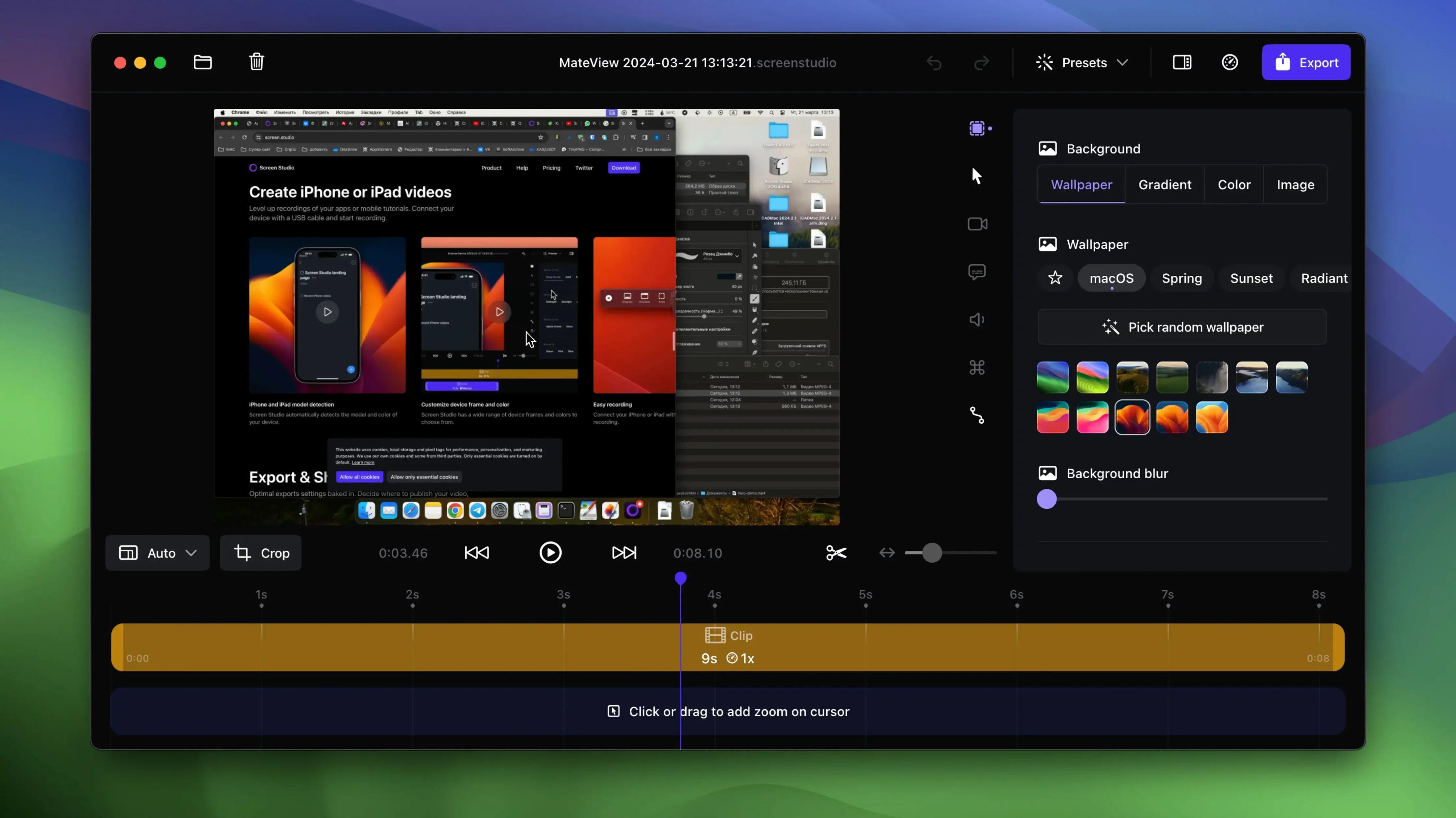
Auto-zoom — the timeline fills with zoom keyframes as you click and type. You can adjust them later or add your own.
Cursor effects — change the pointer size after recording. Loop it back to start. Hide it when it sits still.
Audio cleanup — voice leveling and background noise removal run automatically. System audio can come from one app or all of them.
iOS capture — plug in an iPhone or iPad. It detects the device and records the screen directly.
Export — crop, cut, speed up sections. Output up to 4K at 60 fps.
Three test clips
Let it run in the background for a morning. Record three short clips — a Finder action, a browser tab switch, a settings toggle. Watch each one. The auto-zoom decisions will feel tight, but drag a few keyframes around just to see how the timeline breathes.
Set the export format to vertical once. Let Screen Studio handle the scaling. Export the same clip at 4K, then as a GIF. Compare the file sizes and the smoothness. This builds intuition faster than reading about it.
Record system audio from a single app first. Safari playing a video is a good test. Then switch to all apps and trigger a notification sound. You will hear the difference in the waveform immediately.
One small habit worth forming: after recording, tap the transcript button. Even if you don't need subtitles, searching the text for a specific moment saves time the timeline scrub cannot.
Under load
On Apple Silicon, a ten-minute 4K recording with webcam overlay and system audio keeps the fans silent. Memory sits around 600 MB during capture and drops promptly after export. On Intel machines, export times stretch noticeably — a five-minute 4K clip can take twice as long — but the interface stays responsive throughout.
Plugging in an iPhone over USB is instant. The device preview appears before you can look down. No stutter, no resolution hunting. The automatic model and color detection is cosmetic, but it removes a tiny friction point every time you connect.
Transcript generation runs entirely on-device. A fifteen-minute recording processes in under a minute on an M1 Pro. The text is accurate enough for search, though you would not publish it as a subtitle track without a light edit.
Single-clip brief
Does it replace a full editor? No. You still need something like DaVinci Resolve or Final Cut for multi-source timelines. Screen Studio polishes a single capture into a shareable clip. That is the whole brief.
Will it slow down recording while gaming? Not if you record the screen. If you want to capture a game running at 120 fps, you will hit the 60 fps ceiling. For a code walkthrough or a product demo, the overhead is negligible.
What happens if I search for a screen studio torrent? You get an outdated build with no transcript support and no iOS device detection. Version 3.7.5-4595, the one you want, is not floating around those sites. With a Screen Studio cracked release, you can enable shareable link exports by ensuring the app has a clean outbound network path — the link service checks the binary signature. People who run Screen Studio cracked releases should disable hardware-accelerated encoding in preferences if exports stutter on the final render pass.
Does it record internal audio on macOS 13? Yes. The system audio capture works on macOS 13 and later. No virtual driver needed. You select the source — all apps or one — and it routes cleanly.
Can you record an iPad with a cable? Yes. USB-C to USB-C or USB-C to Lightning. The detection is automatic. The resulting file is smooth enough that viewers will assume you captured it with a dedicated HDMI recorder.
A clean screen studio download takes under thirty seconds. The app weighs less than a hundred megabytes. It asks for screen recording and microphone permission, then it stays out of your way until you press record.
macOS 13.1 or later.