
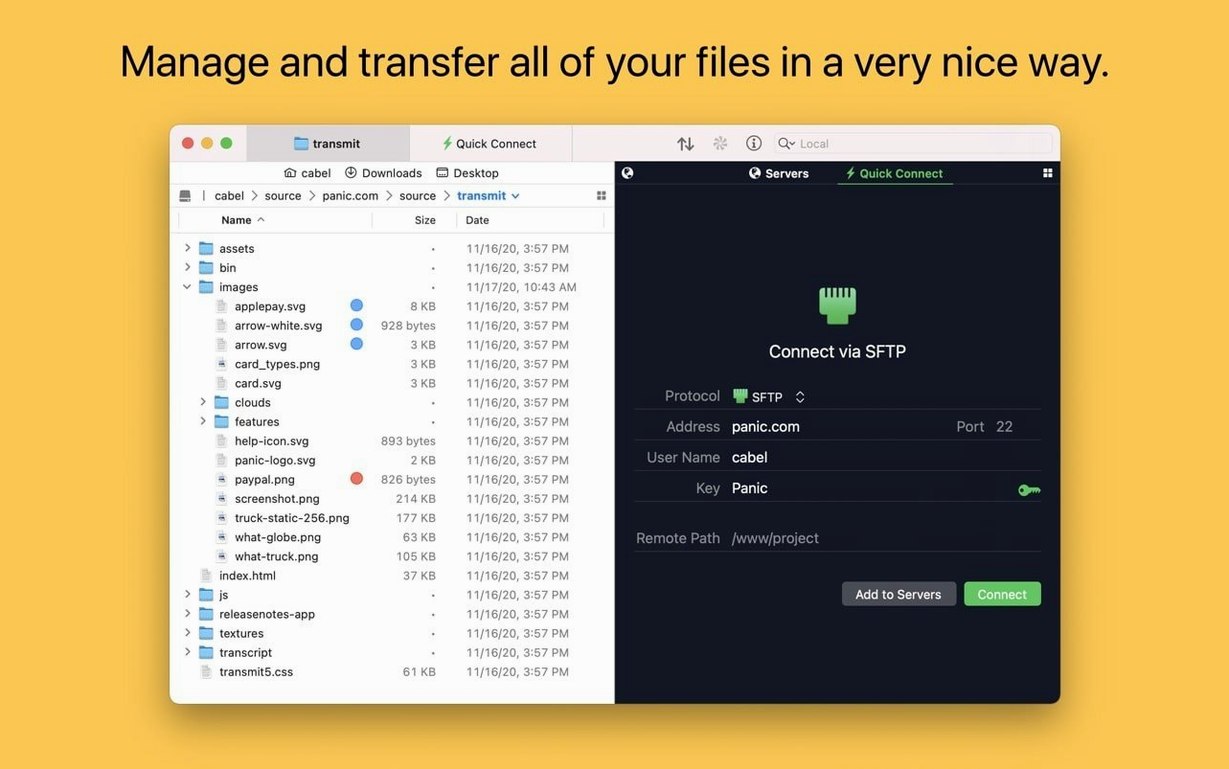
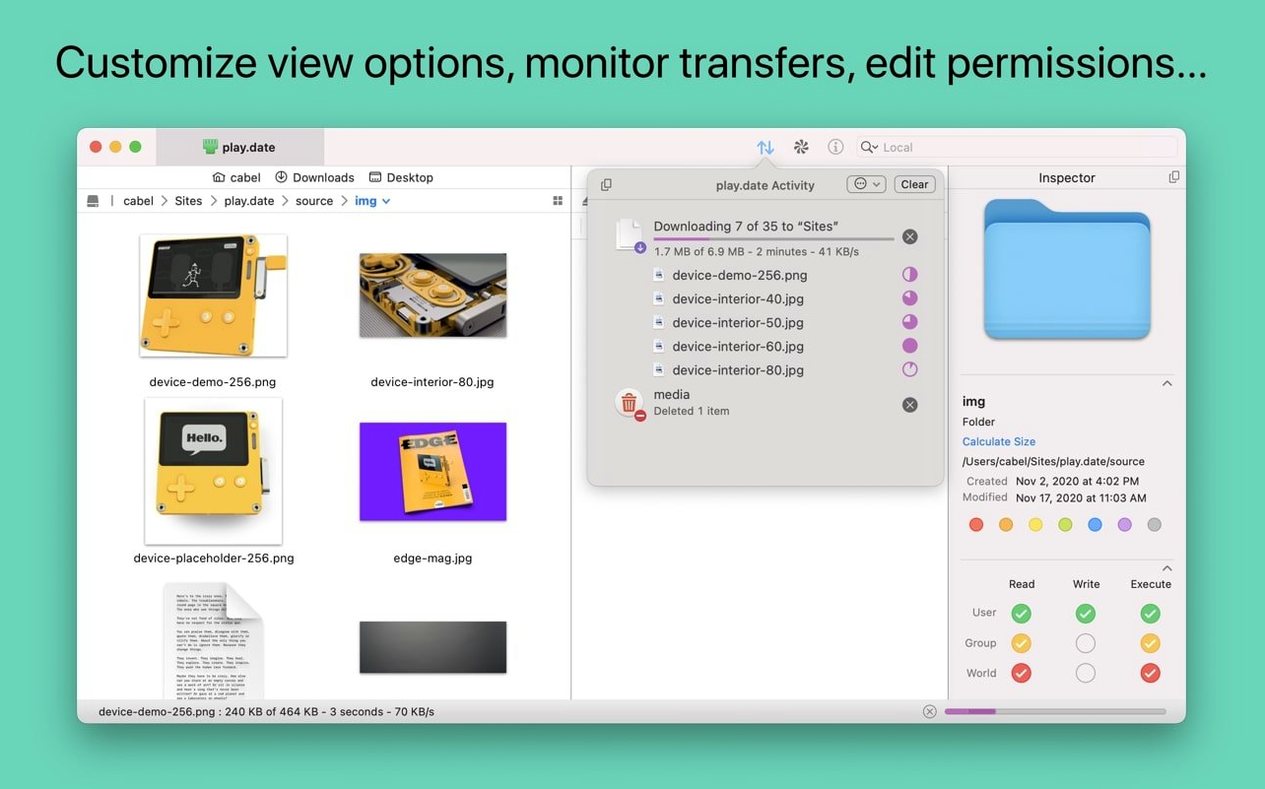
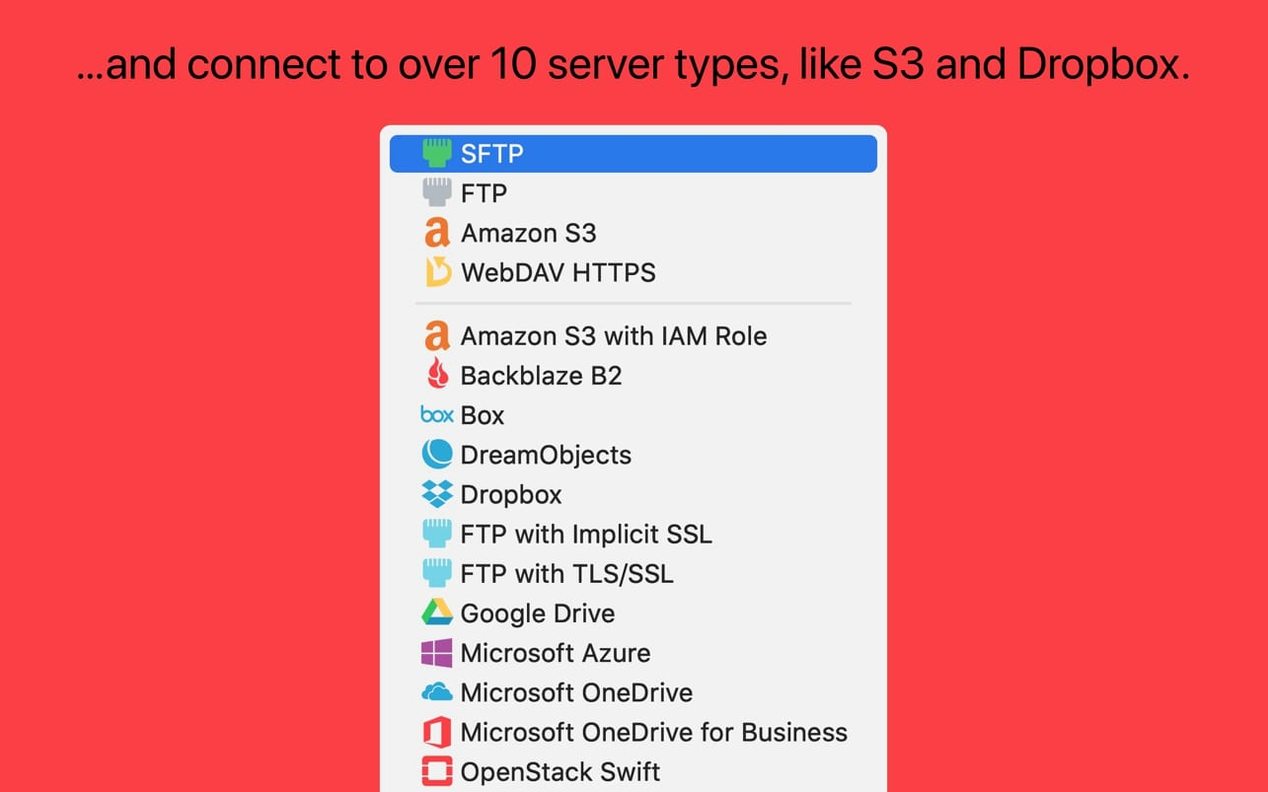
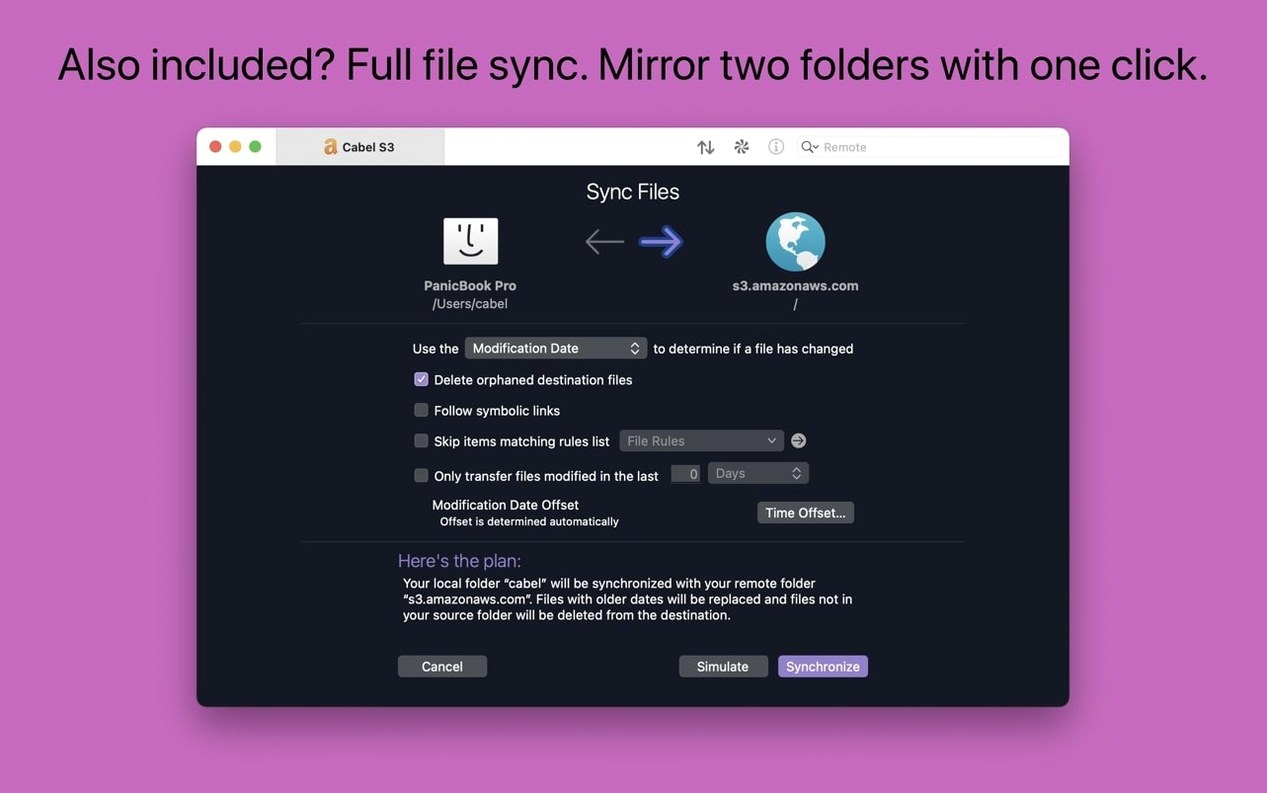
Transmit is a Mac file transfer client from Panic.
Protocols plus tools
- FTP, SFTP, S3, and WebDAV — the protocols you actually use
- Places Bar for one-click access to favorite folders
- Batch rename local or remote items, right inside the app
- Open the current location in Terminal when you need to
- Manage and generate secure keys without another tool
Next to your other tools
Transmit doesn't try to replace Finder or your editor. It handles uploads and downloads for very large S3 files, keeps tags intact, and gets out of your way. The interface stays calm, so the focus stays on moving files.
Stalled uploads
Large S3 uploads sometimes stall without a clear reason. The error reporting improved in 5.11.6, so you now get a direct message when a file exceeds size limits rather than a vague failure. Still, if a transfer sits idle, check your multipart threshold in Preferences — lowering it often helps on unreliable connections.
SFTP key exchange can trip people up. The built-in key manager generates and stores keys cleanly, but if a server rejects your key, confirm it expects an RSA key rather than Ed25519. A few older hosts still refuse modern defaults.
Two-factor login adds a step you might forget about. When a saved site suddenly asks for a code, it is usually because Panic Sync refreshed your session token. Keep your second-factor device nearby for the first connection of the day.
Dragging files into IntelliJ used to crash the app. That is now fixed. If you see similar behavior in another JetBrains IDE, the same fix applies — the crash was tied to a shared file-drag mechanism.
Apple Silicon idle
Transmit runs light. On an Apple Silicon Mac, it idles under 80 MB of memory with a handful of tabs open. Uploading 50 GB of mixed assets to S3 pegs a single core at most, and the queue window stays responsive while it works.
Local-to-remote sync threads feel snappy. The comparison pass finishes quickly, and the actual transfer saturates available bandwidth without making the rest of the system lag. Large directory listings on slow FTP servers remain the one place you feel a pause — that is a protocol limitation, not the app.
Stability in 5.11.6 is uneventful in the best way. The app stays up for days with frequent connects and disconnects across a dozen saved sites. If you leave a transfer queue paused overnight, it resumes without complaint the next morning.
Seedbox workflow
Does it handle a transmit torrent workflow — pulling files from a seedbox over SFTP while seeding locally? Yes, and the two-pane layout makes it straightforward. Connect to the seedbox on the left, open a local folder on the right, and drag. The queue manages concurrency so you can grab a batch without overwhelming the remote host.
Will a transmit mac torrent download interfere with other network activity? Transmit's bandwidth scheduler lets you cap speeds per site, so you can keep a throttle on background transfers while you work.
Some people look for transmit 5.10.9 specifically. That version had a different SFTP library; if a particular server gave you trouble on older builds, 5.11.6 is worth trying — the error handling is more precise.
Does it replace a dedicated S3 browser? For most day-to-day bucket work, yes. The information sidebar inspects objects without opening a separate panel, and the batch rename feature handles object key changes that would otherwise require a script.