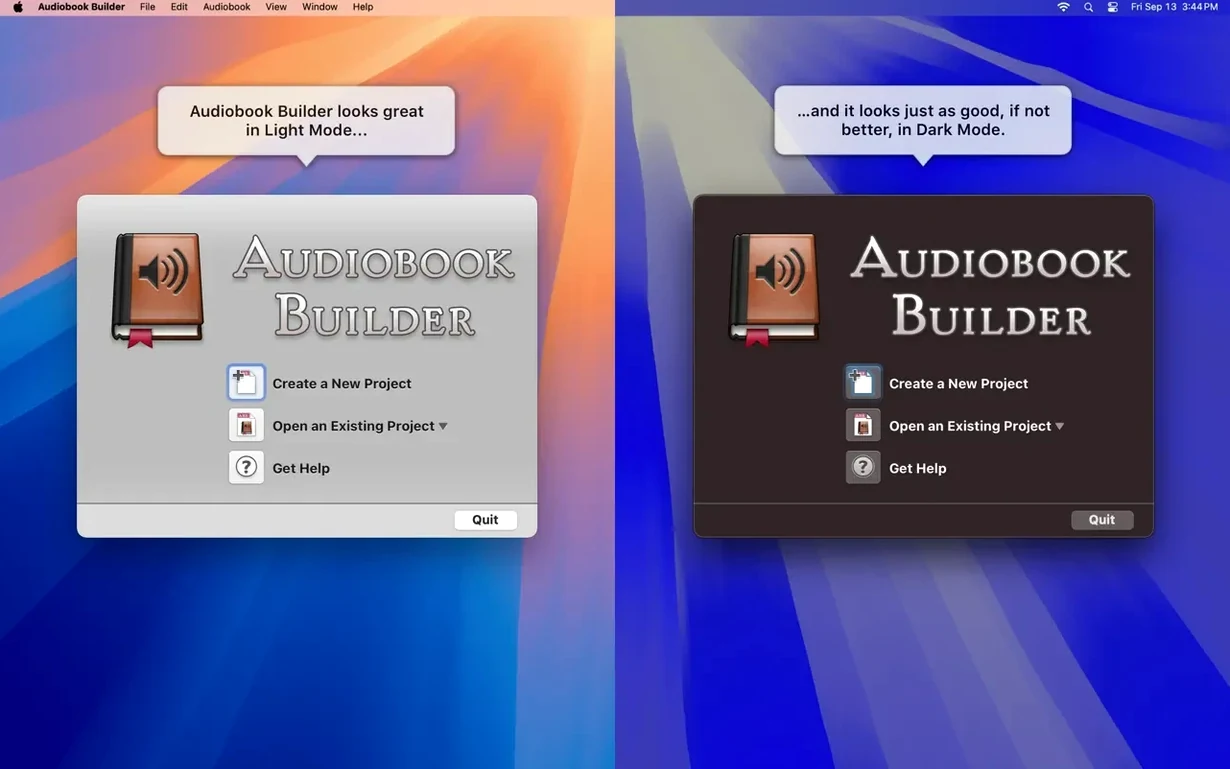
Version 2.2.9 is ready for macOS 15 Sequoia. Cover and chapter artwork work again on macOS 13 Ventura. A few older errors are gone, including false “no audio in file” messages for certain WAVE files.
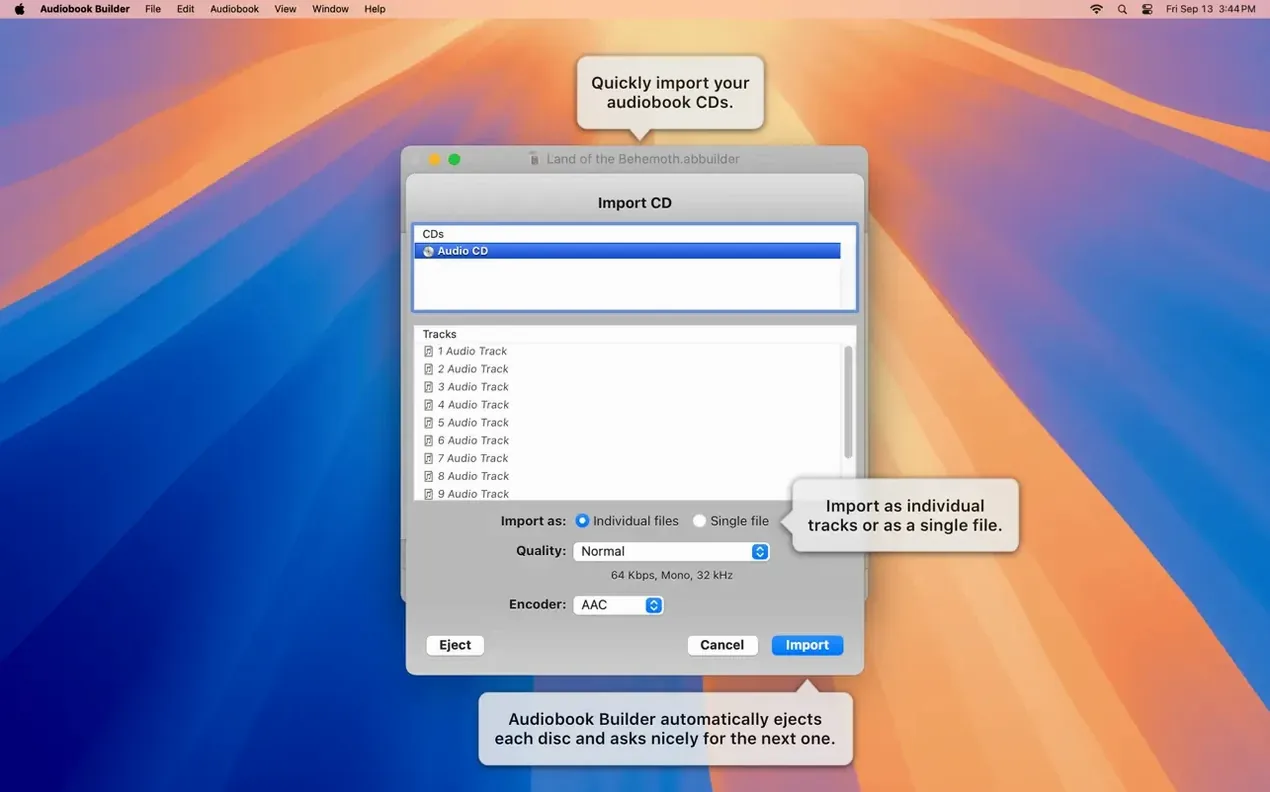
- Import audio files or rip a CD.
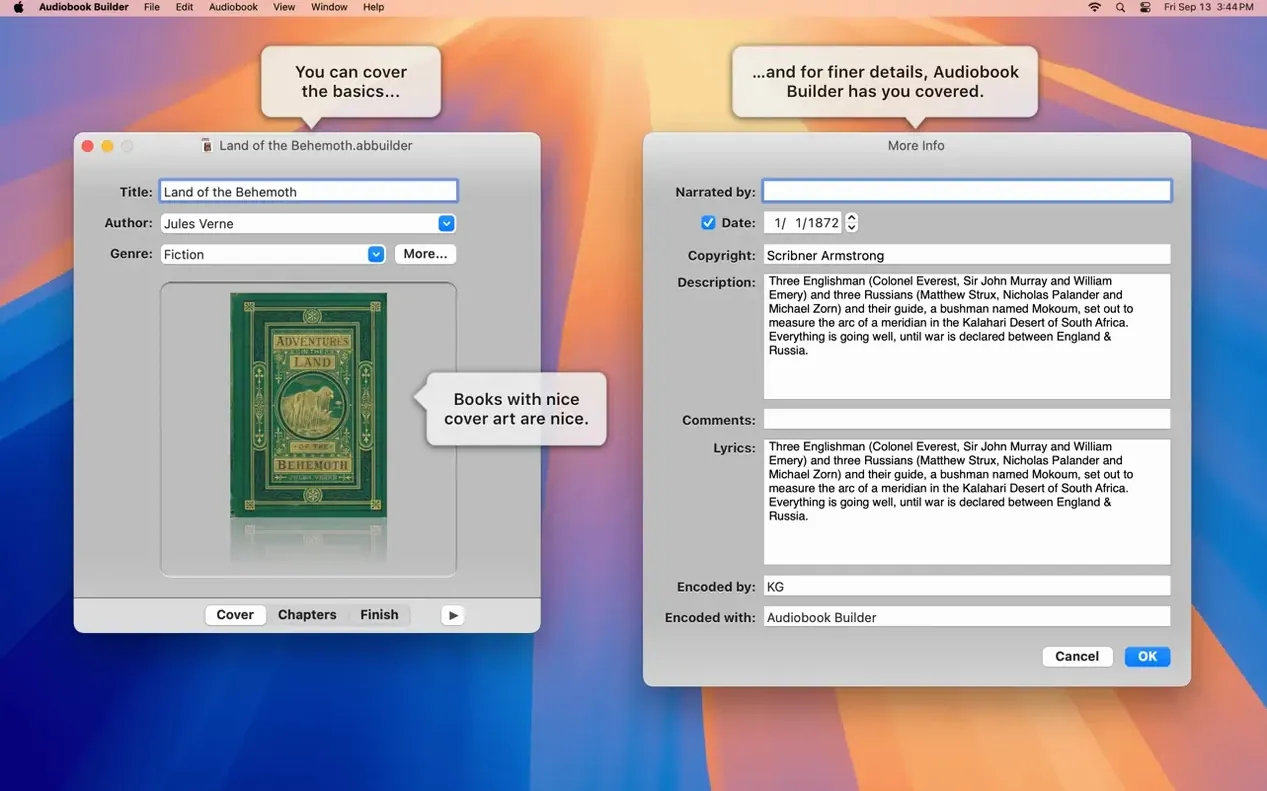
- Enter the book title, author, and cover art.
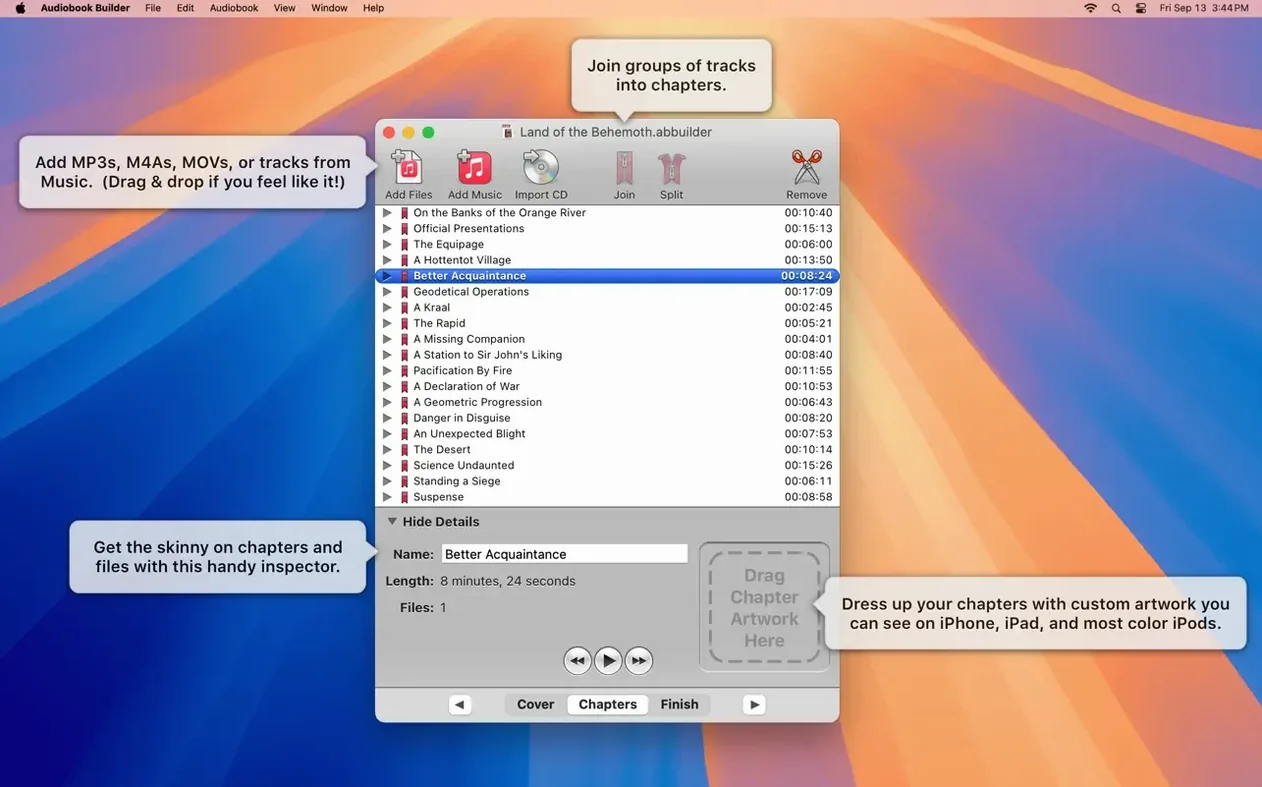
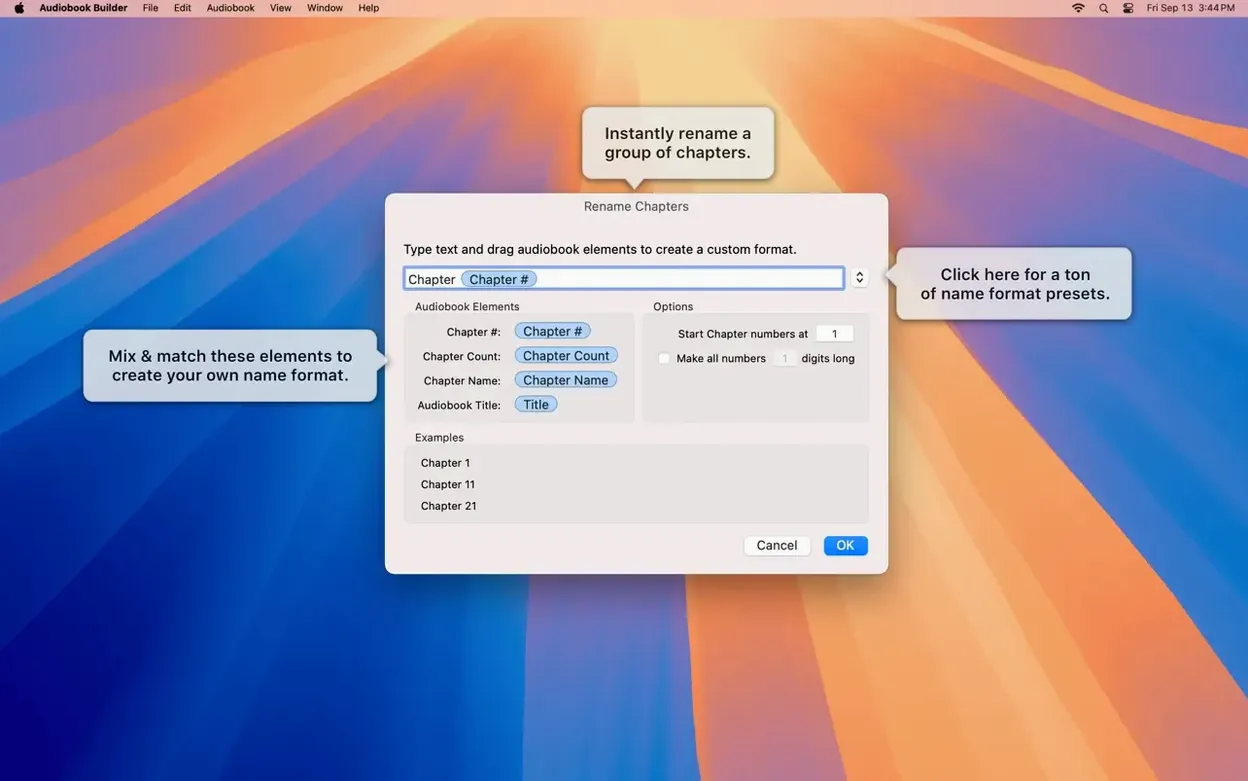
- Set chapter stops by hand, with custom images if you like.
- Choose your audio parameters.
- Build the audiobook for Apple devices.
It suits people who want control over chapters, not an automatic guess. Manual chapter content means the breaks land where they should. The app runs on Intel and Apple Silicon, from OS X 10.11 onward.
speed and weight
A build session feels unobtrusive. The app stays in the background, quiet. Converting a six-hour project to AAC at 64 kbps finishes in under two minutes on an Apple Silicon Mac. Intel machines take longer but never stall.
Memory use stays low. After a dozen books, the process rarely climbs above 200 MB. The app does not cache old projects or keep temporary files beyond what is needed. Close it, and the RAM returns.
Stability is the stronger point. Version 2.2.9 handles long WAVE files without the old false-negative errors. It works through macOS 15 Sequoia without a flicker. An audiobook builder for mac that crashes on chapter joins is not worth the time; this one does not.
cd import
A typical project: a seven-CD language course, ripped as separate FLAC tracks. The goal is one audiobook with a chapter per lesson.
Open Audiobook Builder. Start a new project, type the title and author, drag in the cover image. Import the first CD’s tracks. The files appear in order.
Now the manual part. Listen to the tail of track one and the start of track two. Place a chapter stop exactly at the silence between lessons. Name the chapter “Lesson 1.” Add a small PNG of the lesson’s key diagram as chapter art. Repeat for each CD.
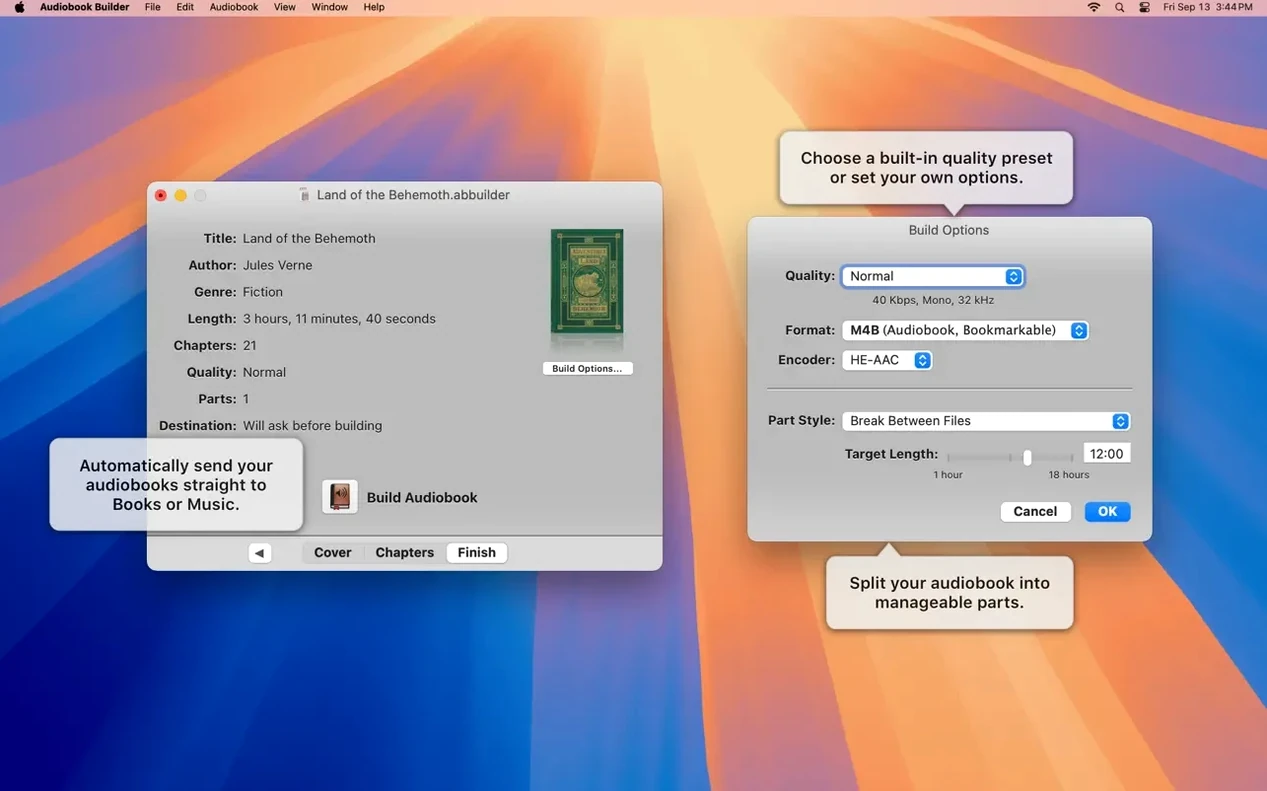
Set the quality preset to Spoken Word. Build. The app joins the tracks per chapter, encodes a single M4B, and hands it to the Books app. The cover shows on an iPad. The chapter images appear in the table of contents. The whole job takes maybe twenty minutes, most of it spent listening for the right break points.
chapter breaks
One common mistake: trusting the automatic chapter detection for spoken-word material. The algorithm looks for long silences. A narrator who pauses for effect can produce a chapter stop mid-sentence. Manual control exists for a reason. Use it.
Another: setting the bitrate too high for voice. A 320 kbps spoken-word file wastes space with no audible gain. The Spoken Word preset is enough.
Some new users import files, build immediately, and skip the cover art step. The finished book then appears in the Books app as a gray placeholder. Filling in the metadata fields before building saves the extra step of editing the file afterward.
Finally, dragging a folder of MP3s and assuming the sort order is correct. The app follows the file names, not the ID3 track numbers. Rename the files with leading digits if you need a specific sequence. An audiobook builder mac free of these small frustrations comes down to prep work.