
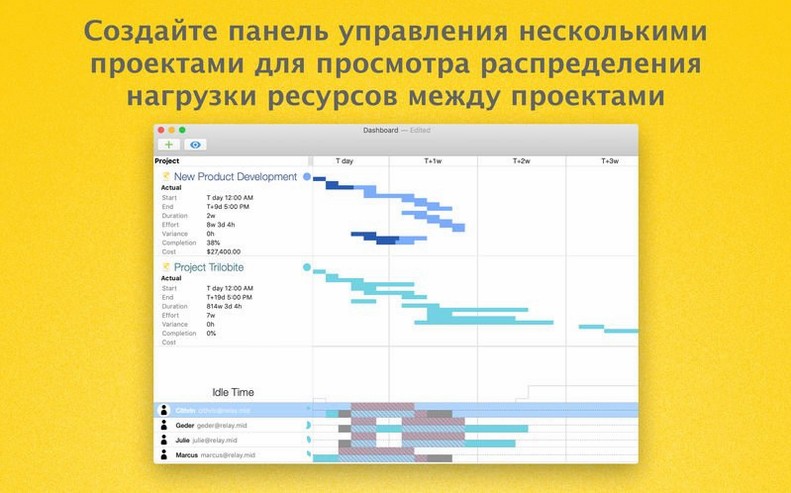
Monte Carlo simulation to level your resources. That is the quiet engine inside OmniPlan Pro. You set the tasks and assign the people. It works through the variables — available hours, days off, calendar conflicts — and finds a schedule that holds.
Gantt and the details
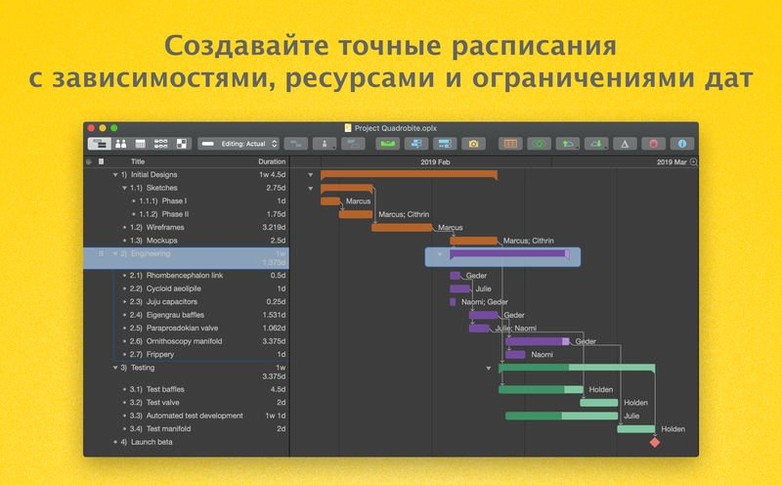
The Gantt chart is not decoration. It shows task dependencies, milestones, and the critical path all in one scrolling view. Drag to reschedule. The chart recalculates immediately. Microsoft Project import and export mean you can open an MPP file from a client and send back a plan without leaving your tools. Calendars factor in public holidays and individual absence. The schedule adjusts to what is actually possible, not what was hoped for.
Pro automation
AppleScript support removes the repetitive work. Generate reports, update task groups, or synchronize data across documents without touching the mouse. When a single task holds dozens of resources, editing stays fast — the last update smoothed out a lag that could stall large project files.
Skipping dependencies
New users often treat OmniPlan like a to-do list. They add every small task, skip dependencies, and wonder why the schedule shifts in strange ways. The fix is restraint. Group tasks into summaries. Draw the few dependencies that truly matter. The critical path becomes readable again.
Another common mistake is ignoring resource calendars. A plan looks fine until one developer has three overlapping assignments. Set working hours and days off before you start dragging tasks. OmniPlan will not warn you unless the resource view is part of your routine.
Accepting all changes at once is tempting, but it erases the story of a plan. Review them individually. Some changes look harmless and cascade into a week of delays.
Next to other planners
Compared with Merlin Project, OmniPlan Pro feels quieter. Merlin leans into structure — more fields, more views, more configuration. OmniPlan gives you a Gantt chart and a network diagram and gets out of the way. For a small team, that is often enough.
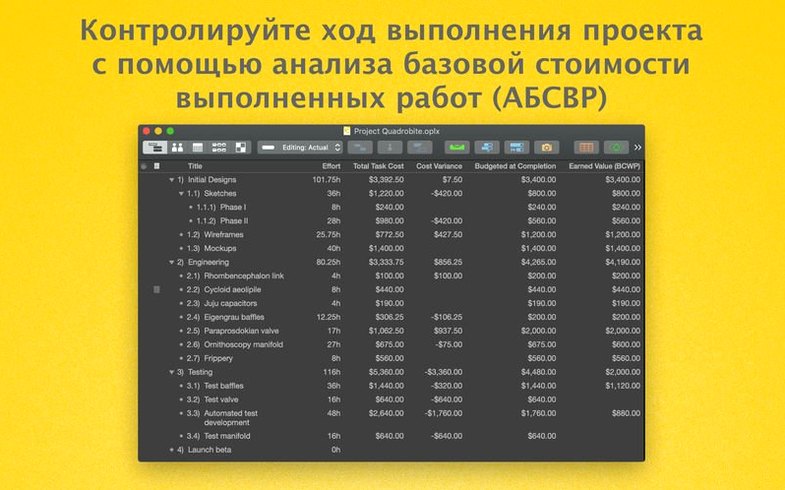
Compared with GanttProject, the gap is obvious. GanttProject covers the basics without cost, but scheduling logic is simpler and Microsoft Project exchange is limited. OmniPlan Pro handles effort estimation, earned value analysis, and Monte Carlo simulation in one place. Those matter when a project has real money attached.
Compared with Microsoft Project itself, OmniPlan Pro wins on calm. Project is powerful and loud. OmniPlan Pro imports and exports its files, then lets you work without a ribbon of buttons competing for attention.
Fitting into macOS
OmniPlan Pro plays well with the Omni family. Export a task outline to OmniOutliner for a meeting agenda. Send a network diagram to OmniGraffle for a presentation. The files stay editable, not flattened.
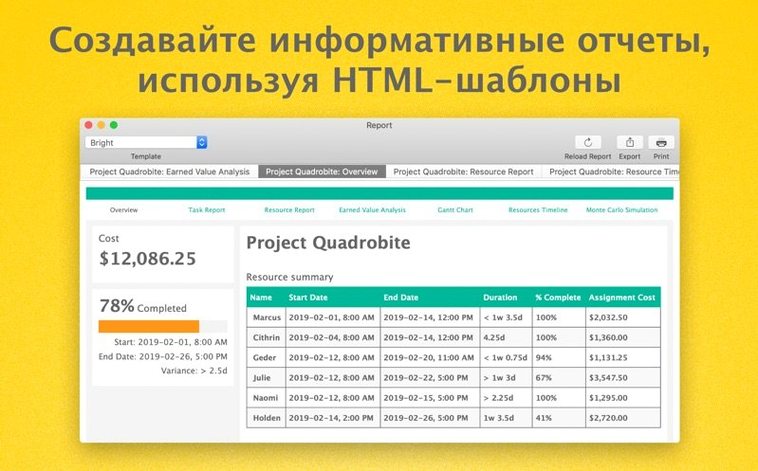
AppleScript ties it to Finder workflows and other Mac apps. A script can pull dates from Calendar, apply them to a project, and publish a fresh HTML report to a shared folder. Omni Sync Server keeps published calendars and subscriptions live across devices.
For teams that already live in the Mac ecosystem, the app sits between spreadsheets and heavyweight project servers. It holds the middle ground without pretending to be either.