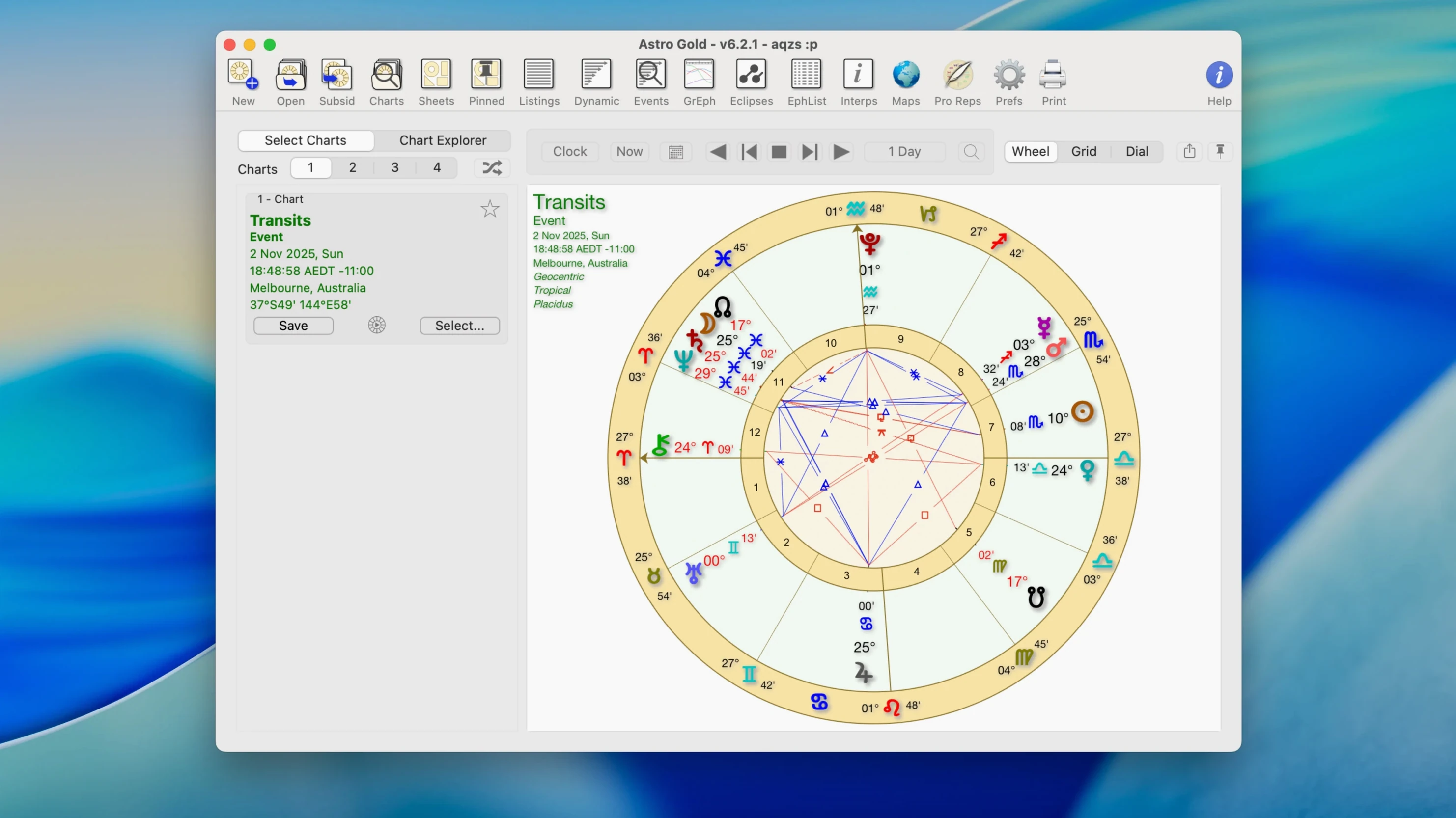
Astro Gold is used by students learning the craft and by professional astrologers who need a clean, precise tool for consultations. It puts a deep set of calculation methods inside a calm, uncluttered Mac window.
Set your orbs
Open the orb, aspect, and planet filter settings first. Adjusting these to your own approach—tight orbs for character work, wider for transits—shapes every chart that follows.
Try a relocation
Cast a relocation chart for a new city. The planetary lines in astrocartography and the shifted house cusps tell a different story than the birth chart alone.
Add a minor body
Turn on Chiron or Proserpina in the asteroid settings. A single new point often clarifies a chart that felt incomplete.
Beginners overlook the coordinate entry
Typing a town name is not enough. The database can return a nearby city with a different time zone, off by an hour.
Always confirm the latitude, longitude, and UTC offset manually. A chart cast for the wrong coordinates will shift house cusps and the Moon’s position enough to misread a session.
Stuck transits
A common snag: switching from tropical to sidereal mid-session and forgetting that saved transit selections are tied to the zodiac you started with. The list looks empty or shows dates that do not match the current wheel.
Set the zodiac first, then load or create your transit set. If the table seems wrong, toggle the zodiac system and rebuild the list.
Blank chart after update
After a major version jump, old preference files can leave the chart area empty. Quit the app, hold Option while reopening, and choose to reset window state. That restores the default layout without touching your saved charts.
Instant aspect tables
Double-click a planet in the wheel to open its full aspect table instantly. Right-click any house cusp to copy its degree and sign.
In the ephemeris, hold Shift while scrolling to move a month at a time instead of a day. On a small screen, tap Cmd-0 to return to the default zoom — handy after you have pinched or clicked your way into a chart that no longer fits.
A fixed star catalog and composite charts are waiting for later.