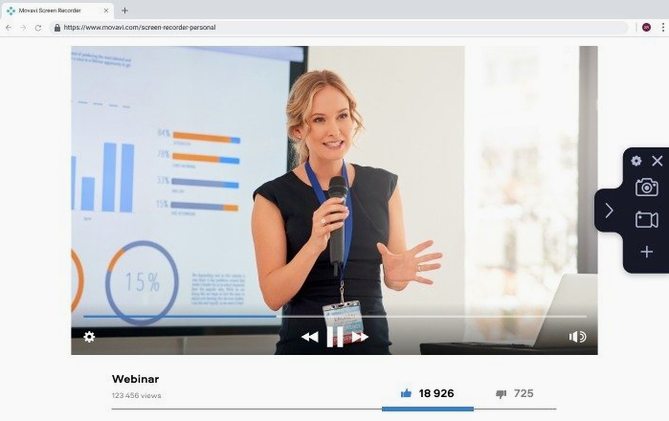
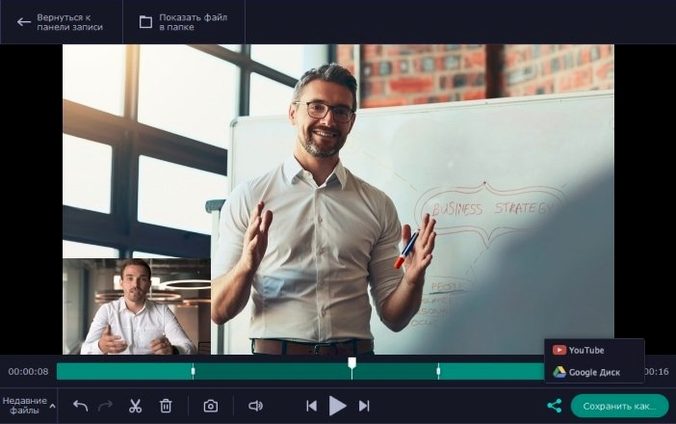
You open a video call, hit record, and later share the exact moment with a colleague.
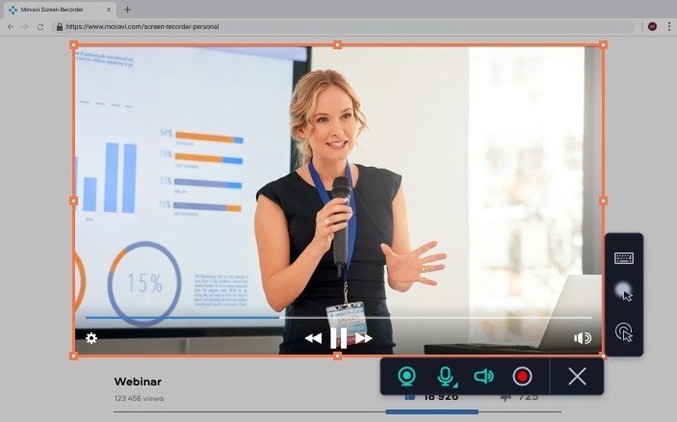
Cursor effects — a colored ring pulses with each click, so your audience never loses the pointer.
Keystroke display — every shortcut you press appears on screen, turning a silent demo into a clear tutorial.
System audio capture — grabs the sound your Mac makes, not just your voice. Record a webinar, a song clip, or a notification sound directly.
Duration timer — set it and walk away. The recording stops itself.
Direct upload — send the finished file straight to YouTube or Google Drive without opening a browser.
Finder drag-and-drop
The app plays well with the Finder. Recordings land in a folder you choose, named by date, ready to drag into a message or an editing timeline.
Microphone routing respects your macOS Sound preferences. If you switch input devices in Control Center, the app follows without a restart. Webcam overlays work with any camera QuickTime recognizes, including a Continuity Camera iPhone perched on a stand.
Share menu extensions mean you can right-click a finished clip and send it to AirDrop recipients or a shared album directly. No export dialog required.
If you use a movavi screen recorder mac workflow alongside a separate audio interface, the system-audio capture still routes cleanly. It does not fight with aggregate devices the way some older utilities do.
Two quick defaults
Open Preferences before your first real recording. Two defaults slow most people down.
Raise the frame rate. The out-of-box setting favors small files over smooth motion. Bump it to 30 fps for anything with scrolling or animation.
Switch the screenshot format to PNG. The default JPEG softens text. If you capture UI for documentation, that one change keeps labels crisp.
Assign a custom hotkey for pause. The stock shortcut uses a three-key combo that is easy to miss mid-sentence. Something like Option-Shift-Space is harder to trigger by accident.
Turn on the countdown. A three-second delay before recording starts spares you the edit of trimming your own hand reaching for the mouse.
Click halo walkthroughs
People making software walkthroughs. The click halo and keystroke overlay remove the need to add callouts in post-production. Record, trim the ends, upload.
Teachers and trainers. A single file can combine the desktop, a talking-head webcam bubble, and system audio from a browser tab. No extra muxing step.
Anyone who used to keep a 4-track cassette recorder on the desk for quick voice notes. The screen recorder fills a similar role: a fast, no-mixer capture of whatever is happening now, except it grabs pixels instead of tape hiss.
Musicians sketching ideas also fit. Play a soft synth, narrate the patch settings, capture the output. It is closer to an 8-track tape recorder mentality than a full DAW session — one stereo pass, done.
Archivists digitizing old media streams. If a 4k blu ray recorder is the high-end preservation tool, this is the utility you use to grab a streaming panel discussion that will vanish tomorrow. Set the duration, let it run.
Oddball collectors, too. The kind of person who still uses a 4 track cassette tape recorder for lo-fi charm finds the GIF export oddly satisfying. Quick screen captures become looping animations lighter than a video file.
It rewards people who value simplicity over a control panel with sixty buttons. If your instinct is to customize three things and then stop tweaking, the tool fits.
A quiet tool that gets out of your way.