Movavi Video Editor is a Mac app for cutting clips and adding effects without getting in your way.
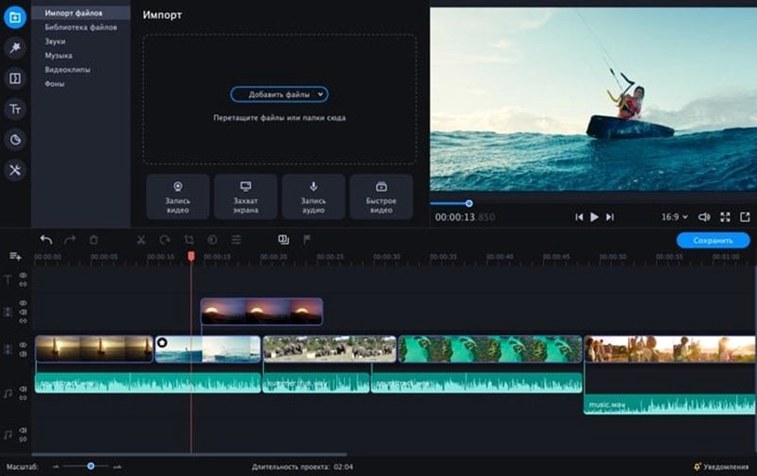
Open a clip. Drag the edges to trim. The timeline stays clean even when you stack photos, video, and titles.
Try the chroma key tool first. Pick a clip with a solid background, drop in a new scene, and the green is gone in one click. After that, open the audio panel. Loudness and background hiss settle down with a couple of clicks—no waveform squinting required.
a titles workflow
Say you have a batch of clips from a weekend trip—handheld, uneven light, too long.
Drop the first clip onto the timeline. Drag the right edge until the awkward pause before the laugh is gone. Press C to split, delete the rest. Do this three more times.
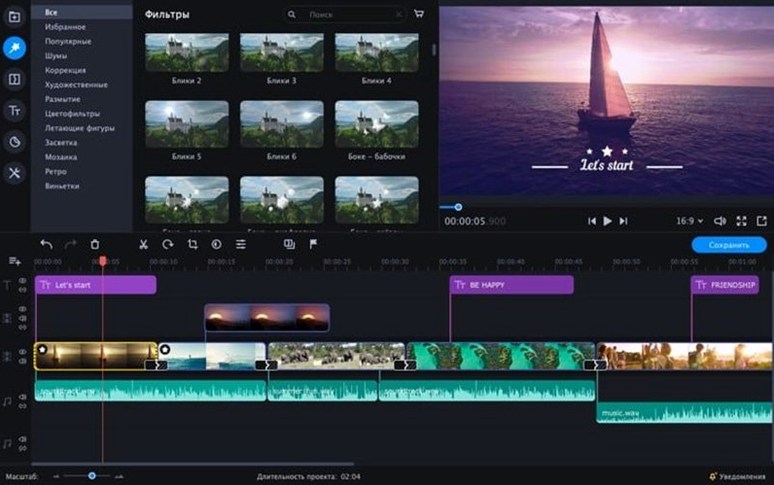
Now the tone. Open the Filters tab, pull the color curve up a notch for the overcast shots. Apply Vignette lightly, just enough to pull the eye toward the center.
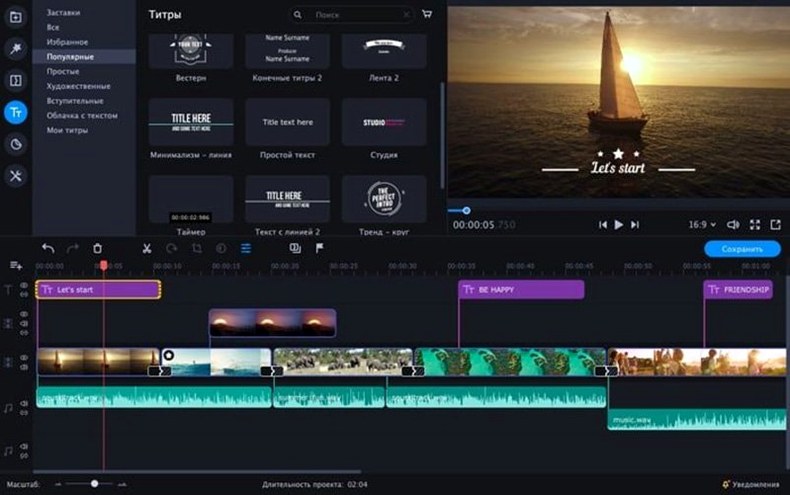
Add an intro from the built‑in collection. Drag it to the start. The title text is editable inline—type your own, change the font weight, press play.
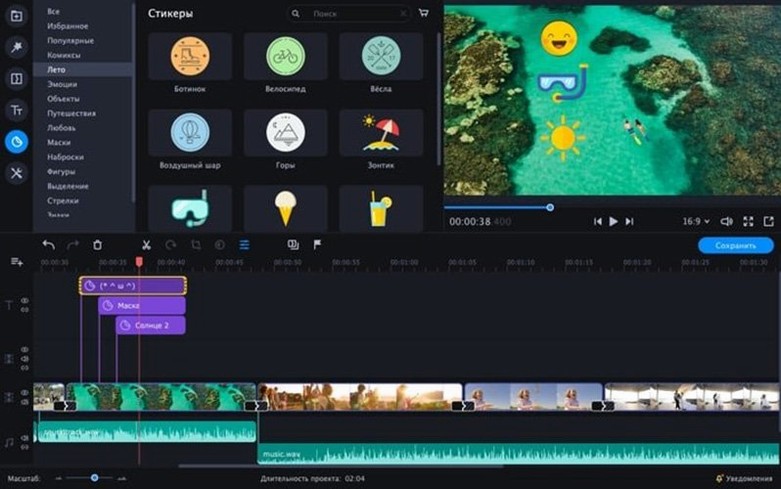
Finish with a sticker over the last frame: a small animated sun near the upper left corner. Export as H.264, 30 fps. The whole thing took under ten minutes.
Faster drags
Version 22.4.1 brought no visual overhaul. The timeline feels a little snappier when dragging long clips on an Intel Mac. Chroma key presets got a slight refresh—fewer ghost edges around hair when the lighting is uneven.
The sticker panel added a handful of animated text overlays aimed at short social clips. Nothing flashy. Just fewer trips into the effects browser to find something usable.
One quiet improvement: the audio cleanup tool now remembers your last setting. When you work on a series of clips from the same shoot, you apply the same noise reduction once, then click once for each next clip. Small, but it removes a repetitive step most editors learn to dread.
a morning session
You open Movavi at 9:15. The empty timeline sits in the lower half of the window; the media bin on the left is already filling as you drag in four clips from the desktop.
Clip one: a product shot against a wrinkled bedsheet. You open the chroma key tool, sample the background color, and set the replacement to a plain off‑white still you prepared the night before. Three clicks. Done.
Clip two: a talking‑head segment recorded too quietly. You select the clip, open Audio, click Normalize. The waveform jumps to a usable level. You add a quick fade‑out at the end by dragging the corner handle.
Clip three needs reverse playback. You right‑click, choose Reverse, and watch the liquid pour back into the bottle. No export required to check it—the preview runs in real time.
At 9:37 you drop in a pre‑made outro title, type the channel name, and export. You close the app before your coffee gets cold.
Later, someone looking for Movavi torrent or Movavi Mac torrent might end up here. If they find a Movavi Video Editor torrent or Movavi Video Editor Plus torrent, the same quiet timeline awaits. Not every editor needs a manual. Some just need a morning where the cuts happen fast.
The interface stays out of your way. Everything lives in a single window with tools tucked into tabs.