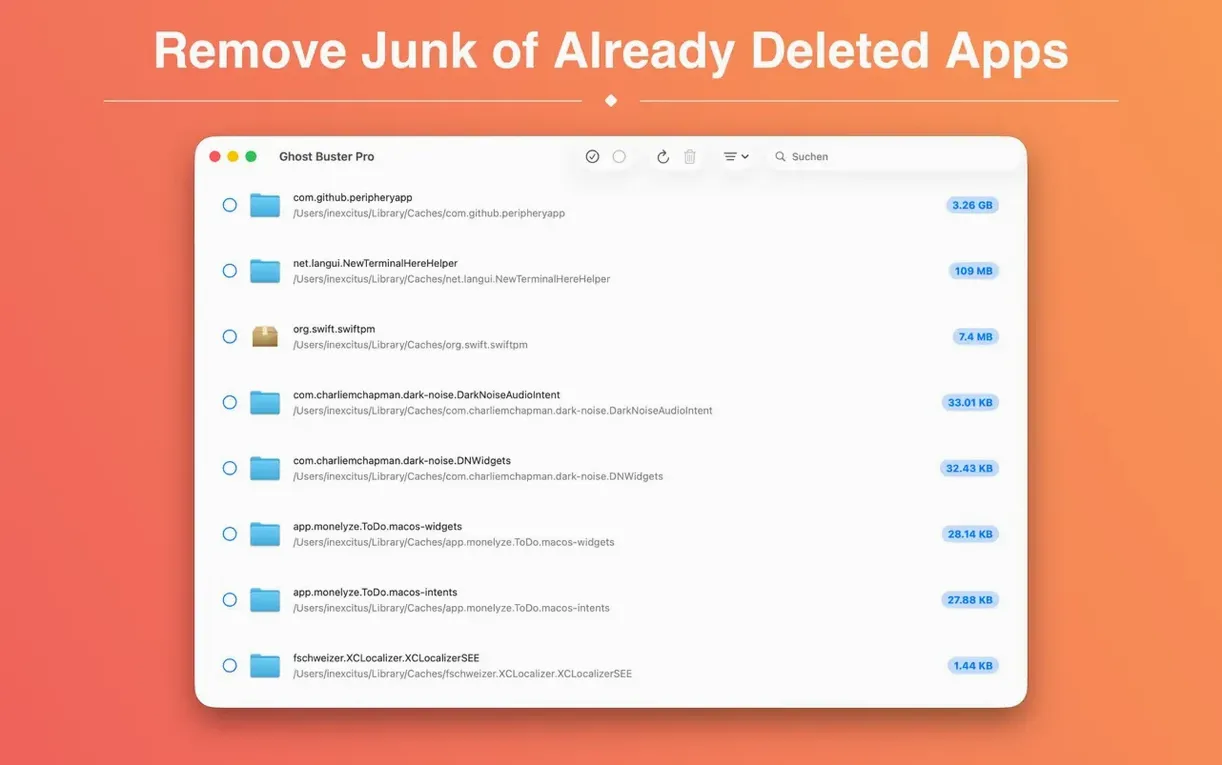
Where AppCleaner focuses on apps that are still present, Ghost Buster Pro looks for what got left behind. It scans for files from applications you removed long ago.
Direct control
It starts searching the moment you open it. Nothing is ever deleted automatically. You review the list, decide what goes, and delete the files from within the app. Consent is the rule, not a prompt to click through.
Architecture-aware scanning
The app runs natively on ARM and x86-64. It searches system-wide, not just in the obvious folders. If you prefer a cleaner that shows its work before acting, this one is built for that kind of trust.
Clearing a retired writing app is a good example. You drag the main application to the Trash months ago. Ghost Buster Pro opens to a live scan. Within seconds you see a cluster of orphaned files: a preferences plist in ~/Library/Preferences, a cache folder named after the developer, and a stray .plist inside a LaunchAgents directory that once ran a background helper. Tick the three items, click delete, done.
The interface stays quiet during the search. No progress bar theatre. You only act when the list is complete.
Serial triers
People who cycle through creative tools get the most out of it. Audio plugin collectors, font testers, anyone who installs beta builds or tries a dozen Markdown editors in a month will find concrete value. A single uninstall can scatter half a dozen support files across the system. Ghost Buster Pro is built for that specific cleanup, not for daily maintenance.
It also suits users who dislike uninstaller apps that want to manage everything. This one does one job. You keep your existing habits, and run it when you notice cruft or remember a long-gone app.
The torrent crowd searching for a useful ghost torrent often lands here. The app itself is small, direct, and leaves nothing behind of its own.
Faster scans
Version 6.2.0 brought a new icon tuned for the macOS 27 environment. Under the hood, the scanning engine has been refined for the current system layout. The result in daily use is faster scan completion on Apple Silicon Macs and fewer false positives in cache folders. The app still waits for your decision before removing a single byte.