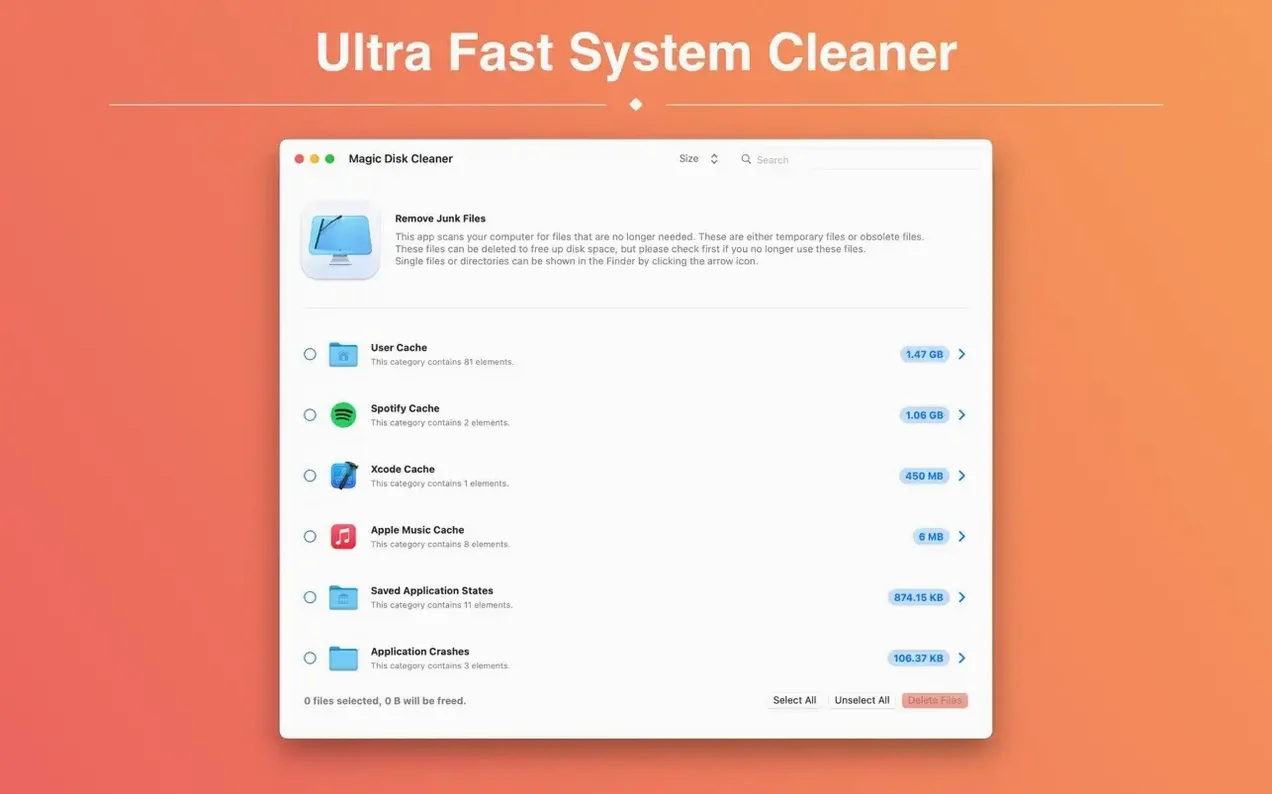
The scan starts the moment the app opens. No setup, no tour.
It looks for caches, logs and other clutter that builds up quietly. Nothing is removed until you confirm.
Start with the largest folder in the results. Old backups and browser caches often hide more than you expect.
Hidden junk toggle
Open preferences before the first cleanup. The app does one thing but gives you a few useful levers.
Turn on Show hidden files. Mac apps stash temporary data in ~/Library paths that remain invisible by default. This toggle reveals folders most cleaners skip.
Set a folder exclusion if you run virtual machines or Docker. The app sees their disk images as large files and flags them. Add those directories once and forget them.
Uncheck Play sound when finished unless you enjoy a chime after every deletion. It is on by default.
Temp files only
DaisyDisk gives you a sunburst map of your drive. It excels at finding one giant file you forgot. Magic Disk Cleaner skips the map and targets temporary files only. Different jobs.
CleanMyMac scans broadly — malware, maintenance scripts, system junk. It wants to be a dashboard. Magic Disk Cleaner is a single tool. One window, one scan, one decision. You trade breadth for speed and clarity.
Onyx offers deep system tweaks and cache clearing. It is powerful but rewards patience with its dense interface. If you just want temp files gone in under ten seconds, the simpler app wins.
Photographer's Saturday
You spent the morning culling a wedding shoot. Lightroom left previews scattered across three volumes. Photoshop scratch files ate another six gigabytes.
You launch Magic Disk Cleaner. It finds the Adobe cache instantly. You spot a folder from a raw converter you uninstalled months ago — four gigs of orphaned thumbnails.
You scan, check each row, delete. Fifteen seconds. Back to editing with a cleaner drive and no second-guessing what you might have removed.
The app does not archive, repair, or optimize. It finds temp files and removes them. That restraint is why it stays on the dock.
Delete what you recognize. Leave the rest.