
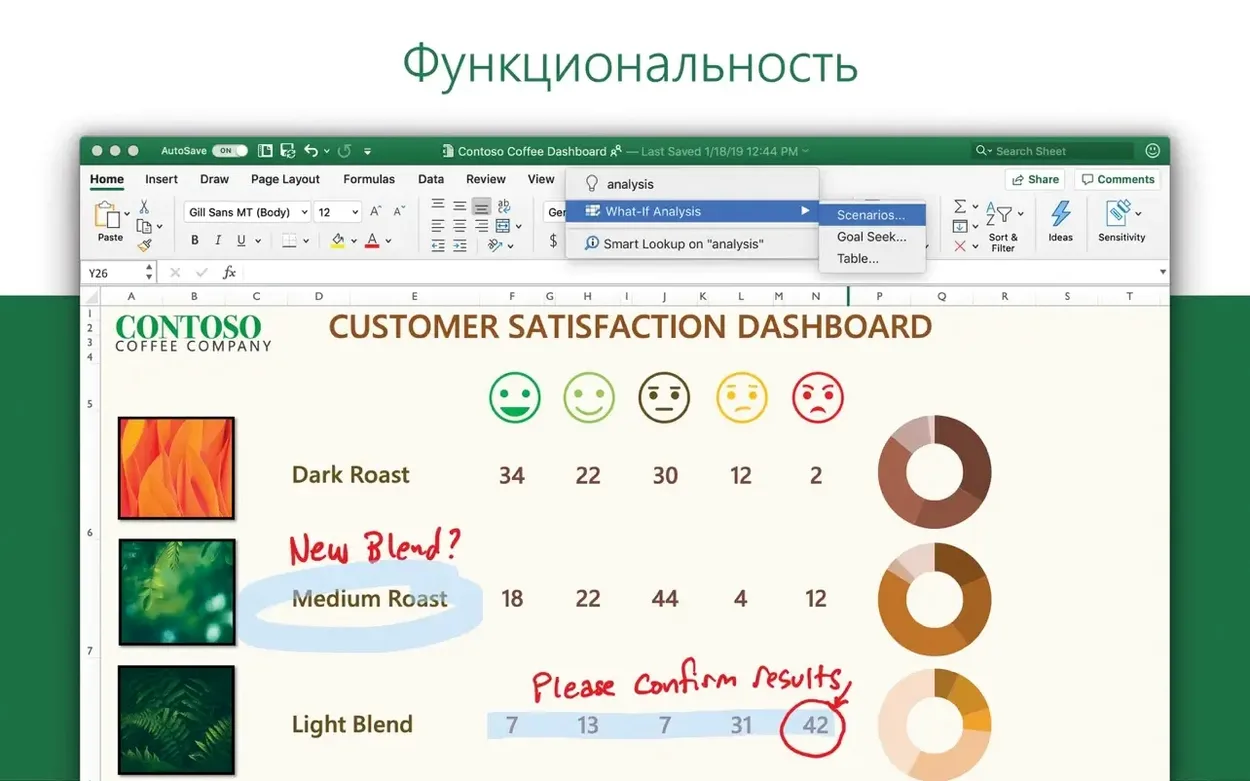
Most spreadsheets become a second job. You manage links, chase formatting errors, and pray the numbers hold. Excel removes that small chaos. It gives you a clean, fast place for the numbers that matter.
Wrong cell
- Does it run natively on Apple Silicon? Yes. The current build supports ARM and 64-bit x86.
- What kind of work is it built for? Hard, collaborative work. Accounting, audit, finance. The kind where a wrong cell costs you.
What it asks
Excel needs macOS 13 or later. The interface speaks your language — Russian, Japanese, Czech, and many more. From the first blank workbook, the purpose is clear: one person, a grid, and the quiet hum of getting things right.
Cmd+T tables
The ribbon can wait. Most of it you will never need.
Start with three shortcuts. Cmd+T turns a range into a table. Tables expand, name columns, and resist the kind of formula drift that ruins a Friday. Cmd+Shift+L toggles auto-filter on and off — quick for scanning. Ctrl+Option+V opens Paste Special. Memorize that one early. It pastes values, formats, or transposes, and it saves more time than any chart type.
Set Excel to open with a blank workbook. Preferences → General → uncheck the gallery. One less decision. While you are there, set the default file location. A tidy folder prevents the desktop from becoming a graveyard of Book7.xlsx ghosts.
Keyboard layout matters. If you came from Windows, swap Control and Command in your muscle memory now. The formulas are the same. The fingers are not. Give it three days of deliberate use before you judge the speed.
File fidelity
People worry about file fidelity. A workbook built on Windows opens here. Fonts shift slightly, print margins adjust by a hair, but the formulas, the pivot tables, the VBA — they survive. If you rely on Power Pivot or certain ActiveX controls, you will miss them. That is the honest gap.
Another common question: can it sit alongside an older Office version? It can, but Office LTSC 2024 expects its own activation. Clean up the old one first. The removal is straightforward, and the VL Serializer handles the rest.
Some ask if a spreadsheet this heavy drags on a Mac. It does not. On Apple Silicon, a workbook with six sheets and a modest data model opens in under three seconds. On Intel, a beat slower. Still fast. The app holds its frame rate when scrolling thousands of rows — no beach ball, no stutter. Background recalculation rarely interrupts typing. Memory use sits around 400–600 MB for a typical session with several files open. Power Query refreshes feel snappier than in the previous build.
A quiet concern that surfaces often: “Will I find a cracked version that behaves?” The search excel cracked for mac leads people to builds where you can check the package signature and disable automatic updates to keep the activation steady. A straightforward install from the provided packages keeps things predictable. Updates come through Microsoft AutoUpdate, stable and regular. No mystery.
Idle zero
Excel 16.93 keeps a low profile. Idle CPU draw is near zero. During a heavy sort on 200,000 rows, one core spikes, the rest stay available. You can keep Mail and a browser open without the machine heating up.
Crash recovery is fast. I have lost work once in weeks of daily use. On relaunch, the recovered file was intact down to the last typed digit. The app writes recovery data often enough that you lose minutes, not hours.
Print layout view is the one place where speed dips. Complex sheets with merged cells and custom headers render a half-second slower than in Windows Excel. Acceptable, not invisible. If you print often, stay in Page Break preview — it redraws faster.
Full engine
The biggest one: treating Excel for Mac like a lighter sibling. It is not. It is the full engine, but the menu structure differs. Beginners hunt for the Data Analysis ToolPak in the wrong menu. It lives under Tools → Excel Add-ins, just like on Windows, but the Tools menu itself sits in the app menu bar, not the ribbon. That confusion eats the first afternoon.
Another mistake is ignoring the Quick Access Toolbar. Stock install places it above the ribbon. Right-click any command and add it there. In two days you have a row of your actual tools, and the ribbon stays collapsed. This alone cuts click fatigue by half.
Beginners also paste data from the web and wonder why formulas break. Non-breaking spaces, hidden characters, number-as-text — Excel inherits them all. Use CLEAN() and TRIM() on any imported column before you build logic on it. One extra sheet tab, one minute, no mystery errors later.
Finally, people search for excel download torrent or mac torrent excel and end up with a build that cannot update. Without Microsoft AutoUpdate, you miss security patches and the Ideas feature stops generating charts. The whole point of version 16.93 — new charts, Ideas for data trends — vanishes. Get the proper package, run the serializer once, and MAU keeps everything current. The machine stays quiet, the numbers stay right.