
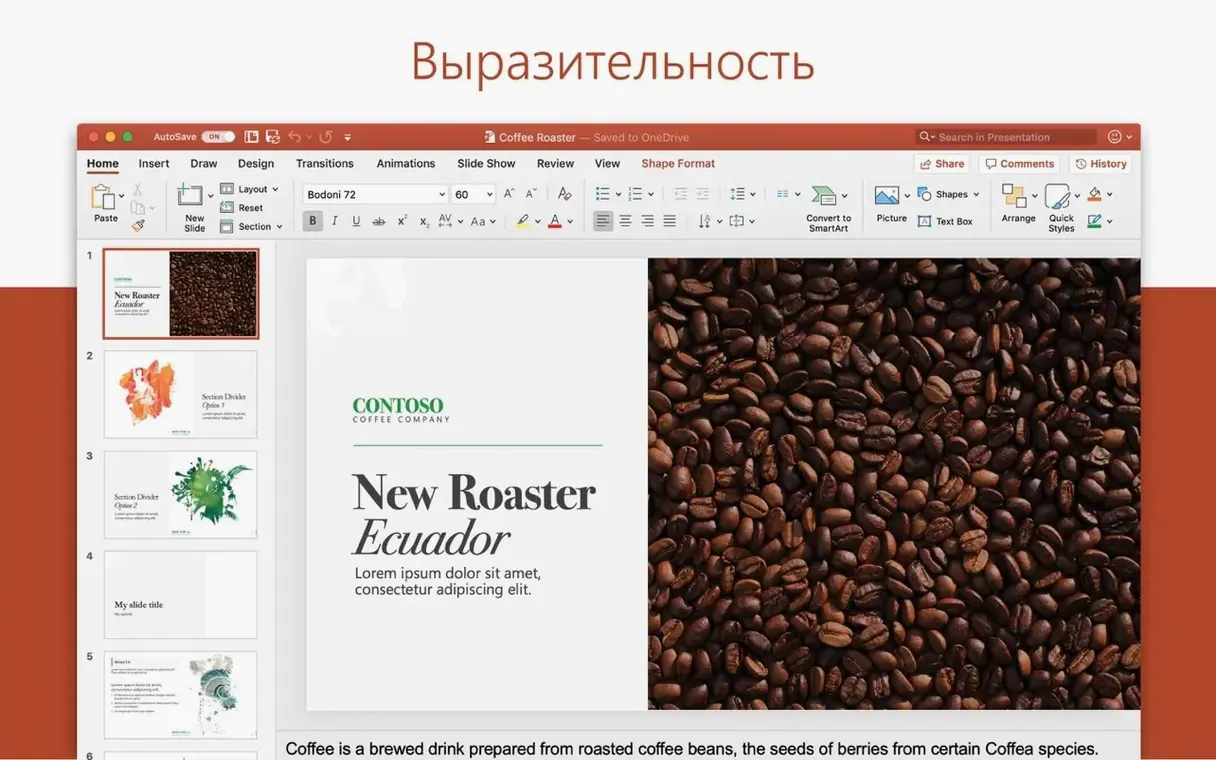
Most decks are talking points. Some are documents, built slide by slide with care. PowerPoint on the Mac has the tools for the second kind.
- Motion paths with editable curves
- 3D models you can rotate, pan and zoom on the slide
- Slide masters and guides that carry changes through the deck
- Icons you can insert and recolor
One mistake is starting with a template before you know the throughline. You pick a theme, place five slides, then realize the story needs six. Now the colors fight you.
Write the titles first. Plain text, no design. When the order holds, move to the slide master and start shaping.
Another is treating motion as decoration. A fade on every bullet feels like polish at first; by slide twelve it feels like waiting. Motion paths should carry meaning — an arrow that follows a process, a product that moves through a funnel. If the animation does not explain, delete it.
Beginners also paste from other decks and inherit their masters, fonts and broken layouts. Use paste and match style. Better yet, paste into the outline view and let your own master do the work.
Questions
People ask whether PowerPoint for Mac feels like the Windows version. It does not. The ribbon is similar, the shortcuts are not. If you move between platforms, expect a short relearning period. The file format causes no friction; the same .pptx opens everywhere.
They ask if it runs well on Apple silicon. Yes. Version 16.93 is a universal build. Startup is quick, rendering large decks stays smooth. Most people will not think about the architecture after the first open.
They ask if they need the whole Office package. PowerPoint arrives as part of Office LTSC Standard for Mac 2024. The installer covers the suite. You use what you need and leave the rest in the dock.
Some ask about collaboration. The desktop app supports shared decks, comments and edits alongside people on Windows, mobile or the web. Not everything syncs in real time the way Google Slides does, but the workflow holds for teams already inside Office.
Native feel
Keynote feels native in a way PowerPoint does not. It is lighter, calmer, and its motion tools are simpler. PowerPoint answers with depth: more control over masters, more layout options, stronger import and export for files that travel outside Apple’s ecosystem.
Google Slides lives in the browser. It is best when a deck is a group artifact with many hands editing at once. PowerPoint for Mac is better for a single author shaping a precise narrative, then sharing the result. Slide-by-slide, PowerPoint gives you more ways to control exactly what appears, where and when.
Canva presents from templates. That is fast for social graphics and quick pitches. It weakens when you need a fifty-slide deck with consistent styles, speaker notes and a real outline. PowerPoint handles long documents without losing its structure.
Consultant precision
Consultants and analysts. Their decks carry numbers, charts and a point of view. They need masters, guides and tight control over every object. PowerPoint gives them that without asking them to think about the tool.
Students writing seminars and defenses. One file moves between a Mac at home, a Windows lab machine and a classroom projector. The deck survives every handoff.
Corporate trainers and presenters who speak from the same deck for months. They build a template once, reuse it, and update numbers without rebuilding slides.
If your slides are read more than presented, the layout tools matter more than the animation pane. If you present live, the presenter view and speaker notes carry the room. Either way, you are not chasing the app. You are shaping the argument.
Version 16.93 runs natively on Apple silicon and Intel. It ships with Office LTSC Standard for Mac 2024.