
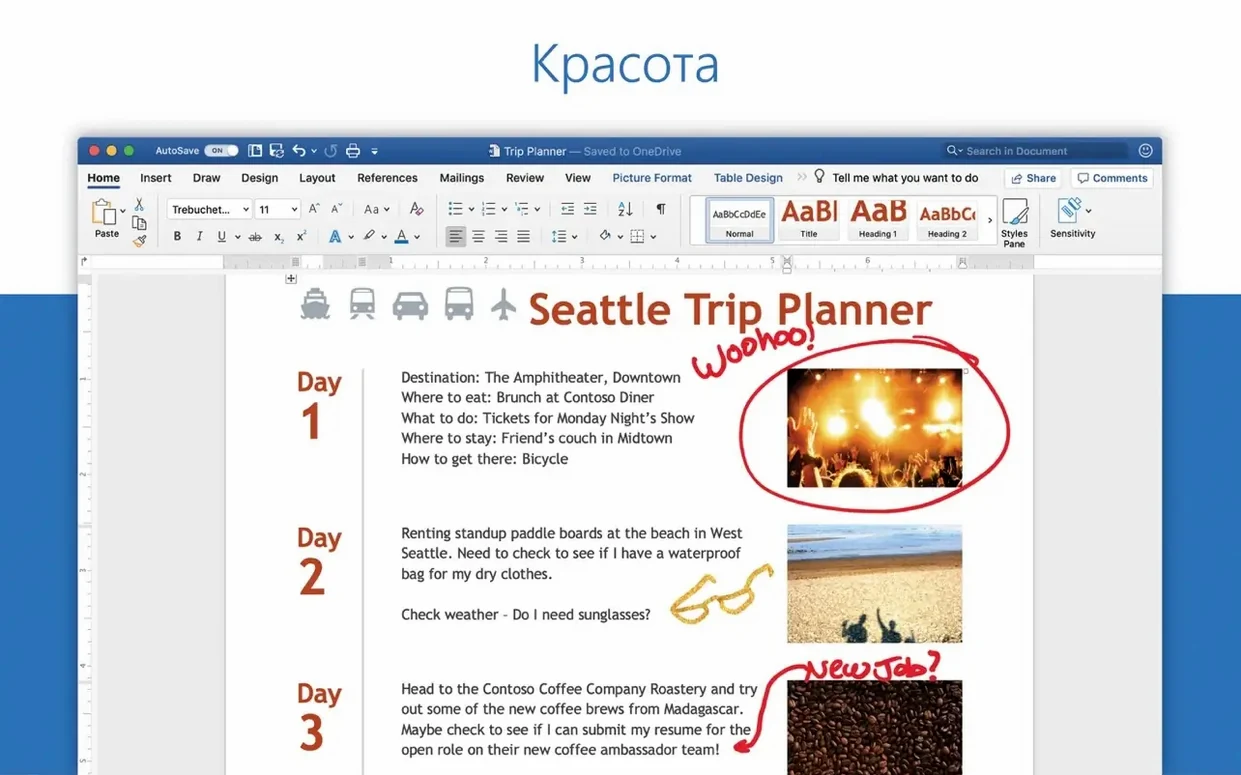
You open a document attached to an email, change a few lines and send it back. The formatting holds. Tracked changes stay clean.
Word comes here as part of Office LTSC Standard for Mac 2024. Install the whole suite or only Word; the packages come straight from Microsoft's servers, and AutoUpdate keeps them current.
Version 16.93 fixes equation editing and brings the usual performance work.
Equation repair
Equations were a known pain point before 16.93. Inline math could break when you reopened a file, especially in documents converted from older .doc formats. The January fix addressed that directly. If a document still misbehaves, save it as .docx once, close it fully, and reopen. Word rebuilds the equation layout on the next pass.
Another frequent issue is slow scrolling in long manuscripts. It often traces back to a single over-styled paragraph or a chain of floating text boxes. Selecting the whole document and applying a clean style resolves more cases than people expect.
File format confusion shows up when collaborators on Windows send .docx files made with recent builds. Word 16.93 opens them without the compatibility warnings that older Mac versions produced. If a font looks slightly off, it is usually a font availability issue on your Mac, not a document fault.
Reopen shortcut
Word for Mac has more keyboard routes than most people learn. Cmd+Shift+T reopens the last closed document, which saves a trip to Finder when you close something too quickly. Cmd+Option+G opens Go To, letting you jump by page, section, line or heading without touching the mouse.
Drag a document icon from the title bar into an email. It attaches the current version without bouncing through Finder. The same drag works into Notes or a chat window that accepts files.
The formatting inspector, hidden in the View menu, gives you a live readout of the style at the cursor position. It is a faster way to diagnose stray bold or wrong font than opening the full styles pane.
For anyone sorting through shared drafts, the review pane under Review → Tracking groups every comment and change in one column. You can approve or reject from there instead of clicking through the document line by line.
Beach ball relief
Microsoft lists quality and performance improvements. In practice, several users noticed smoother typing in large documents and fewer beach balls when switching between open files. The equation fix is the only named change.
The release came in two installments: 16.93 on January 14 and 16.93.2 on January 28. The second was a stability follow-up. For everyday work, the visible difference is modest — documents open cleanly, collaboration sync feels consistent, and the equation editor no longer drops edits.
Tracked changes flow
You get a draft from a colleague at nine. Double-click the attachment; Word opens it with tracked changes already visible. You switch to All Markup via the review tab, then start reading from the top.
Three sections need rewriting. You select a paragraph, retype it, and Word records your edit against the original text. A comment from the same colleague sits in the margin — you reply inline with Cmd+Option+A and keep moving.
At the end, you want the document clean before sending it to a manager. Open the review pane, scan the list, accept the format changes in bulk, and reject one deletion that would have cut a phrase the manager needs. The pane makes it a two-minute pass.
Finally, you drag the document from the title bar into a reply email and hit send. The version that leaves your Mac carries no unresolved comments and no hidden editing metadata beyond what you chose to accept.
It runs on macOS 13 and later, Apple silicon or Intel.