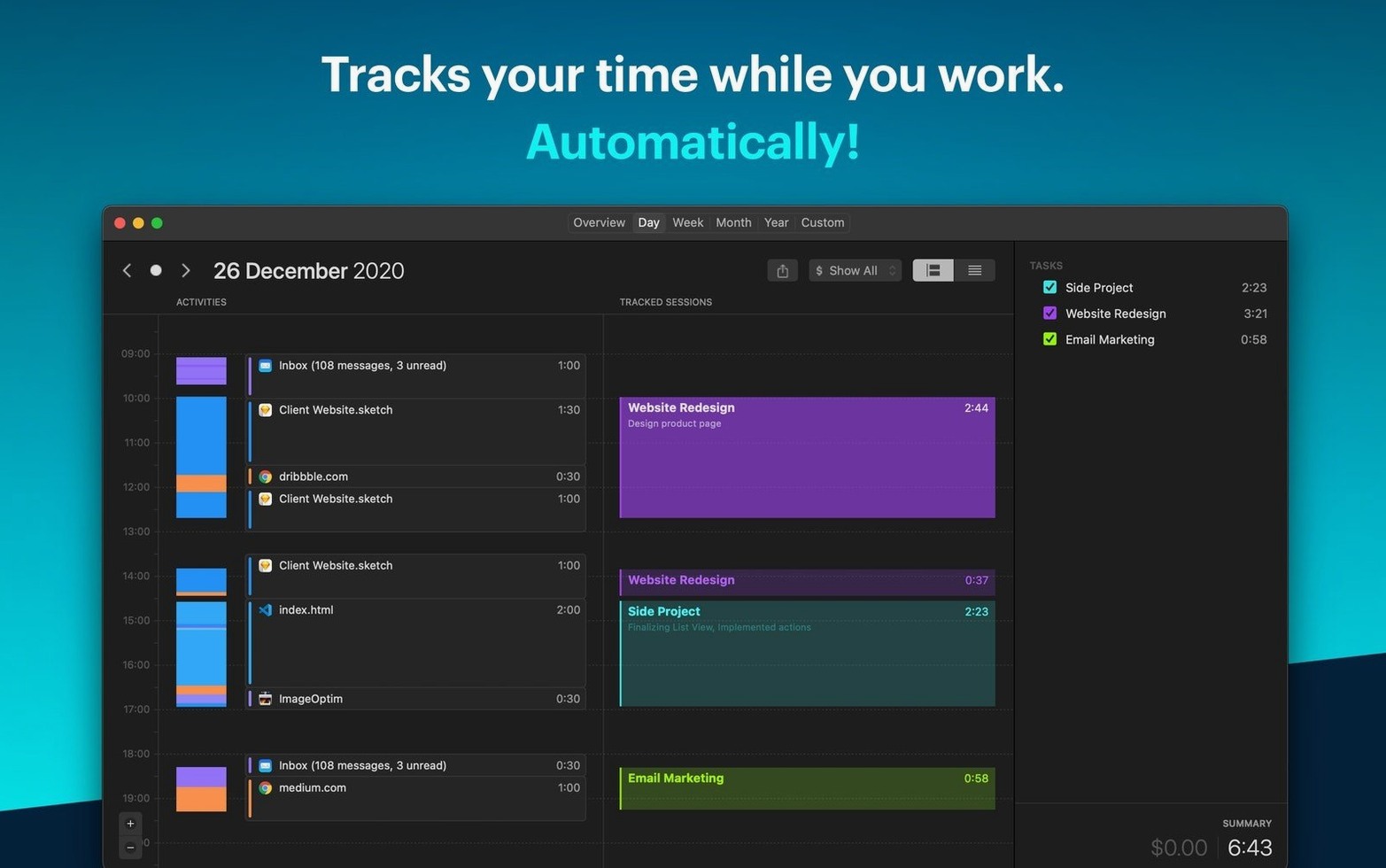
One timeline, no start-stop buttons.
System requirements
Yes, if you have macOS 10.15 or later. It runs on Intel and Apple Silicon.
What does it track?
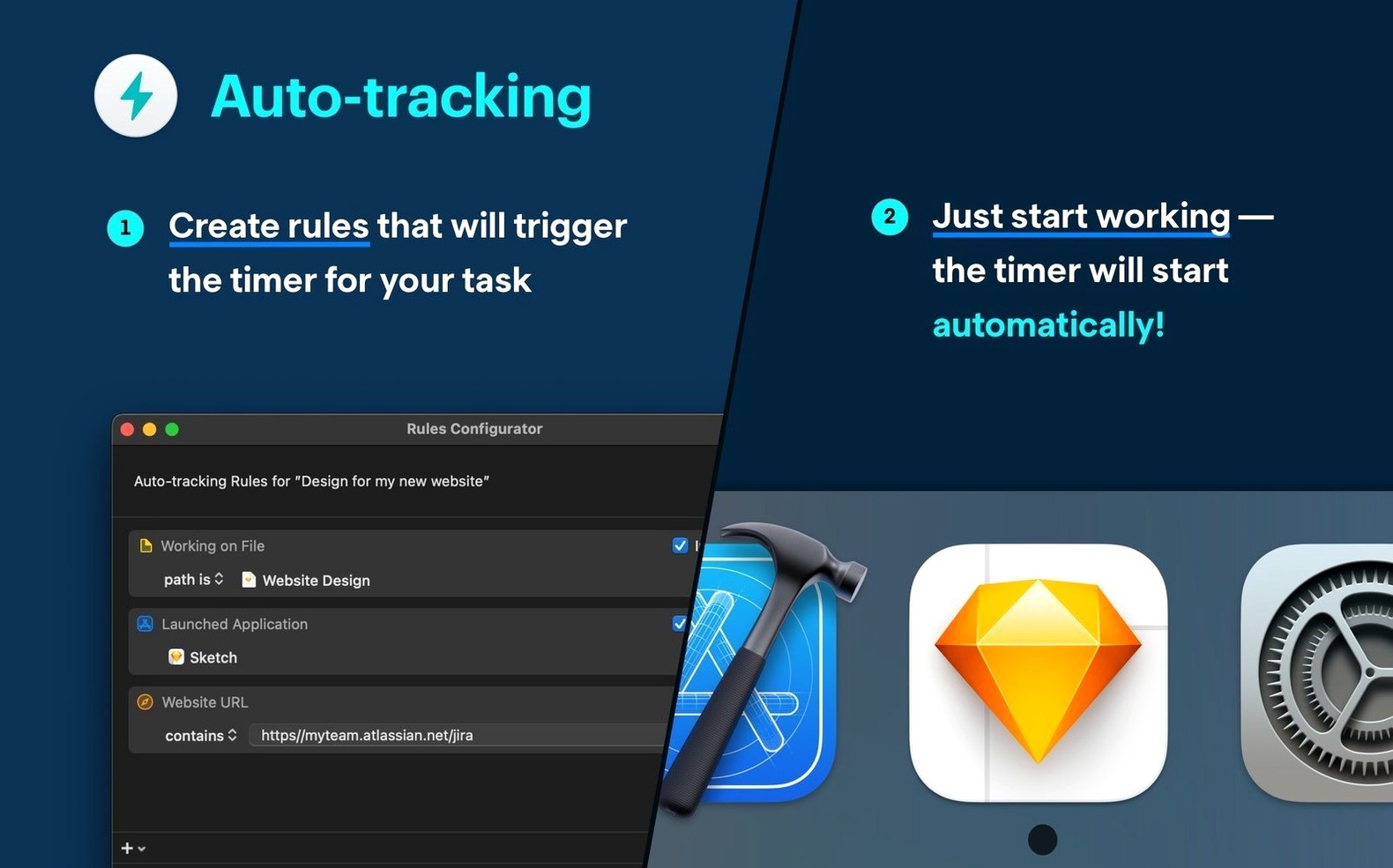
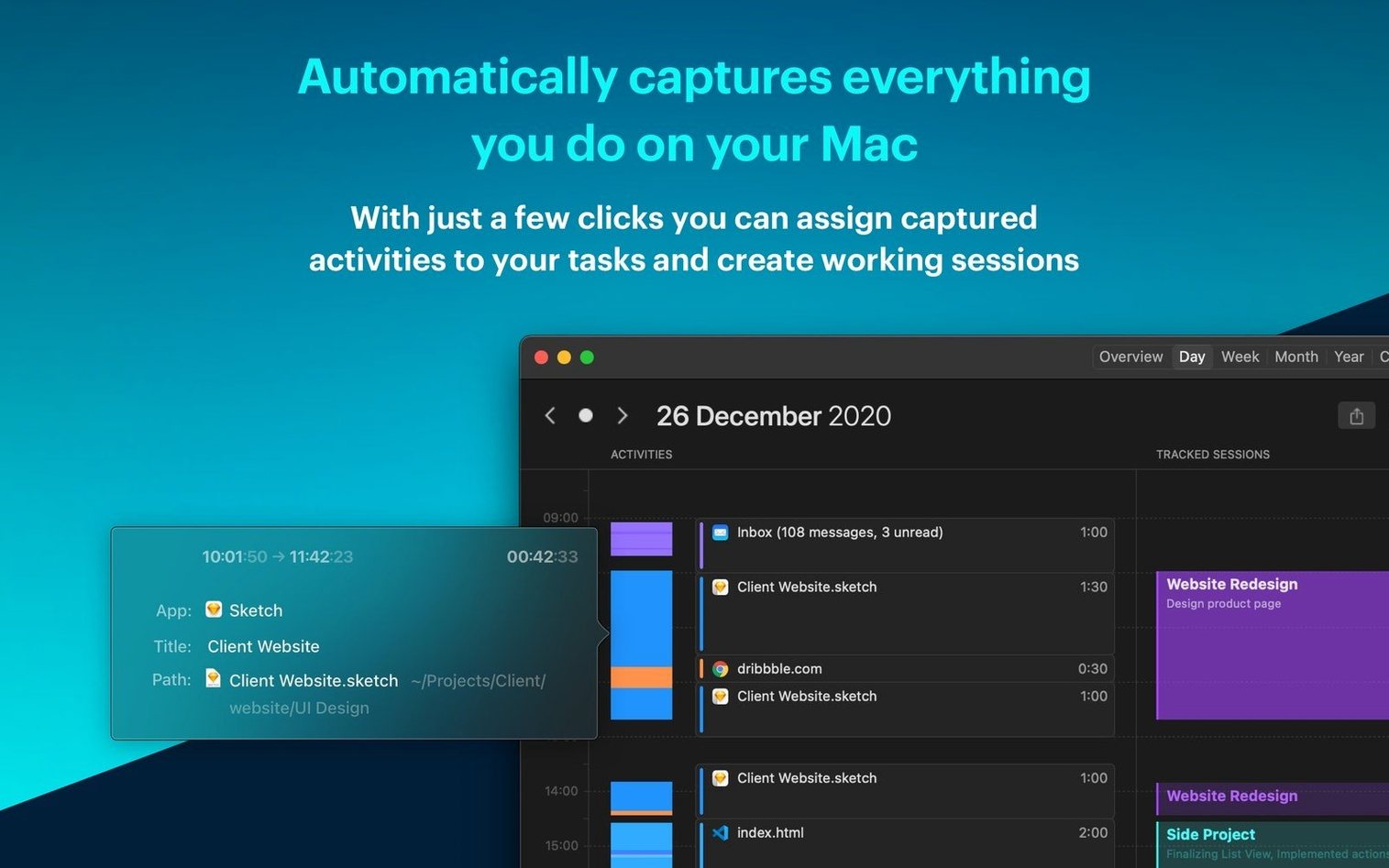
The app watches which apps and files you use. You set rules to assign that time to projects automatically.
Is there an iPhone version?
Hold Option while dragging a timeline block to copy its assignment to another period — fast reclassification without opening a menu.
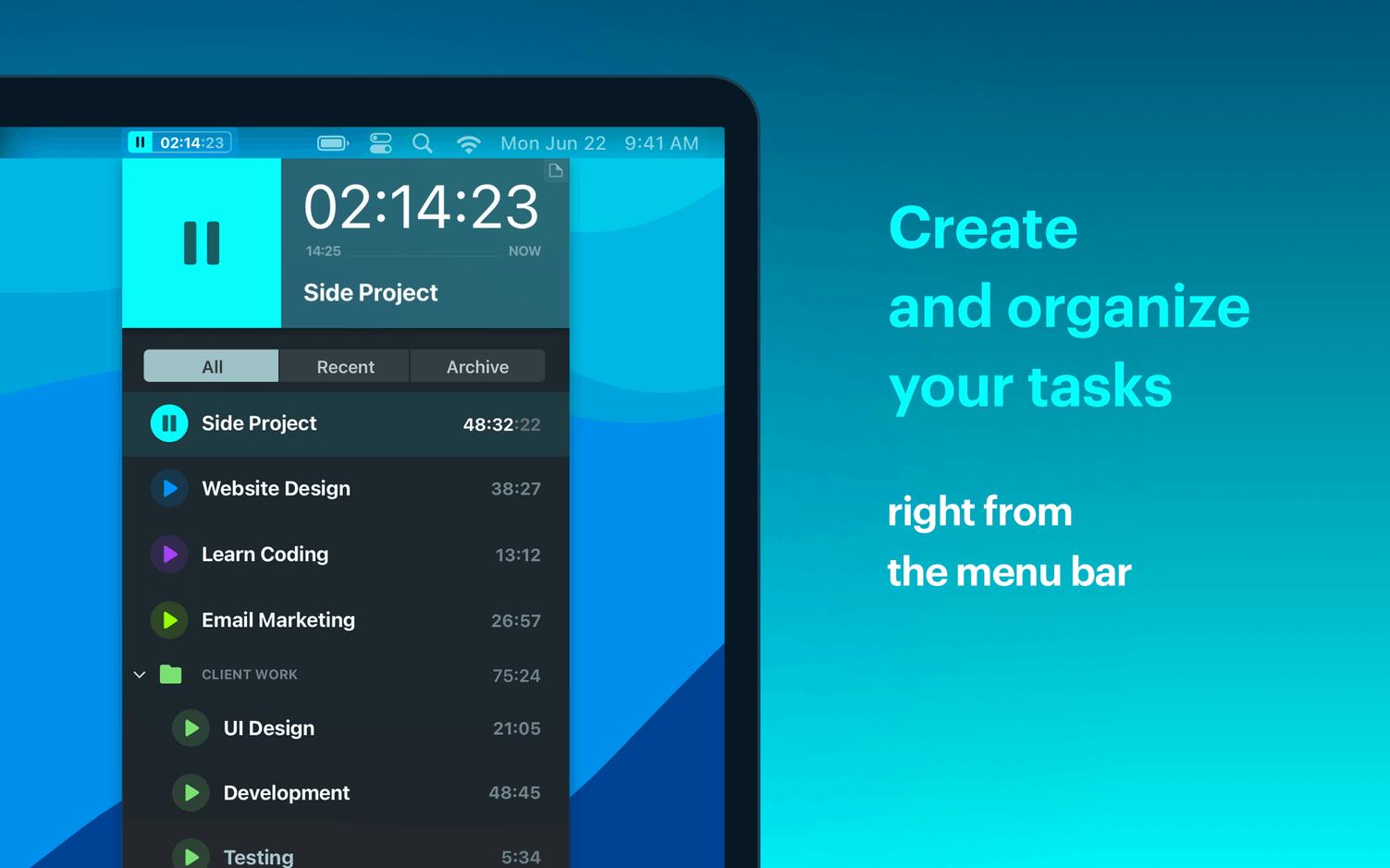
In the menu bar, right-clicking the timer icon reveals a day summary without launching the full window. A tiny convenience that saves a click every time you wonder where the morning went.
Double-click an empty space in the timeline to create a manual entry at that exact slot. The entry inherits the project you last viewed, so correcting an untracked stretch takes two seconds.
Next to other trackers
Toggl Track leans on manual input. Timemator pulls time from what you actually do. If you forget to hit a timer, Toggl leaves a gap. Timemator fills it.
Timing captures everything and asks you to sort it later. Timemator asks for rules once, then sorts for you. Less daily cleanup, more structure up front.
Qbserve also watches apps, but the interface can feel dense. Timemator stays closer to a calendar — fewer panels, fewer decisions.
Idle detection
Enable Idle detection under Preferences. By default it pauses after five minutes of inactivity. That keeps coffee breaks from inflating a client’s bill.
Set your work hours in the timeline view. The day range shrinks to your actual day. The visual difference is immediate.
Add one rule per project before you tweak anything else. A simple app-based rule (Safari → Research, Sketch → Design) gives the automatic engine something to work with. Rules are the whole point.
Version 3.2.2 runs quietly; the timemator mac full version feels most at home when you forget it is there.
There is. A companion iPhone app syncs with the Mac version.