
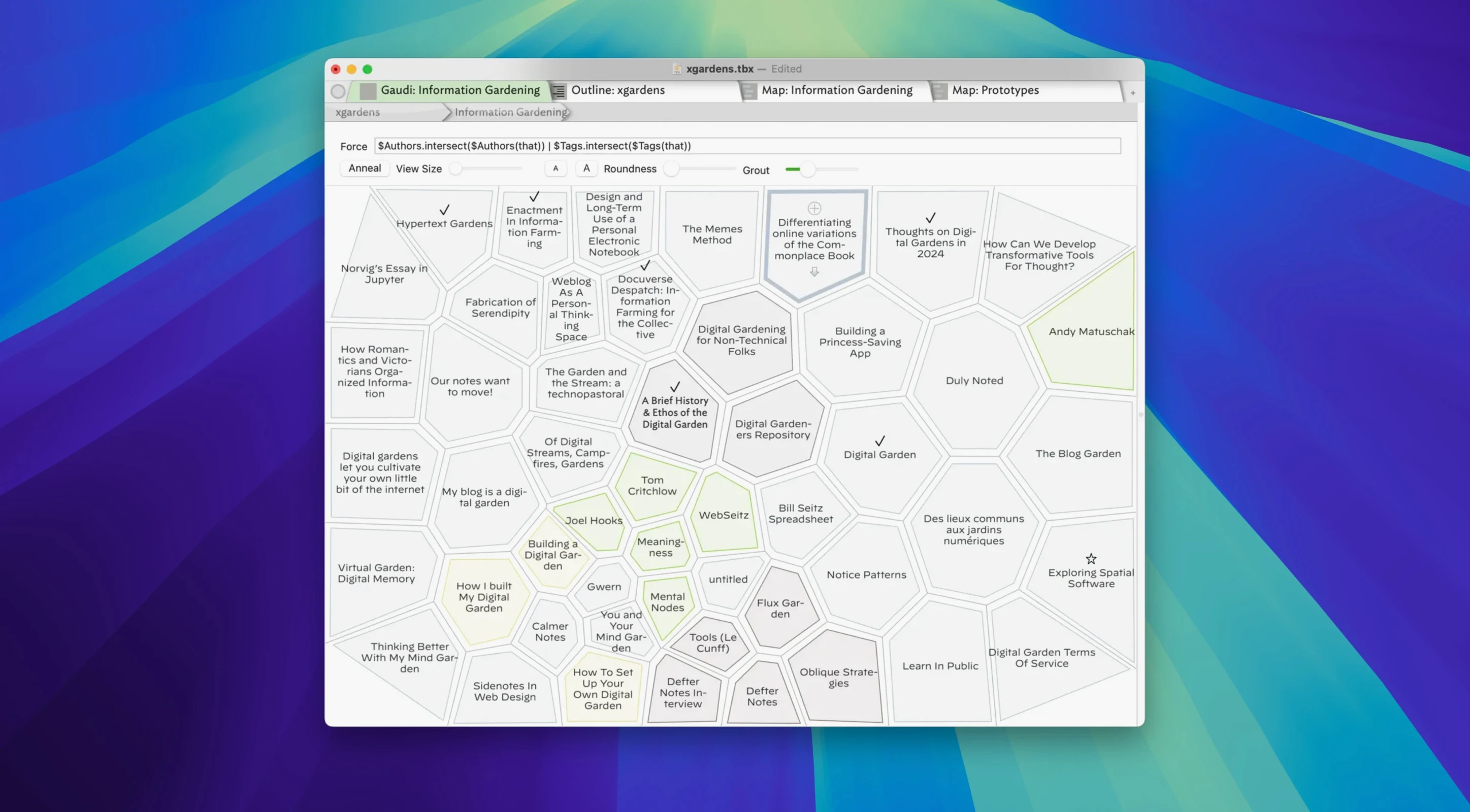
Writers, researchers, and project planners use Tinderbox. People whose notes multiply faster than folders can hold them.
Next to your other tools
- Text stays in Tinderbox, but exports to HTML, XML, RSS, and OPML when you need it elsewhere.
- Agents watch your notes and form links on their own. You add the idea; the structure follows.
- Maps, timelines, and charts turn a pile of notes into something you can see.
Room to shape
Open Preferences on your first day. Two changes make the biggest difference early.
Turn on auto-save with a short interval. The default is conservative; thirty seconds catches more without slowing anything down. Then set the map default to no adornments unless you need titles on every note. Clean maps read faster.
Prototypes deserve attention next. Pick three recurring note types — a person, a source, a task — and give each a prototype with its own color and key attributes. Agents respect prototypes. Your links get smarter once notes know what kind of thing they are.
Under load
Version 11.8.0 stays responsive on documents under a thousand notes. Maps redraw without stutter. The timeline view keeps its composure even when you drag the slider through years of dated entries. Large selections, the kind that used to pause, now highlight in one motion.
Memory use climbs with document size. A file approaching five thousand notes with agents running will claim a few hundred megabytes. Light by Mac standards. CPU stays quiet until you trigger an export or ask several agents to scan at once. Those spikes pass quickly.
Exports got faster in this release. HTML output now assumes UTF-8 and skips the old character encoding step, so a complex document that once took a beat lands on disk almost immediately. The AI bridge was reimplemented for reliability; connections to external models no longer drop mid-session.
The app feels built to stay out of the way. No background process lingers after you close the window. No launch daemon. It asks for resources only when you are looking at it.
Attributes, tags, and styles are yours to set. A research backlog and a novel outline can live in the same file without crowding each other.