
Version 6.2.2 fixes PDF creation bugs and adds a Format HTML option. Small changes.
The Pro edition also takes embedded video, which the standard version skips. Choose the file types that matter, or take everything. The site's folder structure is copied as is.
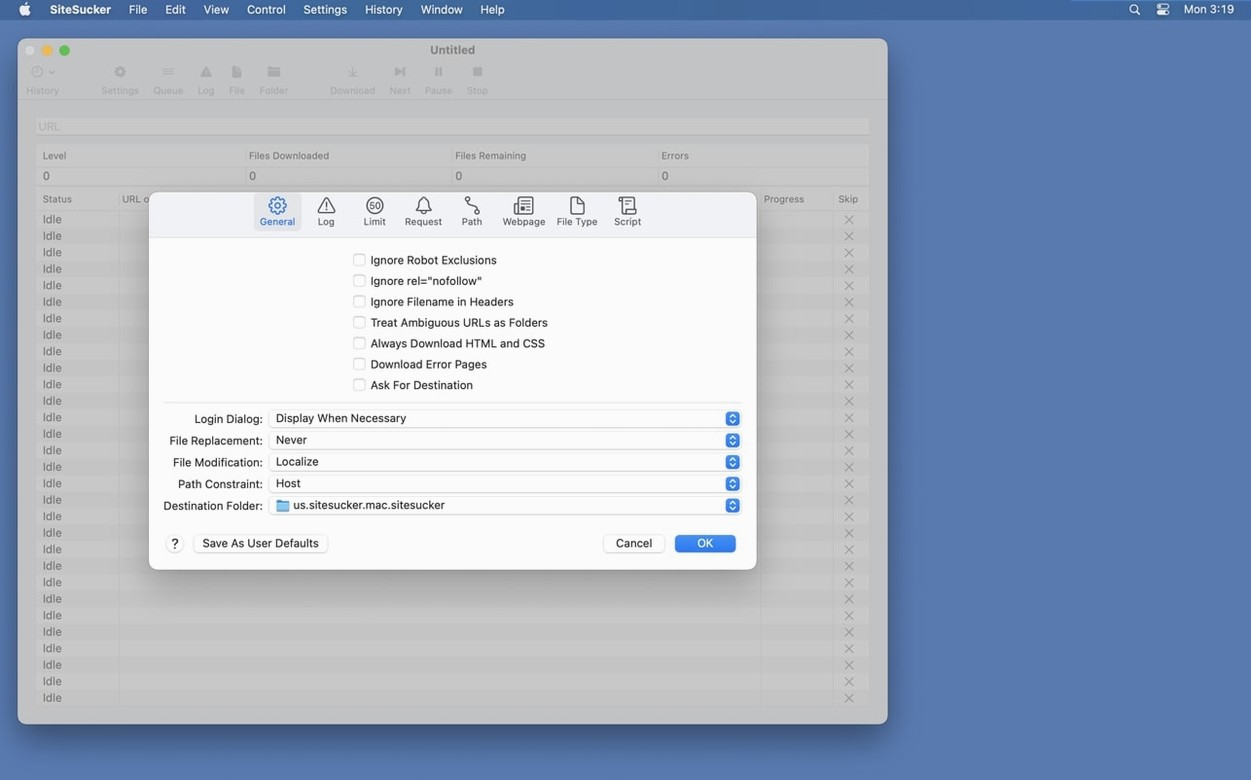
Control is exact. The app can introduce itself as Safari or Firefox. Limits cap link depth, file count and file size. Path rules force or skip specific links.
A workflow
Say you need the docs for an open-source library before a flight.
Open SiteSucker Pro. Enter the URL. Under File Types, switch from All to Selected and check HTML, CSS, and images—leave the video boxes empty. In Limits, set link depth to 3. Set the user-agent to Safari. That profile reads like a person browsing the docs, not a crawler hitting every link on the domain. When it finishes, you have a local folder. Open index.html. Navigation works. No dead pages.
Depth-zero flood
Pulling an entire site at depth zero with no file-type filters. The log fills, the folder balloons, and nothing opens cleanly later.
Another common slip: forgetting to change the user-agent. Some servers return stripped-down pages to unknown crawlers. A Firefox or Safari heading fixes that.
Clicking Open Log and seeing a wall of errors. Many of them are just skipped robots.txt entries or off-site links. That's normal. The errors that matter are the ones that repeat on pages you actually need.
Freezing policy pages
A PhD student archives the public-facing pages of a government health site that reorganizes its URLs every few months. She needs the current policy guidelines as they appear today, not as they might redirect next quarter.
She sets a path rule to include only URLs with /guidelines/. File types are limited to HTML, PDF, and images. Depth is set to 2. Embedded video is off. She leaves robots.txt respected. An hour later, she has a clean local mirror. When the live site eventually moves the guidelines section, her local copy still opens exactly as it did. She searches it with Spotlight. No internet required.
The files sit in a folder named after the domain. Structure matches the live site. Nothing to export or convert.
Robots.txt is respected by default. You can switch that off.